Editer un rapport d'activité
Erstellen eines Aktivitätsberichts
Edit an activity report
Edit an activity report
Modificare un rapporto di attività
Editar um relatório de atividade
Editar un informe de actividad
Il est fortement recommandé de régulièrement envoyer un compte rendu d’activité à son propriétaire, nous l’appellerons rapport d'activité. Ça peut faire partie des engagements de l’agent immobilier inscrit dans son mandat. (loi Alur).
Es wird dringend empfohlen, regelmäßig einen Aktivitätsbericht an den Eigentümer zu senden, den wir als Aktivitätsbericht bezeichnen. Dies kann Teil der Verpflichtungen des Immobilienmaklers im Rahmen seines Mandats sein. (Alur-Gesetz).
It is strongly recommended to regularly send an activity report to your owner, we will call it activity report. This can be part of the commitments of the real estate agent as part of their mandate. (Alur Law).
It is strongly recommended to regularly send an activity report to your owner, we will call it activity report. This can be part of the commitments of the real estate agent as part of their mandate. (Alur Law).
Si consiglia vivamente di inviare regolarmente un resoconto delle attività al proprio proprietario, che chiameremo rapporto di attività. Questo può far parte degli impegni dell’agente immobiliare nel suo mandato. (Legge Alur).
É fortemente recomendado enviar regularmente um relatório de atividades ao seu proprietário, que chamaremos de relatório de atividades. Isso pode fazer parte dos compromissos do agente imobiliário no seu mandato. (Lei Alur).
Se recomienda encarecidamente enviar regularmente un informe de actividades a su propietario, lo llamaremos informe de actividad. Esto puede ser parte de los compromisos del agente inmobiliario en su mandato. (Ley Alur).
Le rapport d'activité vous permet d’établir un rapport d’activités sur l’ensemble des actions effectuées sur les biens de vos propriétaires telles que, le nombre de visites et leur compte rendu, la publicité etc.
- Cliquez sur "Vente" ou "Location" dans le menu
- Et allez dans le suivi du bien concerné en cliquant sur 
Der Aktivitätsbericht ermöglicht es Ihnen, einen Aktivitätsbericht über alle durchgeführten Maßnahmen zu erstellen, wie z. B. die Anzahl der Besichtigungen und deren Bericht, Werbung usw.
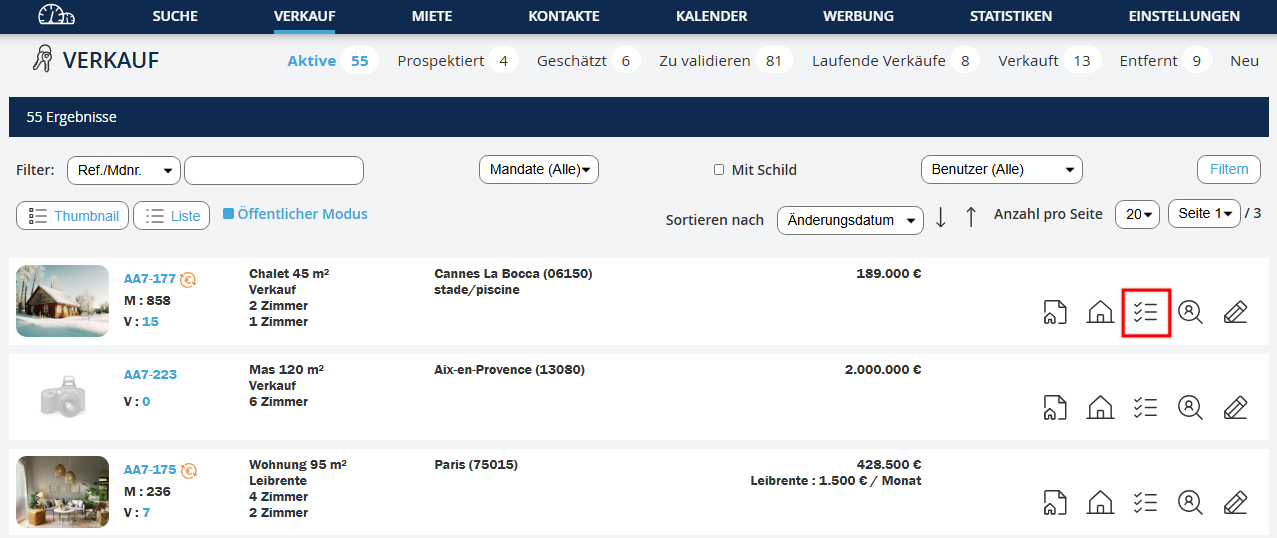
- Klicken Sie im Menü auf "Verkauf" oder "Vermietung"
- Und gehen Sie zum Verlauf der betroffenen Immobilie, indem Sie auf
The activity report allows you to create an activity report for all actions performed on your owners’ properties, such as number of visits and their report, advertising etc.
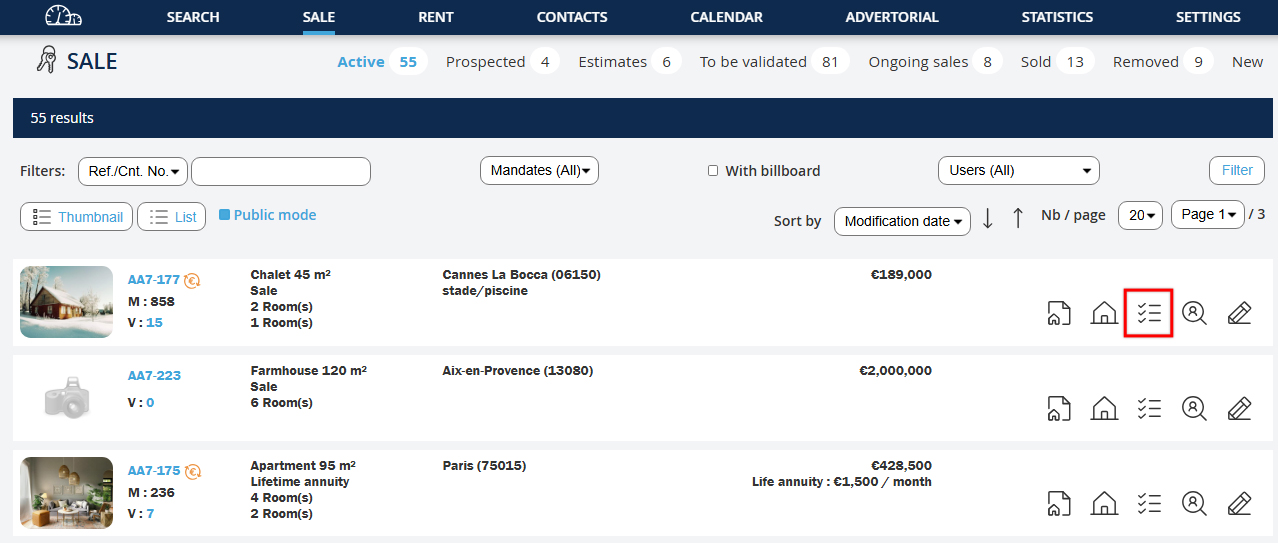
- Click on "Sale" or "Rental" in the menu
- Then go to the follow-up of the relevant property by clicking on
The activity report allows you to create an activity report for all actions performed on your owners’ properties, such as number of visits and their report, advertising etc.
- Click on "Sale" or "Rental" in the menu
- Then go to the follow-up of the relevant property by clicking on
Il rapporto di attività consente di creare un rapporto delle attività su tutte le azioni effettuate sulle proprietà dei vostri proprietari, come il numero di visite e il loro resoconto, pubblicità, ecc.
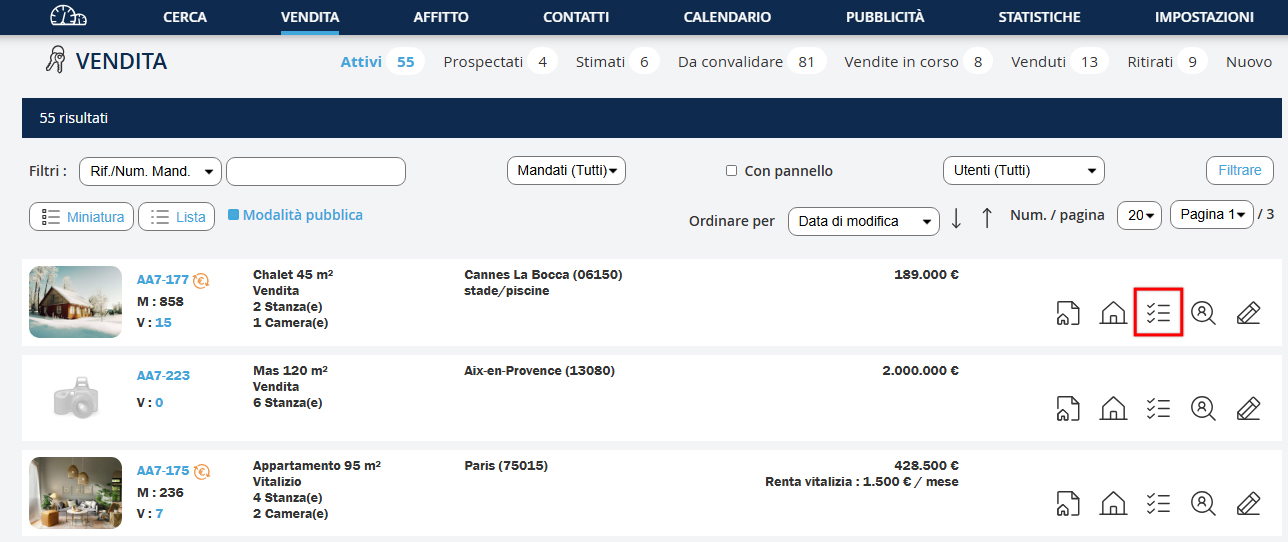
- Clicca su "Vendita" o "Affitto" nel menu
- E vai al monitoraggio della proprietà interessata cliccando su
O relatório de atividades permite-lhe criar um relatório de atividades sobre todas as ações realizadas nas propriedades dos seus proprietários, como o número de visitas e o seu relatório, publicidade, etc.
- Clique em "Venda" ou "Arrendamento" no menu
- E vá ao seguimento da propriedade em questão clicando em
El informe de actividades le permite crear un informe de actividades sobre todas las acciones realizadas en las propiedades de sus propietarios, como el número de visitas y su informe, publicidad, etc.
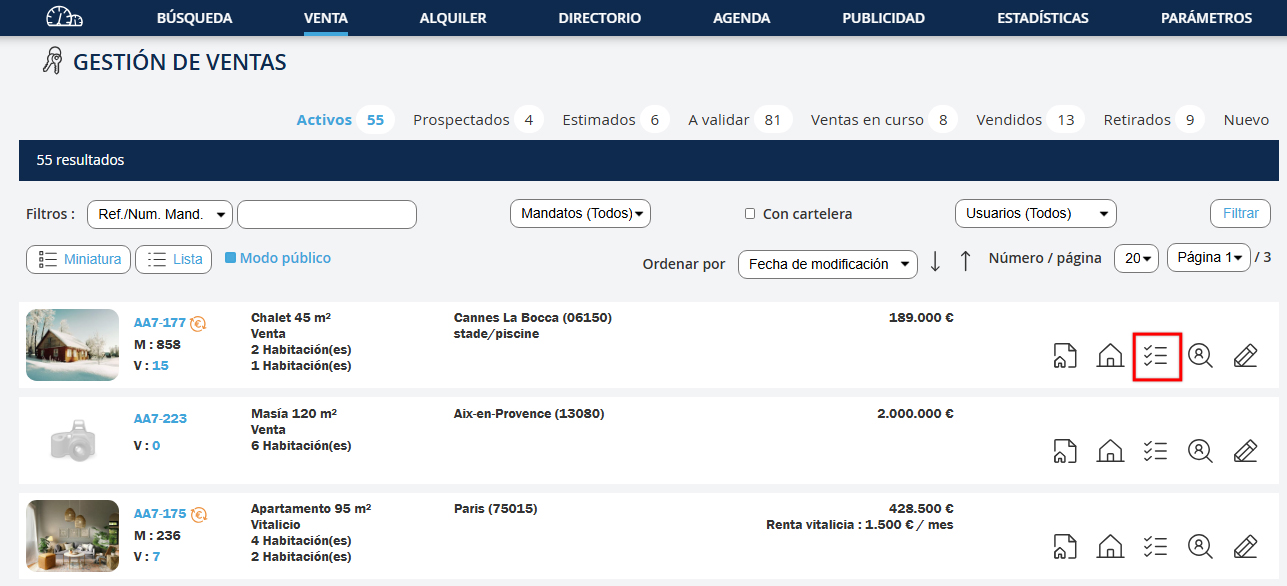
- Haga clic en "Venta" o "Alquiler" en el menú
- Y vaya al seguimiento de la propiedad en cuestión haciendo clic en
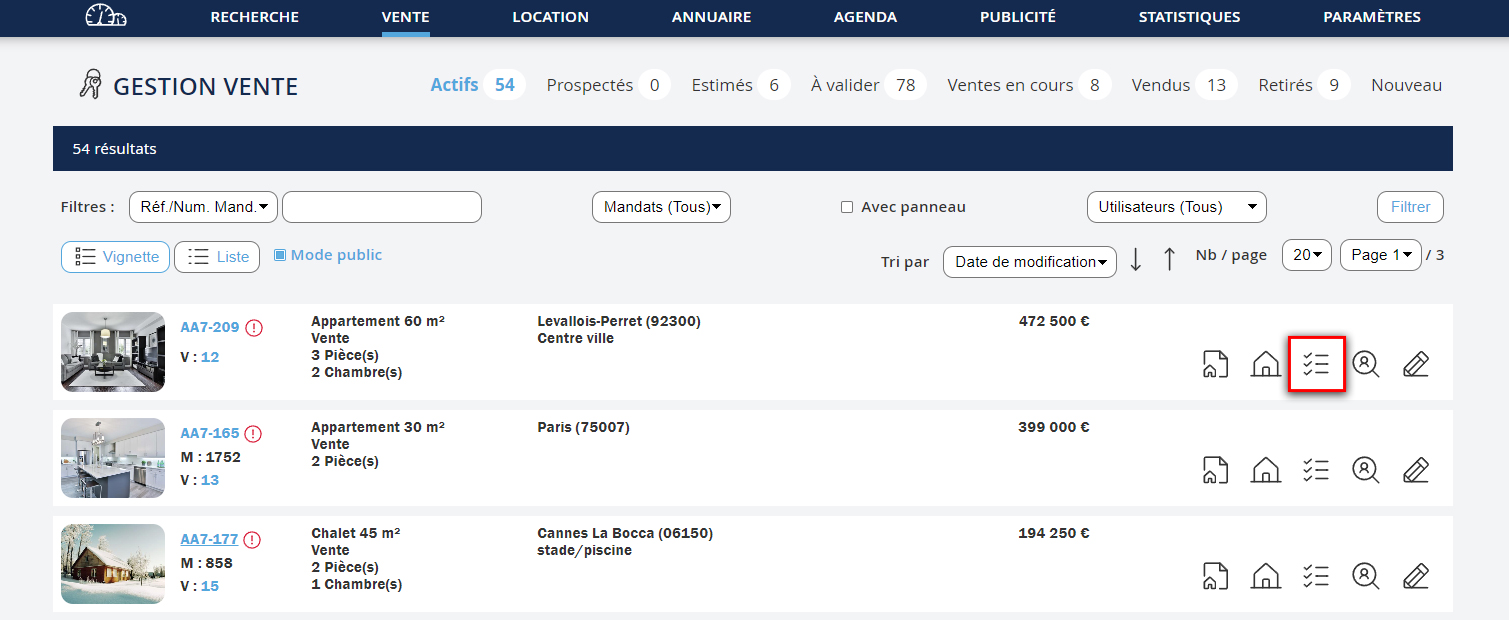
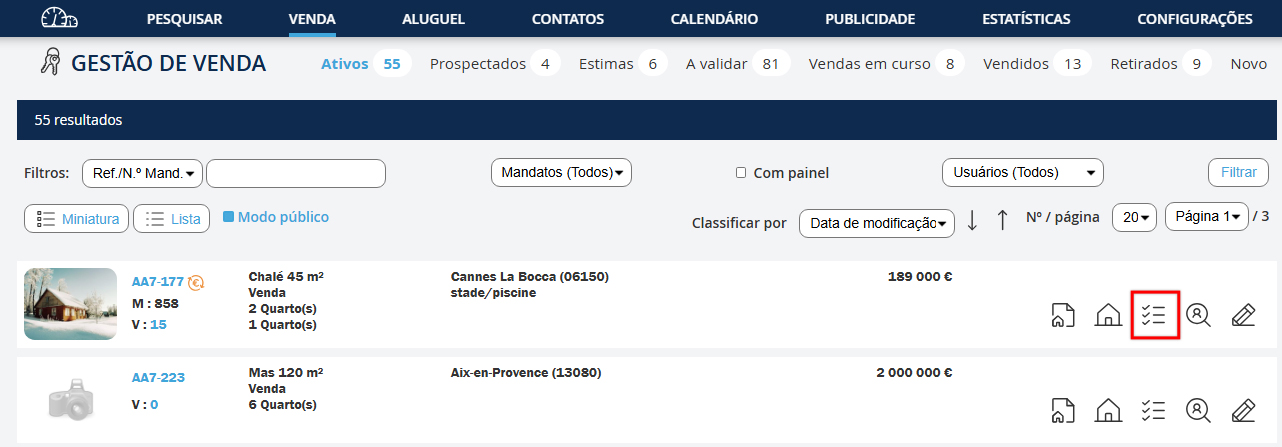
- Cliquez sur  Édition rapport d'activité pour ouvrir le formulaire.
- Klicken Sie auf Aktivitätsbericht erstellen, um das Formular zu öffnen.
- Click on Activity report edition to open the form.
- Click on Activity report edition to open the form.
- Clicca su Creazione rapporto di attività per aprire il modulo.
- Clique em Edição do relatório de atividades para abrir o formulário.
- Haga clic en Edición del informe de actividad para abrir el formulario.






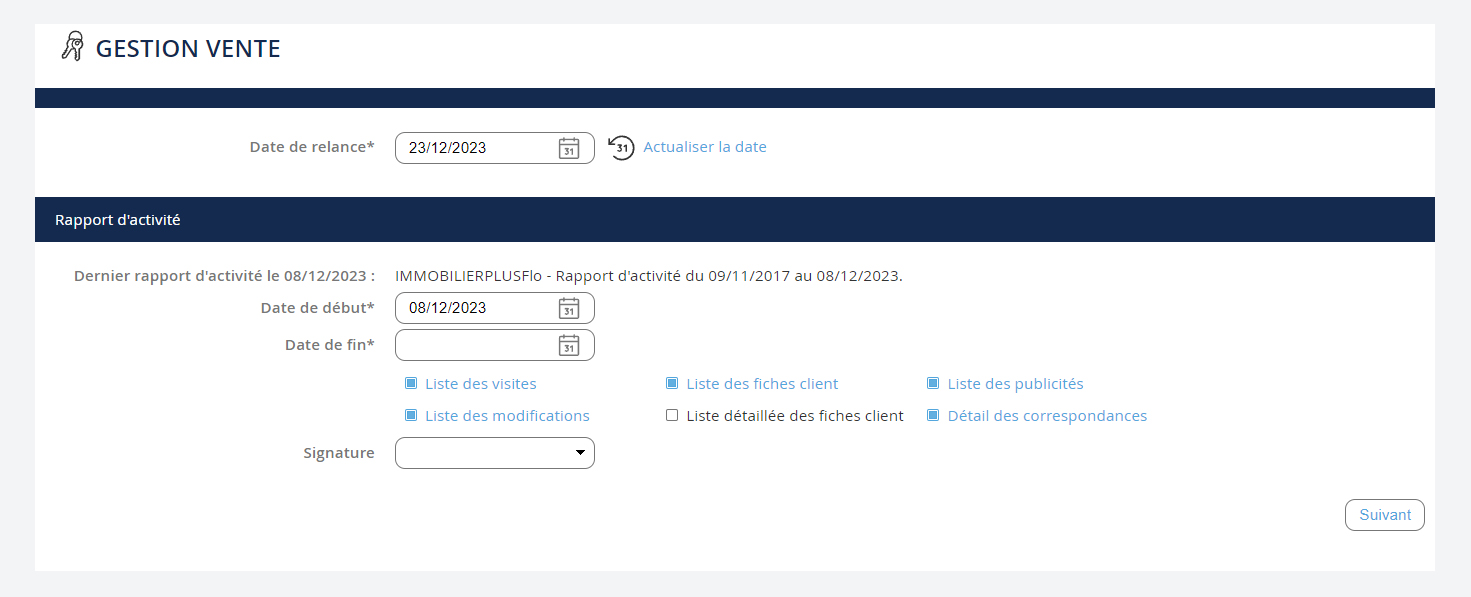
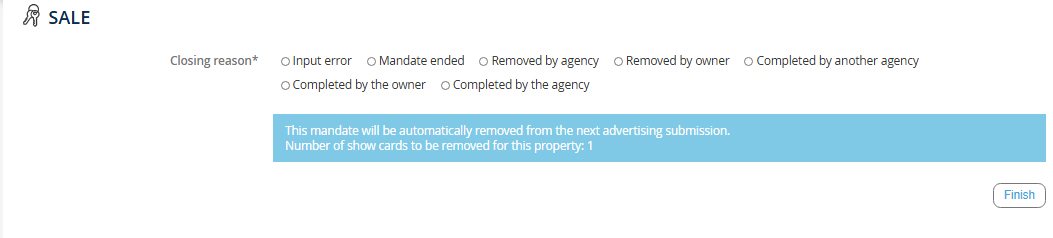
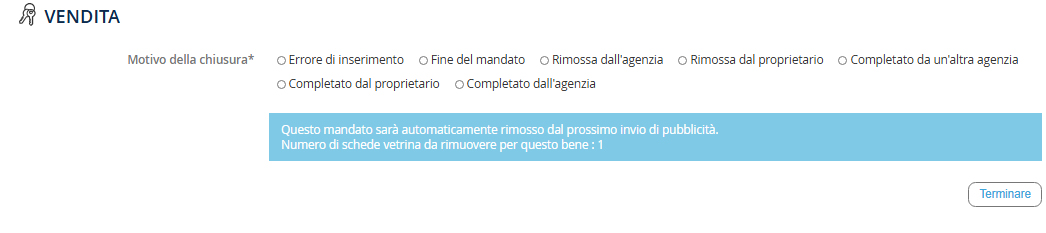
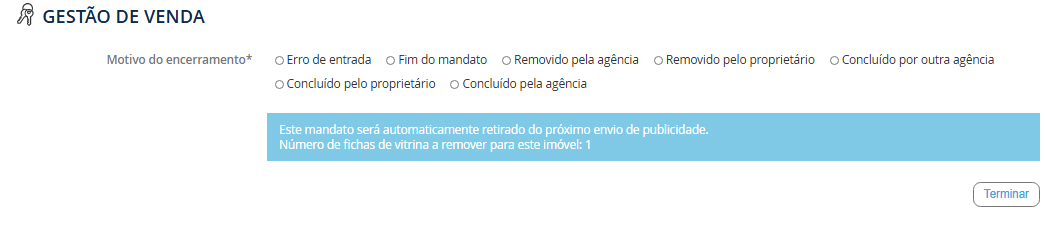
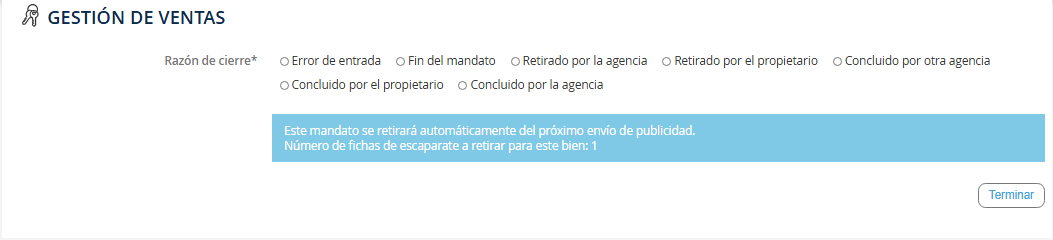
Dans cette nouvelle fenêtre :
- Modifiez la date de relance du mandat
- Renseignez la date de début et de fin de période pour le bilan
- Sélectionnez les différentes informations que vous souhaitez communiquer à votre propriétaire
- Sélectionnez la signature visible dans le bilan (l’agence ou un négociateur)
- Cliquez sur "Suivant" pour visualiser le rapport d'activité.
In diesem neuen Fenster:
- Ändern Sie das Datum der Erinnerung für das Mandat
- Geben Sie das Datum des Beginns und Endes des Zeitraums für die Bilanz ein
- Wählen Sie die verschiedenen Informationen aus, die Sie Ihrem Eigentümer mitteilen möchten
- Wählen Sie die sichtbare Unterschrift in der Bilanz (die Agentur oder ein Makler)
- Klicken Sie auf "Weiter", um den Aktivitätsbericht anzuzeigen.
In this new window:
- Modify the reminder date for the mandate
- Enter the start and end dates for the period in the report
- Select the different information you want to communicate to your owner
- Select the visible signature in the report (the agency or a negotiator)
- Click on "Next" to view the activity report.
In this new window:
- Modify the reminder date for the mandate
- Enter the start and end dates for the period in the report
- Select the different information you want to communicate to your owner
- Select the visible signature in the report (the agency or a negotiator)
- Click on "Next" to view the activity report.
In questa nuova finestra:
- Modifica la data di sollecito per il mandato
- Inserisci le date di inizio e fine periodo per il bilancio
- Seleziona le diverse informazioni che desideri comunicare al tuo proprietario
- Seleziona la firma visibile nel bilancio (l’agenzia o un negoziatore)
- Clicca su "Avanti" per visualizzare il rapporto di attività.
Nesta nova janela:
- Modifique a data de lembrete do mandato
- Preencha as datas de início e fim do período para o relatório
- Selecione as diferentes informações que deseja comunicar ao seu proprietário
- Selecione a assinatura visível no relatório (a agência ou um negociador)
- Clique em "Seguinte" para visualizar o relatório de atividades.
En esta nueva ventana:
- Modifique la fecha de recordatorio del mandato
- Introduzca las fechas de inicio y fin de período para el informe
- Seleccione la información diferente que desea comunicar a su propietario
- Seleccione la firma visible en el informe (la agencia o un negociador)
- Haga clic en "Siguiente" para ver el informe de actividad.
Envoi du rapport d'activité
Versand des Aktivitätsberichts
Sending the activity report
Sending the activity report
Invio del rapporto di attività
Envio do relatório de atividades
Envío del informe de actividad
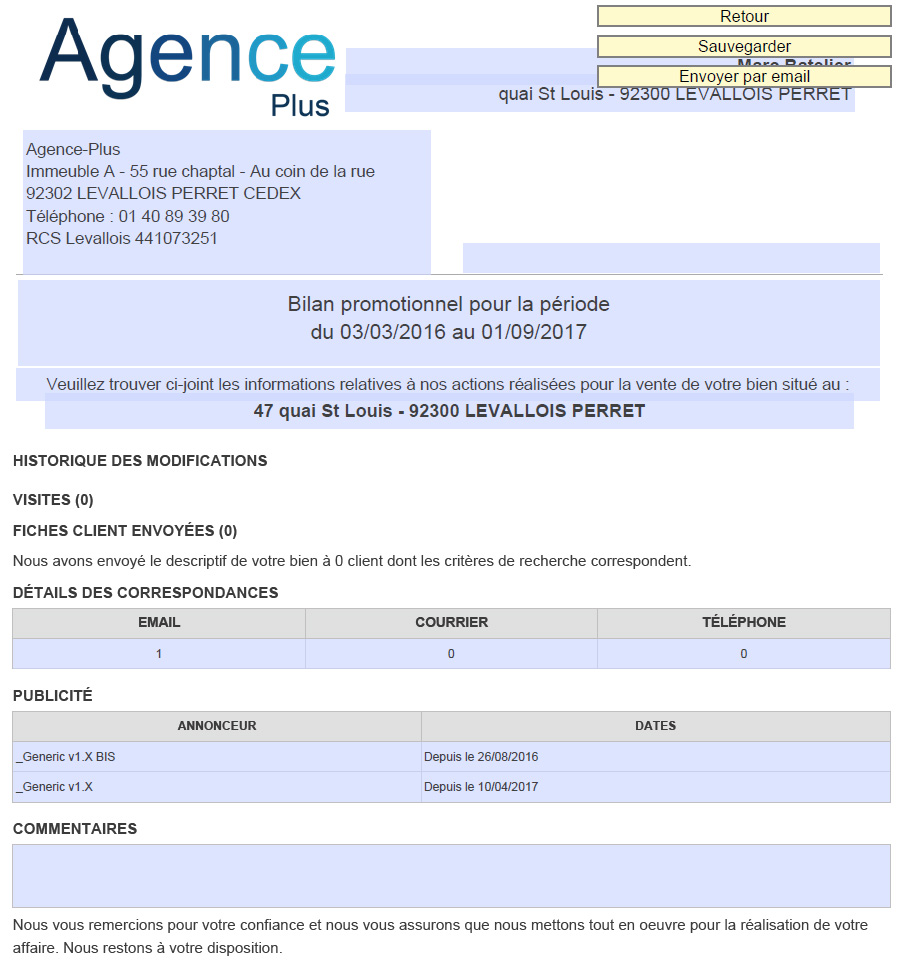
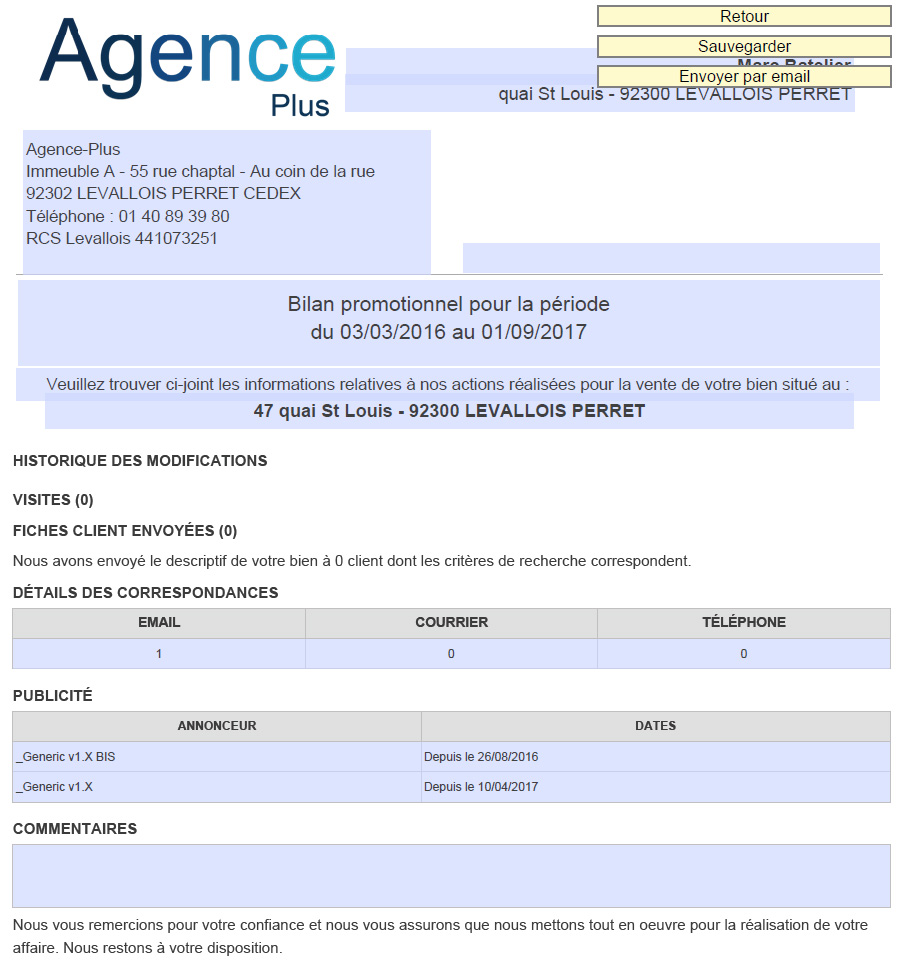
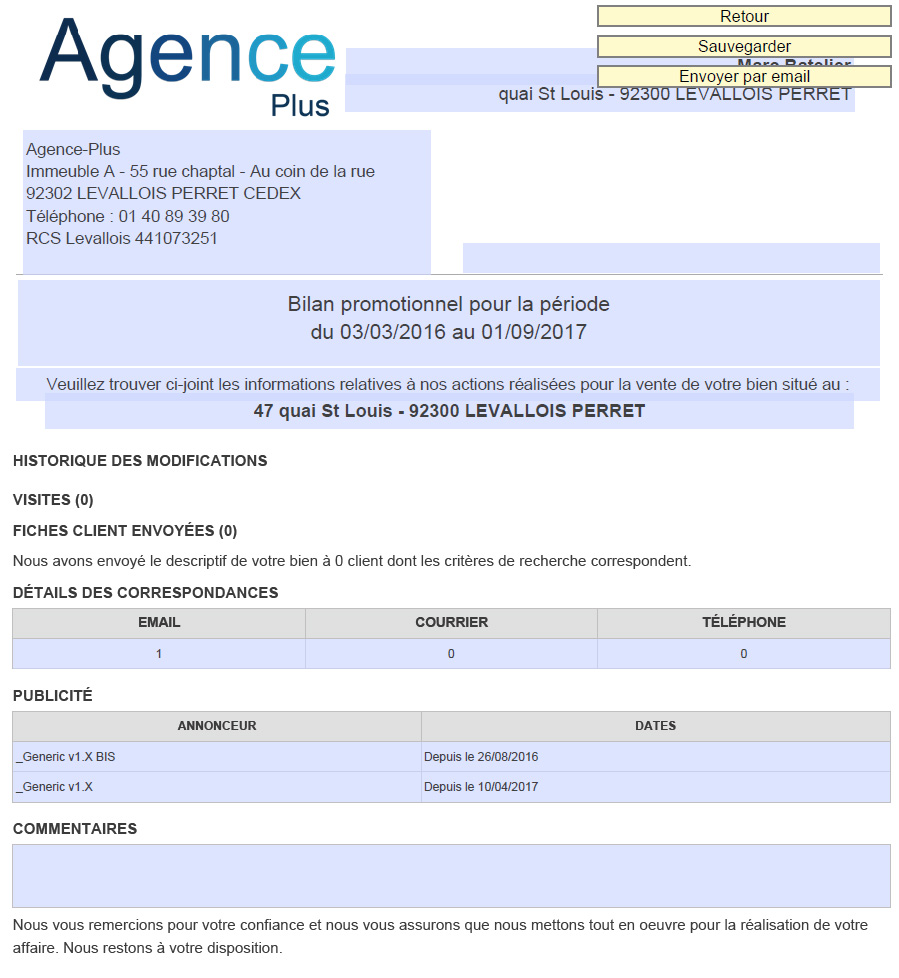
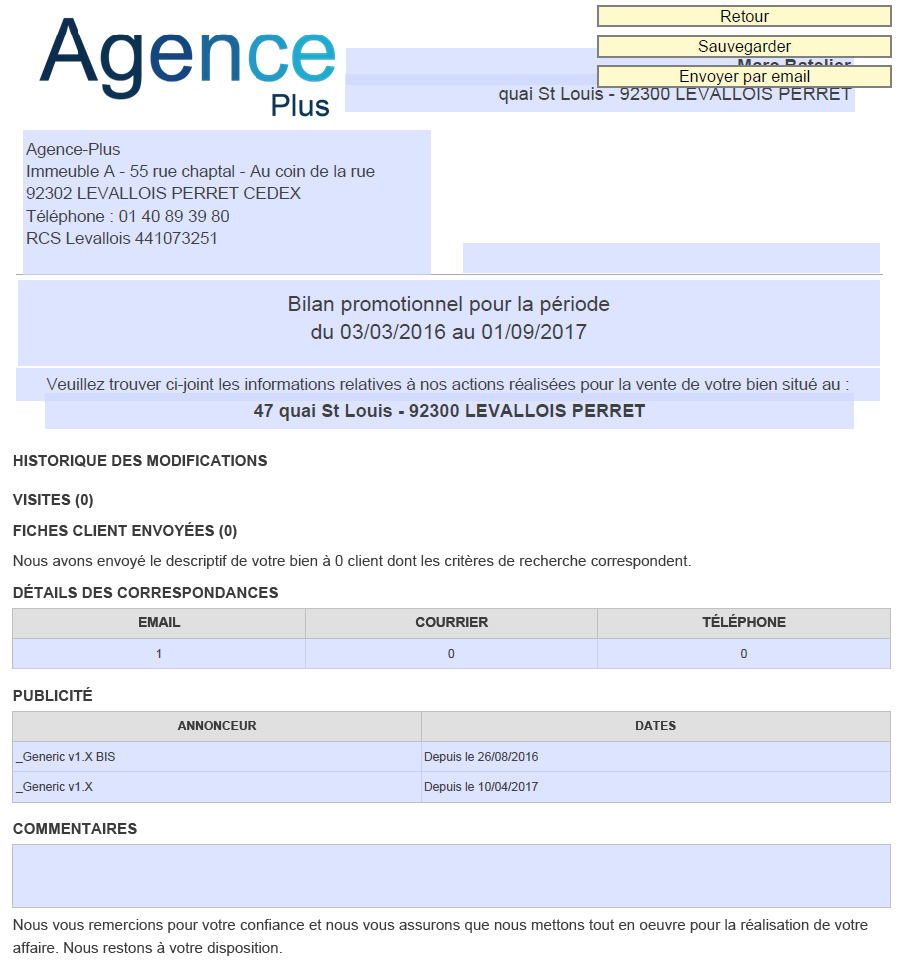
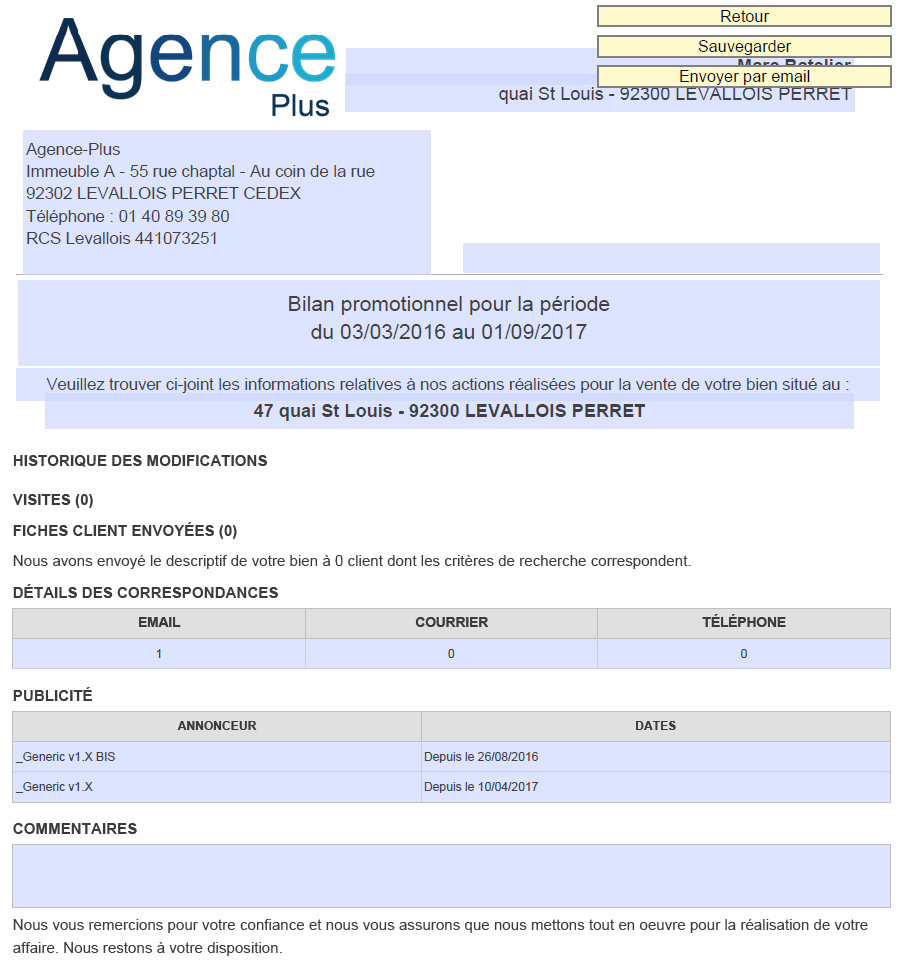
Une fois le rapport d'activité créé, si vous l’envoyez par mail, il sera automatiquement sauvegardé dans les correspondances du suivi d’activités. En revanche, si vous l’imprimez il faut IMPERATIVEMENT le sauvegarder pour avoir une trace dans les correspondances du suivi d’activités.
Sobald der Aktivitätsbericht erstellt wurde, wenn Sie ihn per E-Mail senden, wird er automatisch in den Korrespondenzen der Aktivitätsverfolgung gespeichert. Wenn Sie ihn jedoch drucken, müssen Sie ihn unbedingt speichern, um einen Nachweis in den Korrespondenzen der Aktivitätsverfolgung zu haben.
Once the activity report is created, if you send it by email, it will be automatically saved in the activity tracking correspondences. However, if you print it, you must ensure to save it to keep a record in the activity tracking correspondences.
Once the activity report is created, if you send it by email, it will be automatically saved in the activity tracking correspondences. However, if you print it, you must ensure to save it to keep a record in the activity tracking correspondences.
Una volta creato il rapporto di attività, se lo invii per e-mail, verrà salvato automaticamente nelle corrispondenze del monitoraggio attività. Tuttavia, se lo stampi, dovrai assolutamente salvarlo per avere una traccia nelle corrispondenze del monitoraggio attività.
Uma vez criado o relatório de atividades, se o enviar por e-mail, será salvo automaticamente nas correspondências de seguimento de atividades. No entanto, se o imprimir, deve salvá-lo obrigatoriamente para manter um registo nas correspondências de seguimento de atividades.
Una vez creado el informe de actividad, si lo envía por correo electrónico, se guardará automáticamente en las correspondencias de seguimiento de actividades. Sin embargo, si lo imprime, deberá guardarlo obligatoriamente para tener un registro en las correspondencias de seguimiento de actividades.