Gérer la publicité
Verwalten der Werbung
Manage Advertising
Manage Advertising
Gestire la pubblicità
Gerir a publicidade
Gestionar la publicidad
Avant l’utilisation de cette fonctionnalité, il est indispensable de configurer l’ensemble de vos annonceurs compatibles dans le logiciel, pour pouvoir utiliser le transfert de biens en vente par passerelle. Il vous suffit de signaler à vos annonceurs le logiciel que vous utilisez. Nous vous conseillons de le faire par mail et de nous mettre en copie sur support@agence-plus.com. Pour tout annonceur qui n’est pas référencé, nous lui transmettrons notre protocole de passerelle, une fois sa demande faite par mail à support@agence-plus.com.
Vor der Nutzung dieser Funktion müssen Sie alle kompatiblen Anzeigenkunden im Softwareprogramm konfigurieren, um den Verkauf von Immobilien über ein Gateway zu übertragen. Sie müssen lediglich Ihre Anzeigenkunden auf die von Ihnen verwendete Software hinweisen. Wir empfehlen, dies per E-Mail zu tun und uns in Kopie unter support@agence-plus.com zu setzen. Für jeden nicht gelisteten Anzeigenkunden werden wir ihm unser Gateway-Protokoll übermitteln, sobald die Anfrage per E-Mail an support@agence-plus.com gestellt wird.
Before using this feature, it is essential to configure all your compatible advertisers in the software in order to use the property transfer via gateway. Simply inform your advertisers about the software you are using. We advise you to do this by email and cc us at support@agence-plus.com. For any unlisted advertiser, we will send them our gateway protocol once their request is made by email to support@agence-plus.com.
Before using this feature, it is essential to configure all your compatible advertisers in the software in order to use the property transfer via gateway. Simply inform your advertisers about the software you are using. We advise you to do this by email and cc us at support@agence-plus.com. For any unlisted advertiser, we will send them our gateway protocol once their request is made by email to support@agence-plus.com.
Prima di utilizzare questa funzionalità, è essenziale configurare tutti i tuoi inserzionisti compatibili nel software per poter utilizzare il trasferimento delle proprietà tramite gateway. È sufficiente informare i tuoi inserzionisti sul software che utilizzi. Ti consigliamo di farlo via email e di metterci in copia all'indirizzo support@agence-plus.com. Per ogni inserzionista non elencato, gli invieremo il nostro protocollo del gateway una volta che la sua richiesta sarà effettuata via email a support@agence-plus.com.
Antes de usar esta funcionalidade, é essencial configurar todos os seus anunciantes compatíveis no software para poder utilizar a transferência de bens por gateway. Basta informar os seus anunciantes sobre o software que está a usar. Aconselhamos a fazê-lo por e-mail e colocar-nos em cópia para support@agence-plus.com. Para qualquer anunciante não listado, enviaremos o nosso protocolo de gateway assim que a sua solicitação for feita por e-mail para support@agence-plus.com.
Antes de utilizar esta función, es esencial configurar todos sus anunciantes compatibles en el software para poder utilizar la transferencia de bienes por pasarela. Simplemente informe a sus anunciantes sobre el software que está utilizando. Le recomendamos hacerlo por correo electrónico y ponernos en copia en support@agence-plus.com. Para cualquier anunciante no listado, le enviaremos nuestro protocolo de pasarela una vez que haga su solicitud por correo electrónico a support@agence-plus.com.
Envoyer la publicité
Werbung senden
Send the Advertisement
Send the Advertisement
Inviare la pubblicità
Enviar a publicidade
Enviar la publicidad
Pour envoyer la publicité, vous devez :
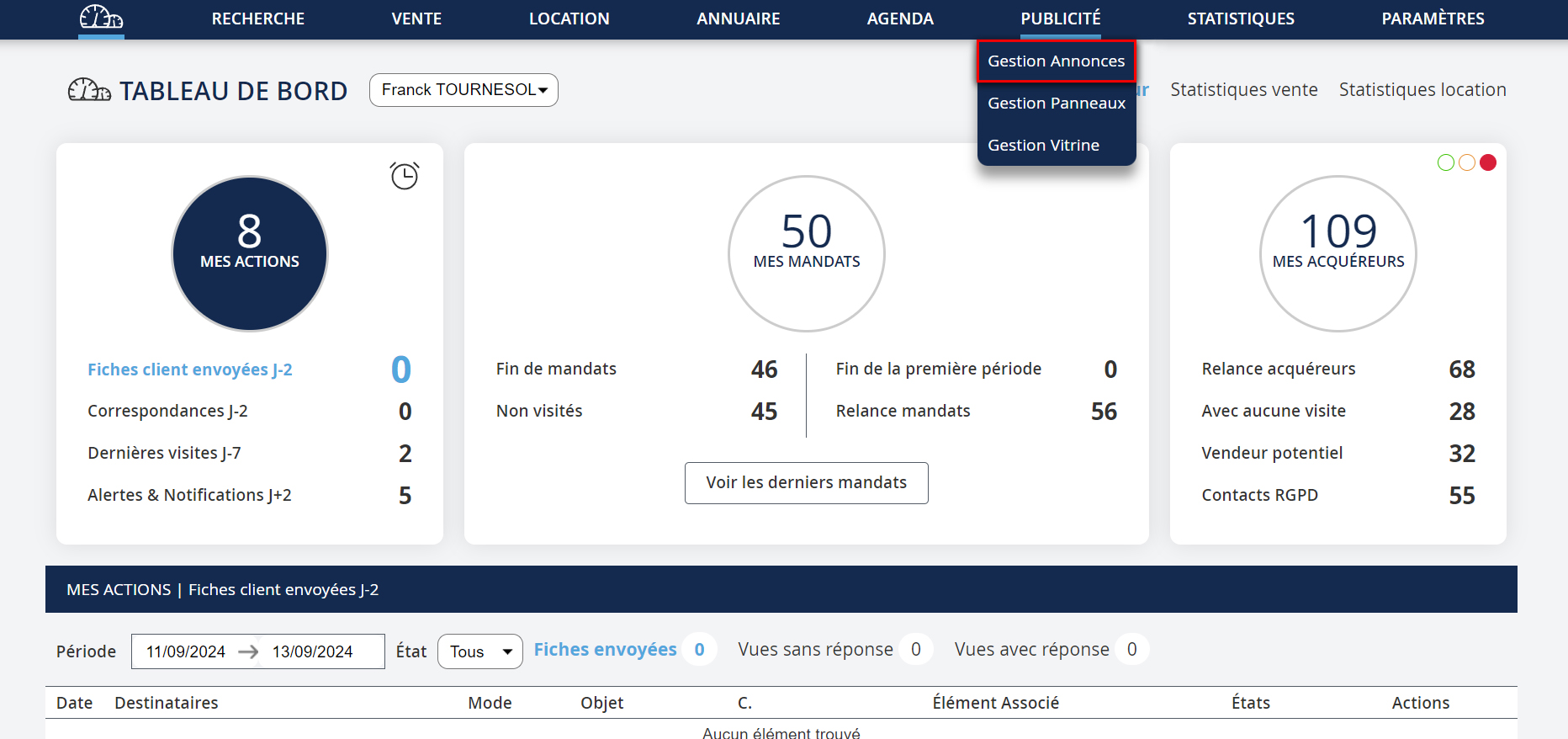
- Cliquer sur PUBLICITÉ → Gestion annonces
Um die Werbung zu senden, müssen Sie:
- Klicken Sie auf WERBUNG → Anzeigenverwaltung
To send the advertisement, you need to:
- Click on ADVERTISING → Ad Management
To send the advertisement, you need to:
- Click on ADVERTISING → Ad Management
Per inviare la pubblicità, devi:
- Cliccare su PUBBLICITÀ → Gestione annunci
Para enviar a publicidade, deve:
- Clicar em PUBLICIDADE → Gestão de anúncios
Para enviar la publicidad, debe:
- Hacer clic en PUBLICIDAD → Gestión de anuncios
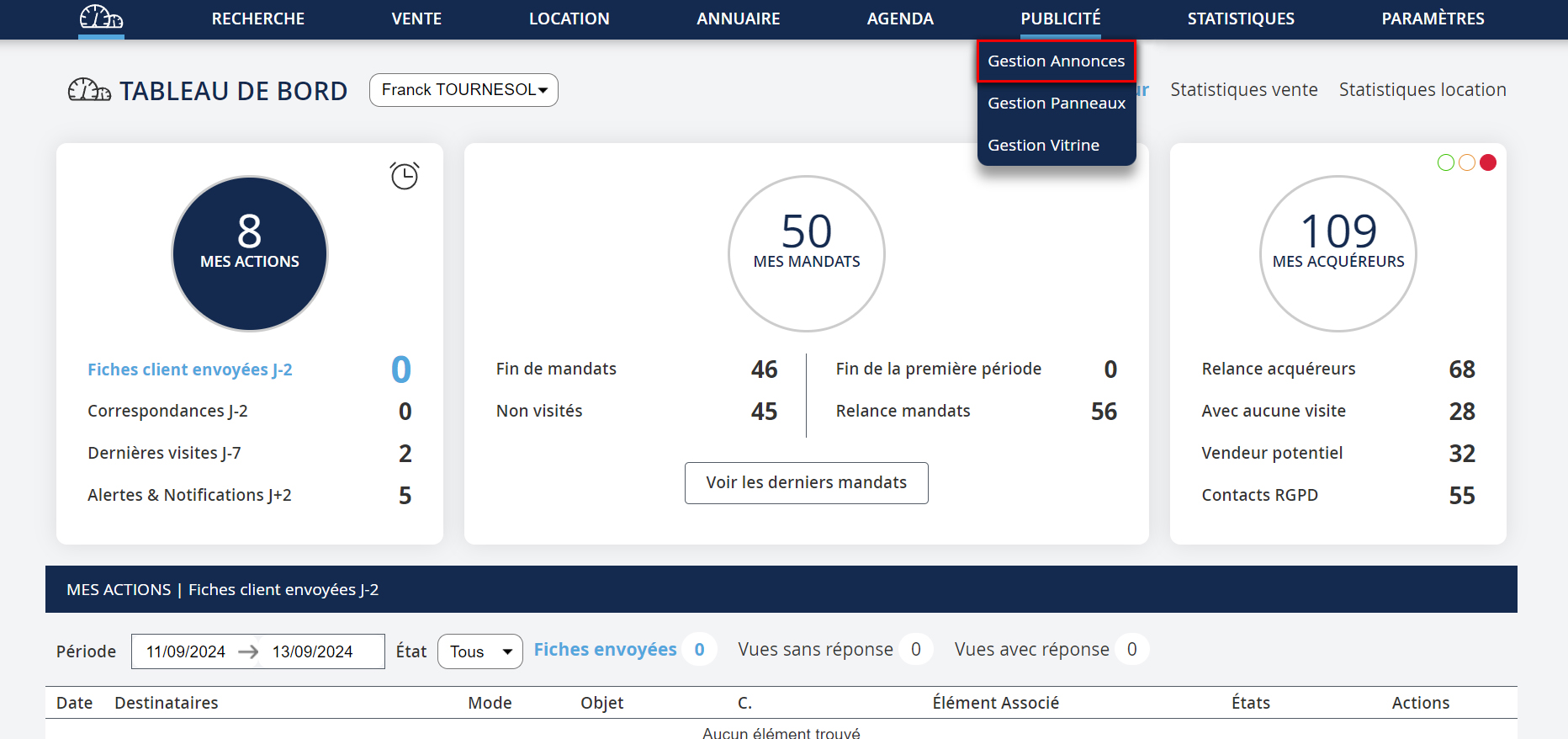
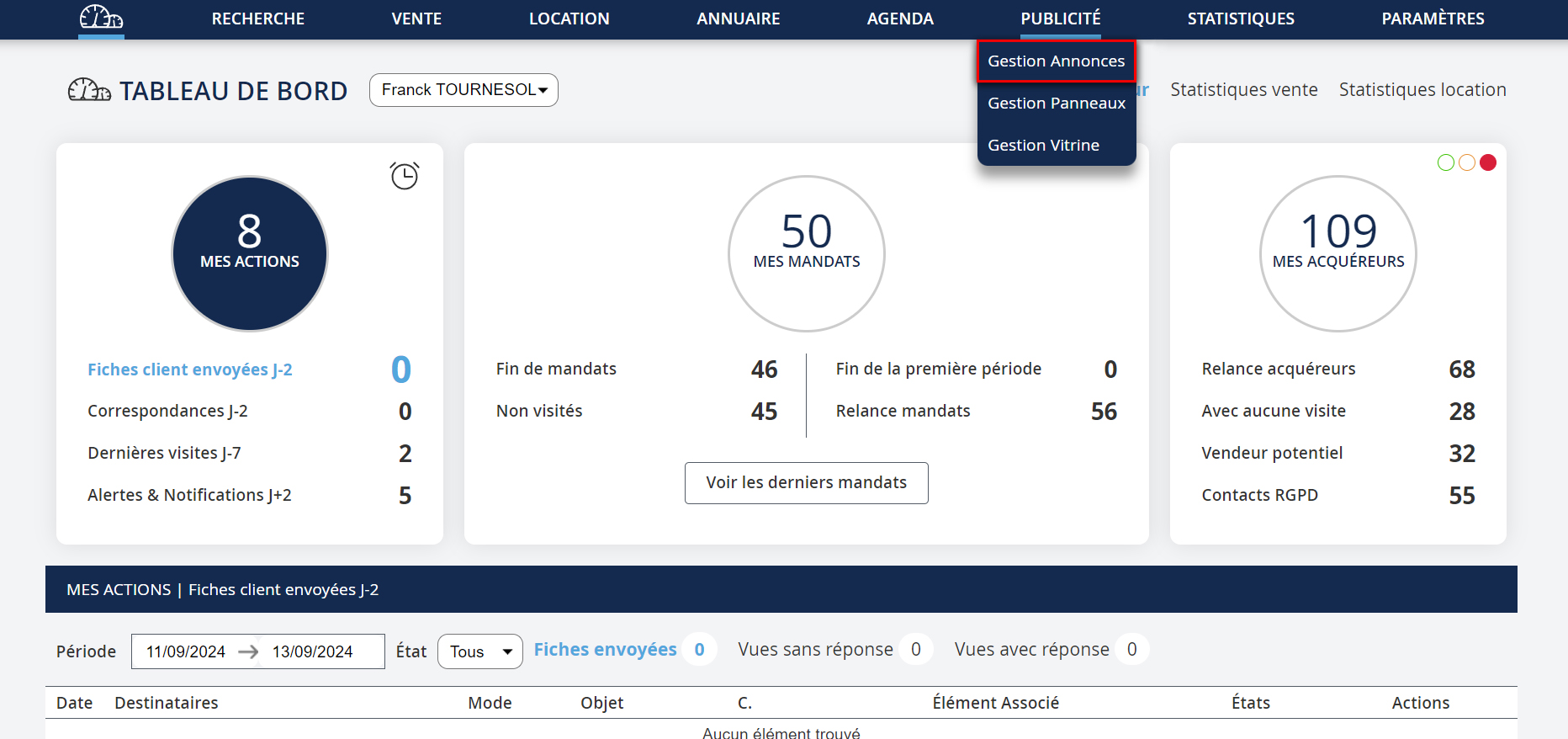
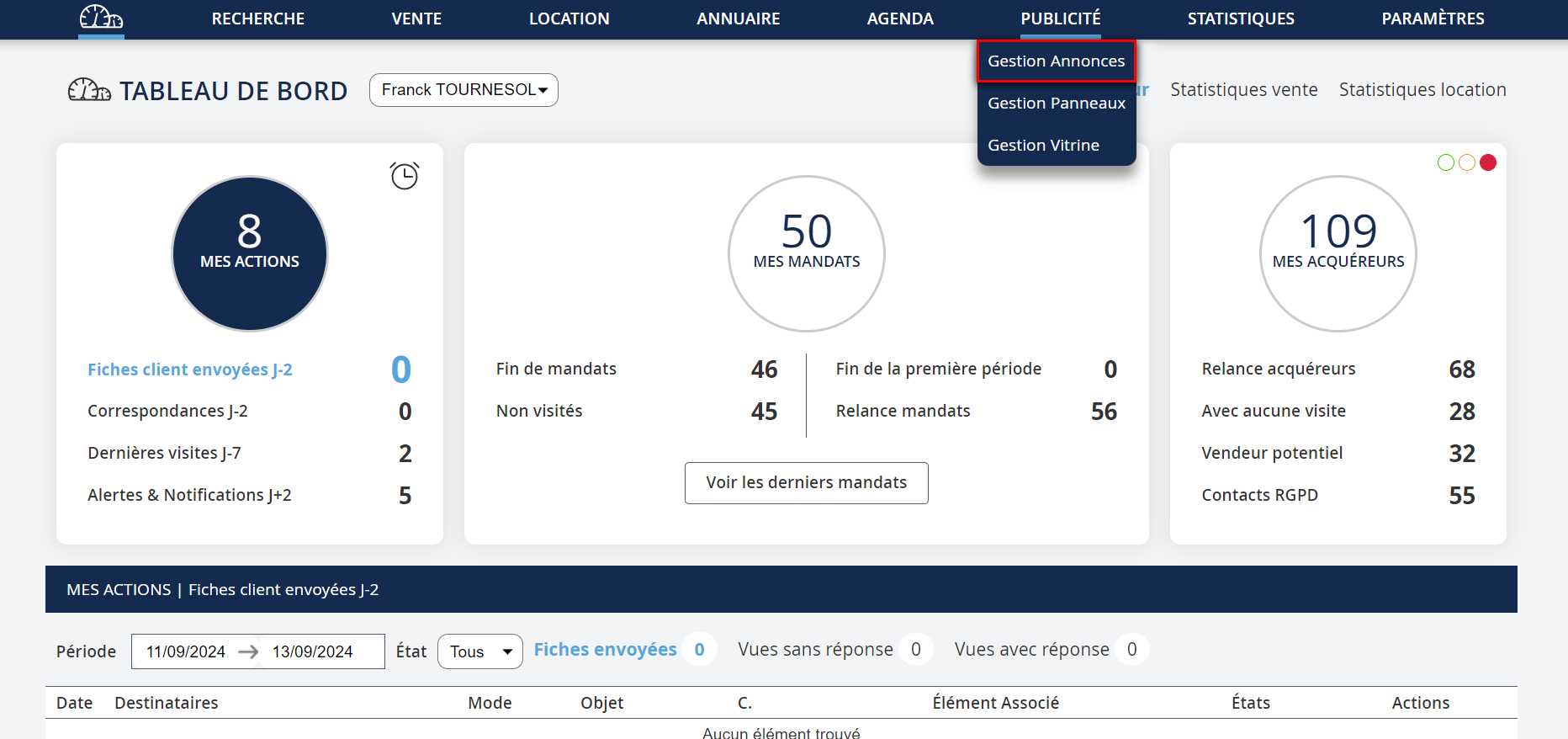
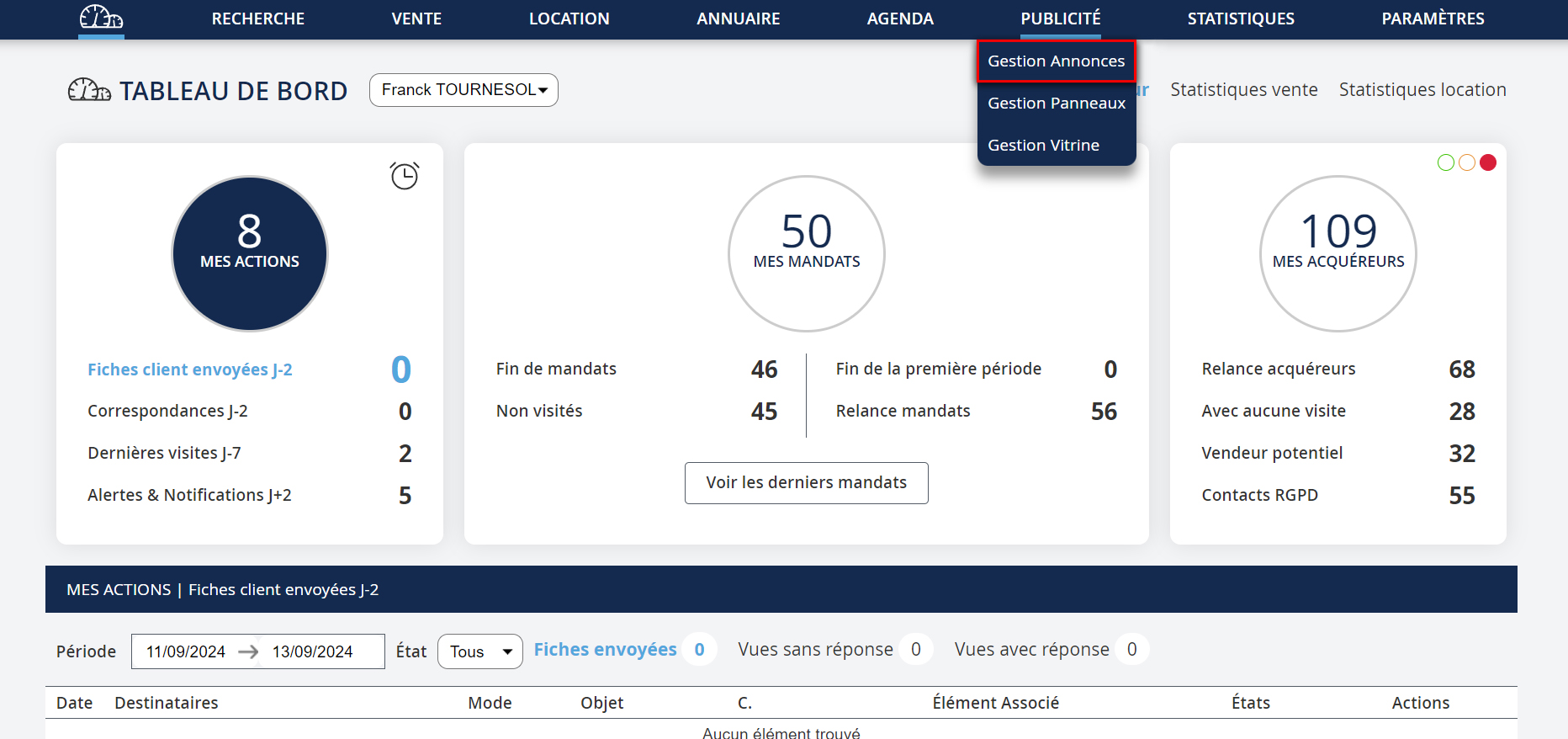
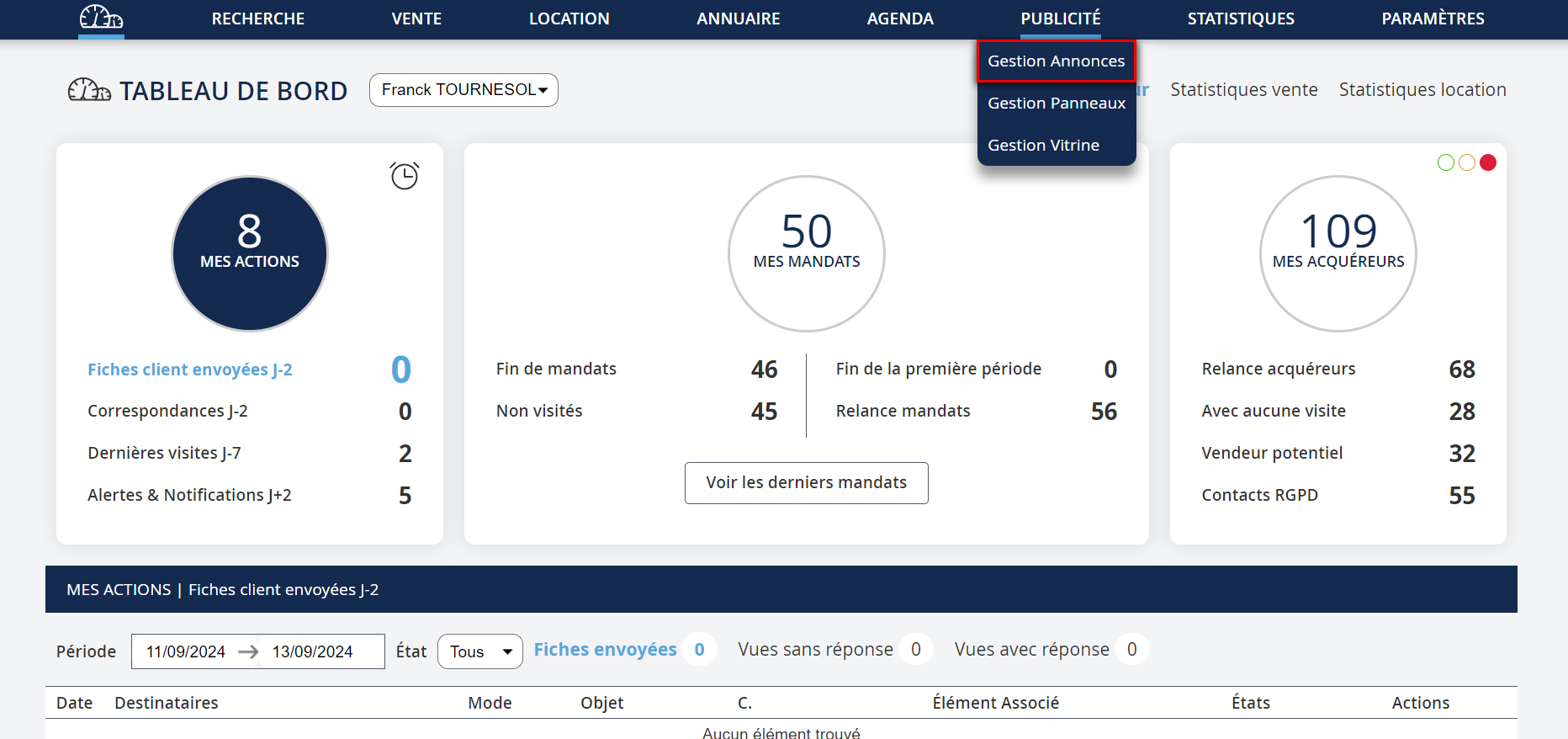
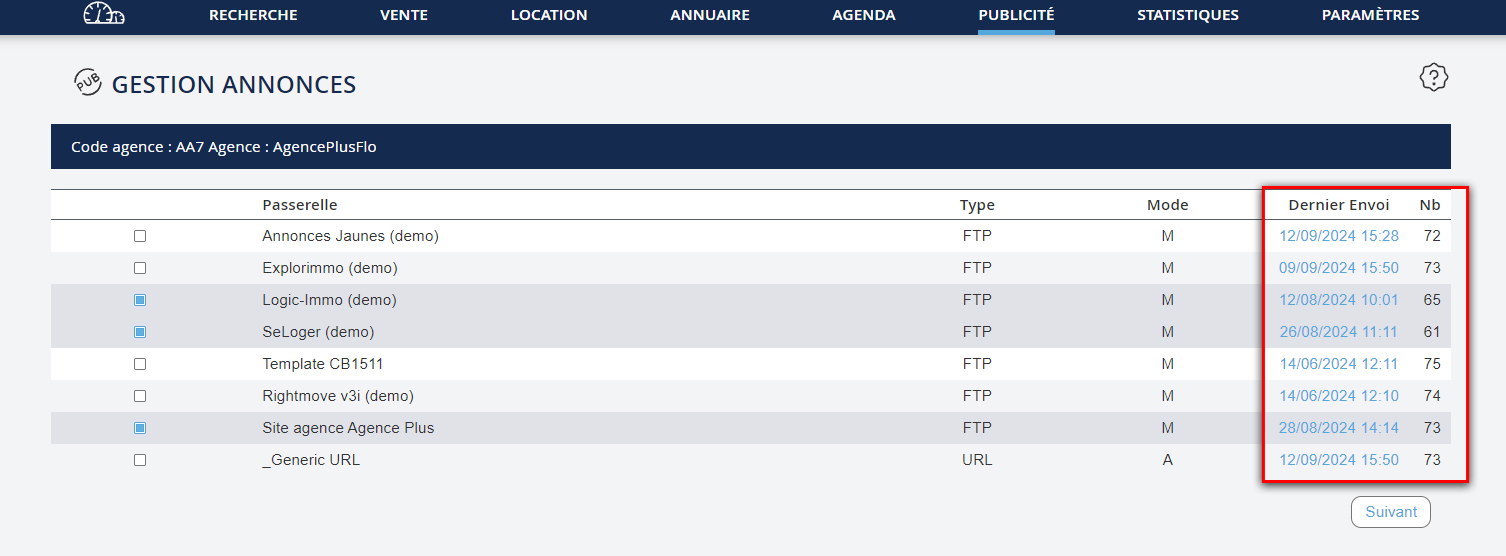
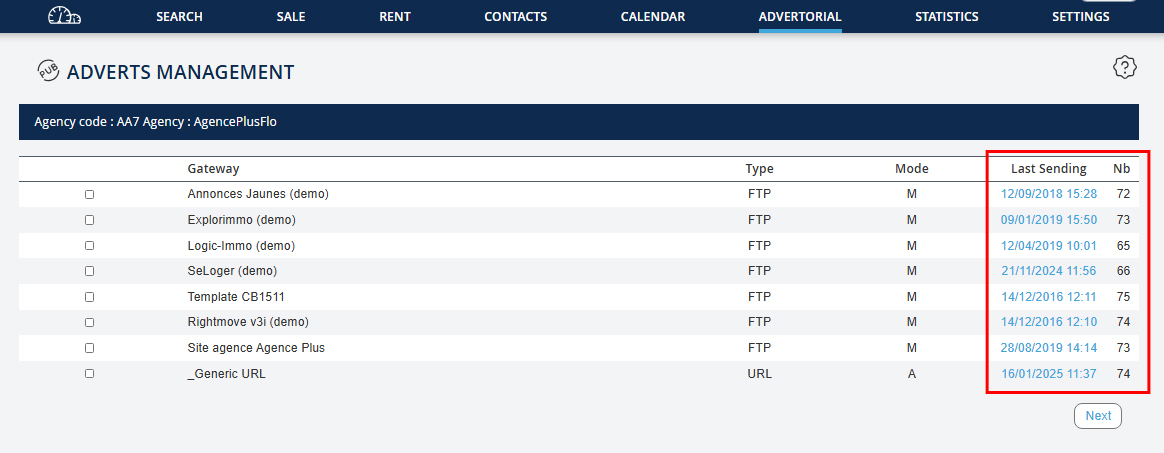
- Sélectionner la passerelle souhaitée, puis cliquer sur "Suivant". - Cocher les biens à diffuser, et les valider en choisissant les textes et photos à envoyer. - Vous pouvez modifier le choix des photos et textes de publicité d'un bien, en cliquant sur son icône Mise à jour et vérifier. - Une fois que tous les biens à diffuser sont cochés, il vous faut cliquer sur "Envoyer la publicité". C’est à ce moment que le fichier est transféré sur le serveur du portail. Vous pouvez voir la date et heure ainsi que le nombre d'annonces du dernier envoi dans "PUBLICITÉ → Gestion annonces". La date certifie la bonne transmission de vos annonces sur le serveur du portail.
- Wählen Sie das gewünschte Gateway aus und klicken Sie auf "Weiter". - Markieren Sie die zu verbreitenden Immobilien, und bestätigen Sie sie, indem Sie die zu sendenden Texte und Fotos auswählen. - Sie können die Auswahl der Fotos und Werbetexte einer Immobilie ändern, indem Sie auf deren Symbol Aktualisieren und Überprüfen klicken. - Sobald alle zu verbreitenden Immobilien markiert sind, müssen Sie auf "Werbung senden" klicken. Zu diesem Zeitpunkt wird die Datei auf den Server des Portals übertragen. Sie können das Datum, die Uhrzeit und die Anzahl der Anzeigen der letzten Sendung unter "WERBUNG → Anzeigenverwaltung" einsehen. Das Datum bestätigt die ordnungsgemäße Übertragung Ihrer Anzeigen auf den Server des Portals.
- Select the desired gateway, then click on "Next". - Check the properties to broadcast, and validate them by selecting the texts and photos to send. - You can modify the choice of photos and advertising texts for a property by clicking on its icon Update and Check. - Once all properties to broadcast are checked, click on "Send the Advertisement". At this point, the file is transferred to the portal server. You can see the date and time as well as the number of ads from the last send in "ADVERTISING → Ad Management". The date certifies the successful transmission of your ads to the portal server.
- Select the desired gateway, then click on "Next". - Check the properties to broadcast, and validate them by selecting the texts and photos to send. - You can modify the choice of photos and advertising texts for a property by clicking on its icon Update and Check. - Once all properties to broadcast are checked, click on "Send the Advertisement". At this point, the file is transferred to the portal server. You can see the date and time as well as the number of ads from the last send in "ADVERTISING → Ad Management". The date certifies the successful transmission of your ads to the portal server.
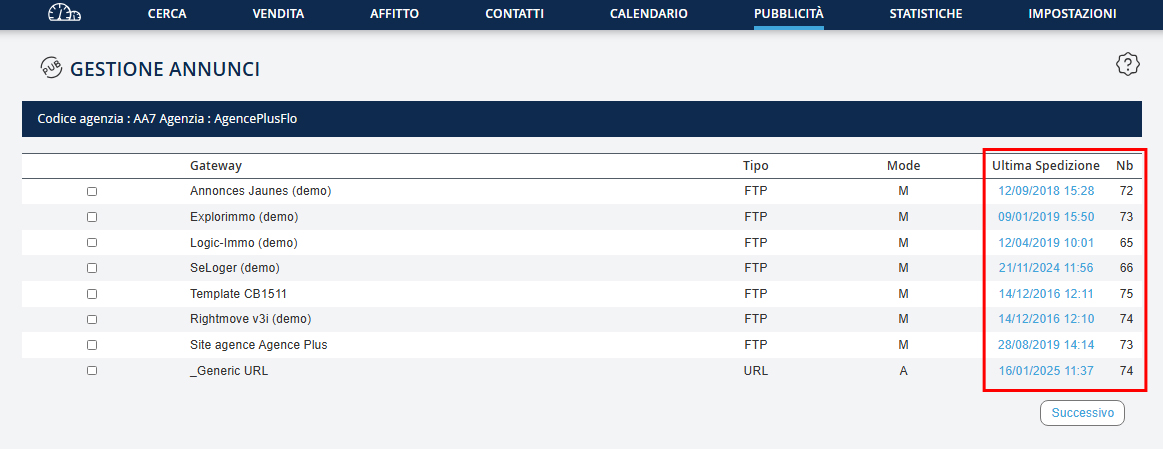
- Selezionare il gateway desiderato, quindi cliccare su "Avanti". - Selezionare le proprietà da diffondere, e convalidarle scegliendo i testi e le foto da inviare. - Puoi modificare la scelta delle foto e dei testi pubblicitari di una proprietà, cliccando sulla sua icona Aggiorna e Verifica. - Una volta che tutte le proprietà da diffondere sono selezionate, clicca su "Inviare la pubblicità". A questo punto il file viene trasferito al server del portale. Puoi vedere la data e l'orario, nonché il numero di annunci dell'ultimo invio in "PUBBLICITÀ → Gestione annunci". La data certifica il corretto invio dei tuoi annunci al server del portale.
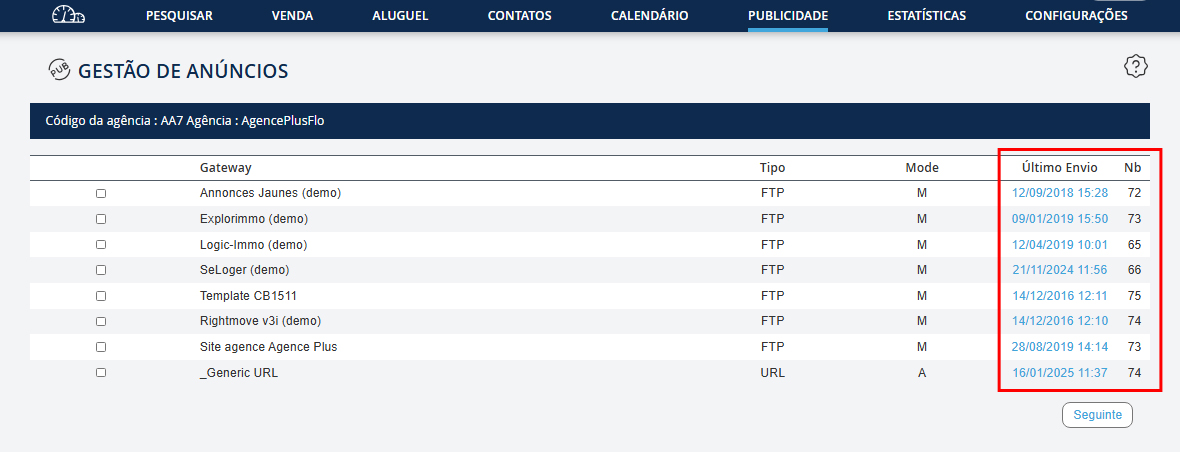
- Selecione o gateway desejado, depois clique em "Seguinte". - Marque os bens a transmitir, e valide-os ao escolher os textos e fotos a enviar. - Pode modificar a escolha das fotos e textos de publicidade de um bem, clicando no seu ícone Atualizar e Verificar. - Depois de marcar todos os bens a transmitir, clique em "Enviar a publicidade". Neste momento, o arquivo é transferido para o servidor do portal. Pode ver a data e a hora, assim como o número de anúncios da última transmissão em "PUBLICIDADE → Gestão de anúncios". A data certifica a correta transmissão dos seus anúncios para o servidor do portal.
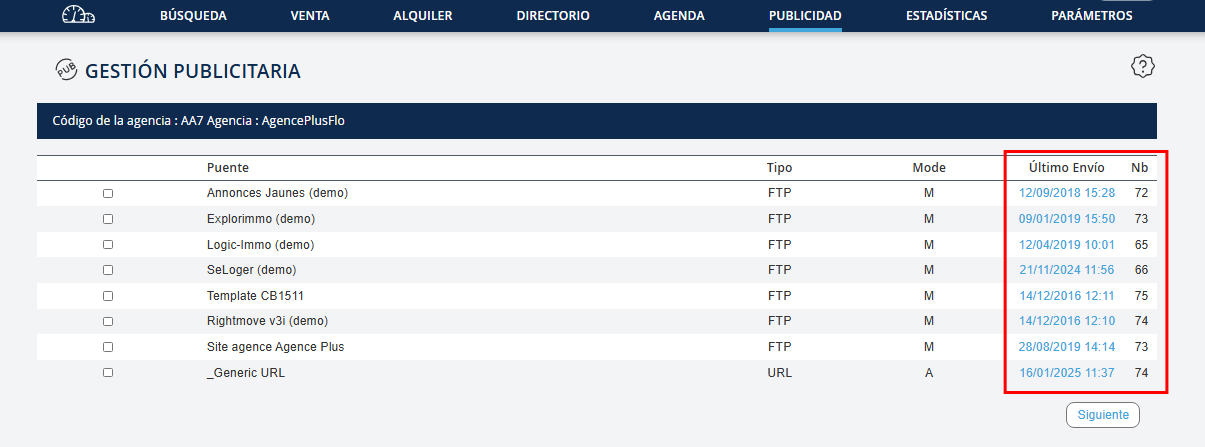
- Seleccione el gateway deseado, luego haga clic en "Siguiente". - Marque las propiedades a difundir, y valide seleccionando los textos y fotos para enviar. - Puede modificar la elección de fotos y textos publicitarios de una propiedad, haciendo clic en su icono Actualizar y Verificar. - Una vez que todas las propiedades a difundir estén marcadas, haga clic en "Enviar la publicidad". En este punto, el archivo se transfiere al servidor del portal. Puede ver la fecha y hora, así como el número de anuncios del último envío en "PUBLICIDAD → Gestión de anuncios". La fecha certifica la correcta transmisión de sus anuncios al servidor del portal.
Votre sélection est sauvegardée sur le logiciel, mais elle ne peut prendre effet sur les sites que si l’envoi est effectué et que le fichier est traité par le portail. Pour chaque nouvel envoi, les annonces décochées seront retirées du site.
Ihre Auswahl wird in der Software gespeichert, aber sie kann erst auf den Websites wirksam werden, wenn der Versand durchgeführt wurde und die Datei vom Portal verarbeitet wurde. Für jede neue Sendung werden die abgewählten Anzeigen von der Website entfernt.
Your selection is saved in the software, but it can only take effect on the websites if the sending is completed and the file is processed by the portal. For each new send, unchecked ads will be removed from the site.
Your selection is saved in the software, but it can only take effect on the websites if the sending is completed and the file is processed by the portal. For each new send, unchecked ads will be removed from the site.
La tua selezione è salvata nel software, ma può avere effetto sui siti solo se l'invio è effettuato e il file è trattato dal portale. Per ogni nuovo invio, gli annunci deselezionati verranno rimossi dal sito.
A sua seleção é guardada no software, mas só pode ter efeito nos sites se o envio for efetuado e o ficheiro for processado pelo portal. Para cada novo envio, os anúncios desmarcados serão retirados do site.
Su selección se guarda en el software, pero solo puede tener efecto en los sitios si el envío se realiza y el archivo es procesado por el portal. Para cada nuevo envío, los anuncios desmarcados se eliminarán del sitio.
Vérifiez que l'envoi a été effectué
Überprüfen Sie, ob der Versand abgeschlossen wurde
Check if the sending has been completed
Check if the sending has been completed
Verifica se l'invio è stato effettuato
Verifique se o envio foi efetuado
Verifique si el envío se ha realizado
Pour chaque passerelle, vous avez la date et l’heure du dernier envoi, ainsi que le nombre d’annonces. Cliquez sur "PUBLICITÉ → Gestion annonces" pour visualiser ces informations.
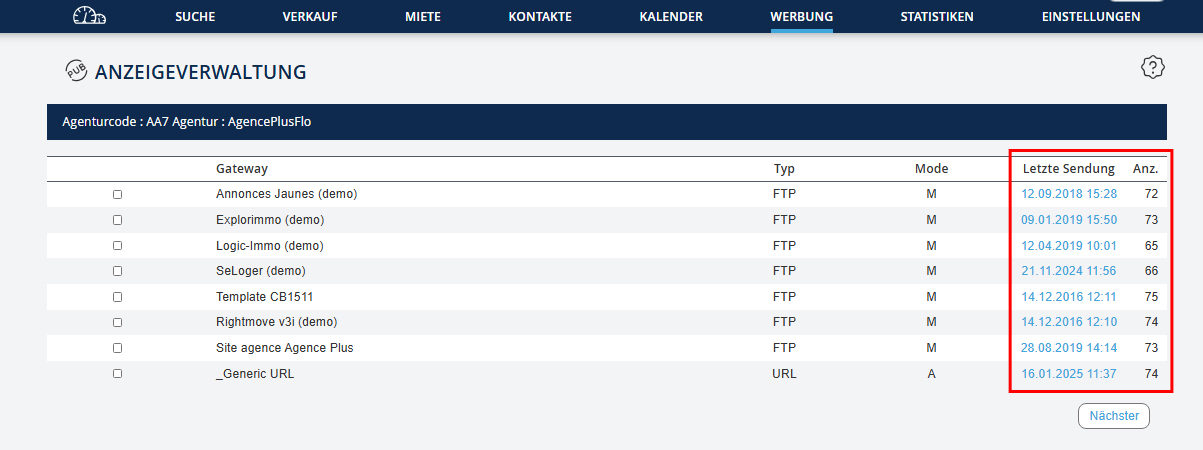
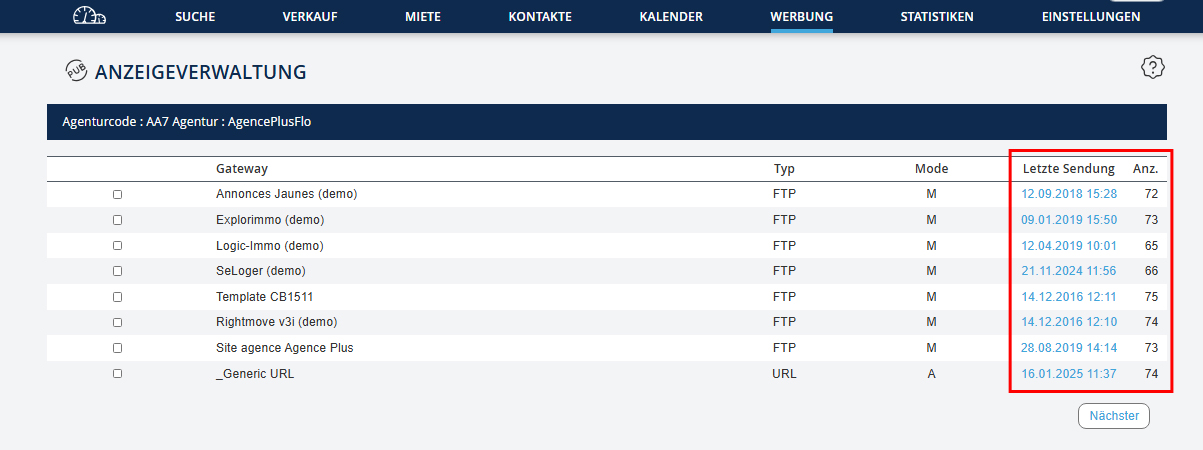
Für jedes Gateway haben Sie das Datum und die Uhrzeit des letzten Versands sowie die Anzahl der Anzeigen. Klicken Sie auf "WERBUNG → Anzeigenverwaltung", um diese Informationen anzuzeigen.
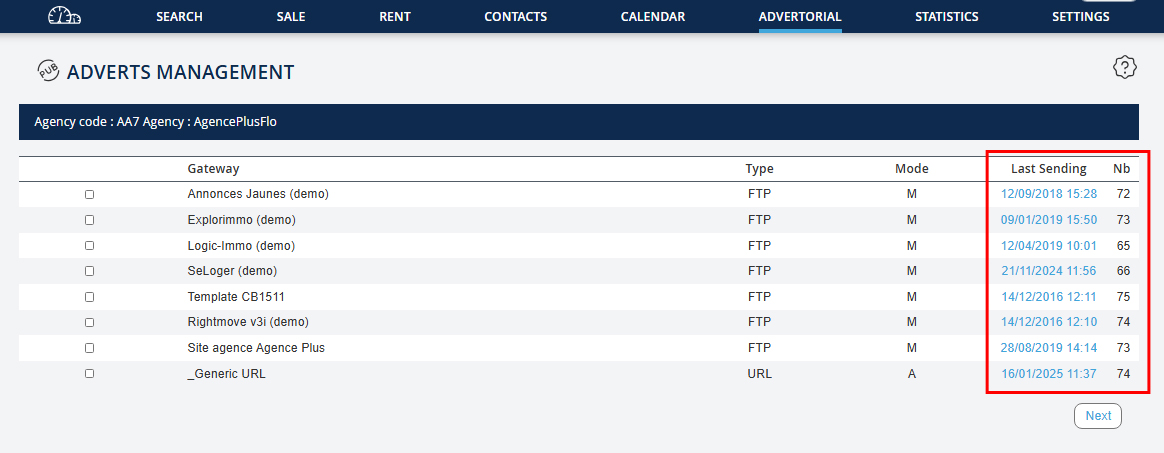
For each gateway, you have the date and time of the last send, as well as the number of ads. Click on "ADVERTISING → Ad Management" to view this information.
For each gateway, you have the date and time of the last send, as well as the number of ads. Click on "ADVERTISING → Ad Management" to view this information.
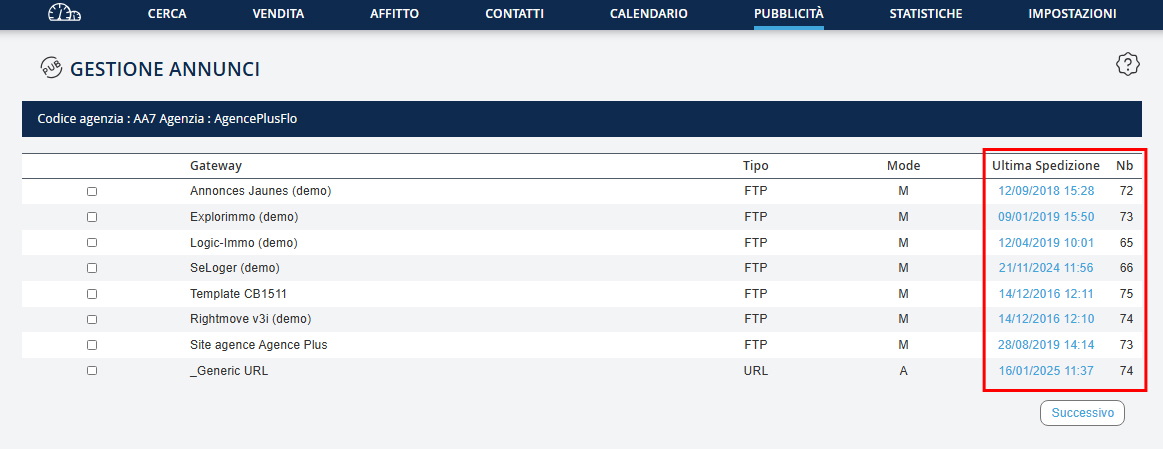
Per ogni gateway, hai la data e l'orario dell'ultimo invio, nonché il numero di annunci. Clicca su "PUBBLICITÀ → Gestione annunci" per visualizzare queste informazioni.
Para cada gateway, tem a data e hora do último envio, assim como o número de anúncios. Clique em "PUBLICIDADE → Gestão de anúncios" para visualizar esta informação.
Para cada pasarela, tiene la fecha y la hora del último envío, así como el número de anuncios. Haga clic en "PUBLICIDAD → Gestión de anuncios" para ver esta información.
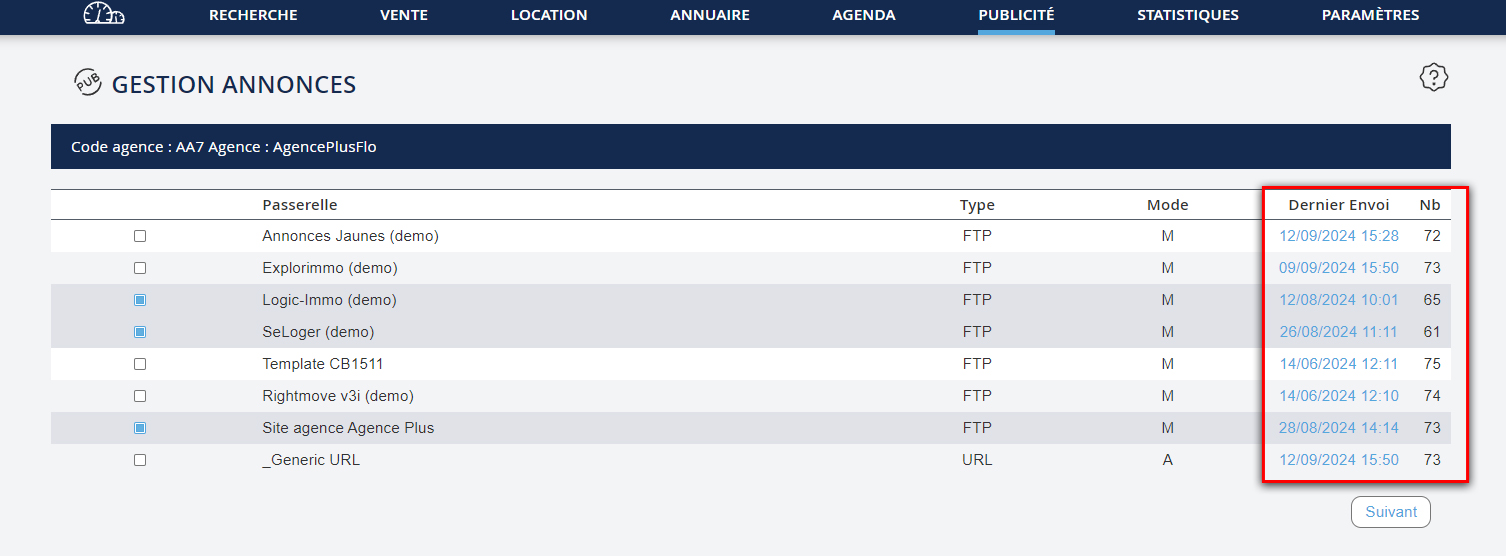
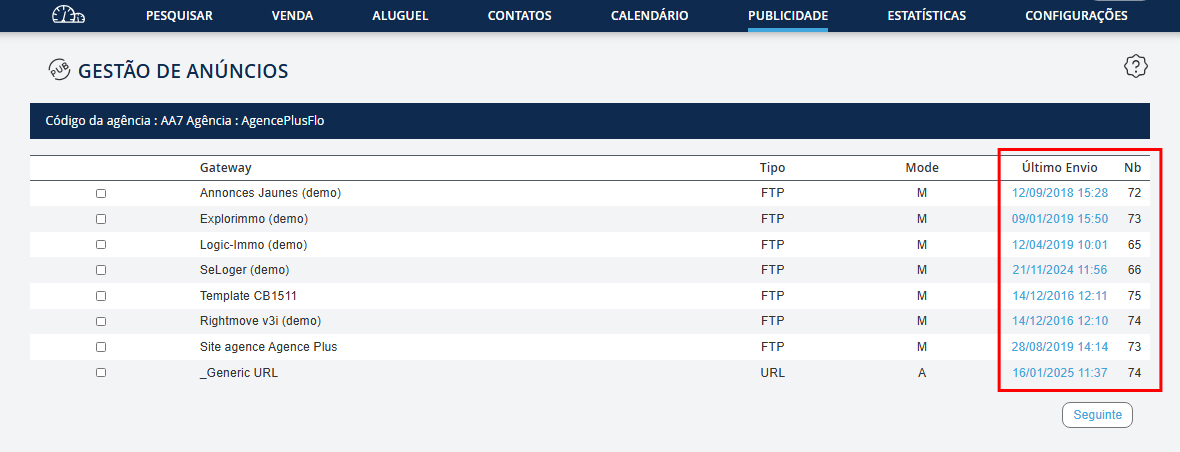
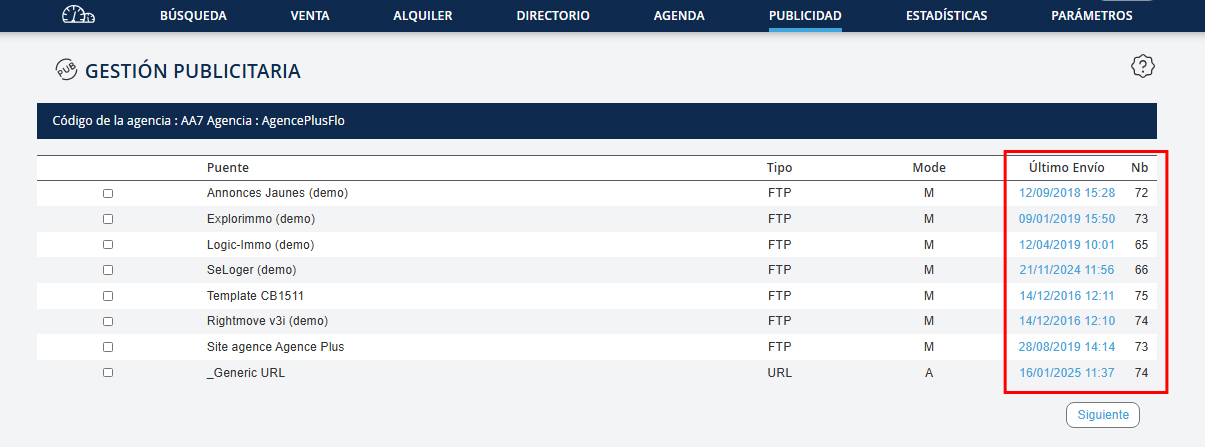
Si l’envoi a bien été fait, et que vos annonces n’apparaissent pas sur le portail 24 heures après l’envoi, veuillez contacter le service du portail pour leur signaler le problème.
Wenn der Versand ordnungsgemäß erfolgt ist, aber Ihre Anzeigen 24 Stunden nach dem Versand nicht auf dem Portal erscheinen, wenden Sie sich bitte an den Portalservice, um das Problem zu melden.
If the sending has been completed and your ads do not appear on the portal 24 hours after sending, please contact the portal service to report the issue.
If the sending has been completed and your ads do not appear on the portal 24 hours after sending, please contact the portal service to report the issue.
Se l'invio è stato effettuato correttamente, ma i tuoi annunci non appaiono sul portale 24 ore dopo l'invio, contatta il servizio del portale per segnalarlo.
Se o envio foi realizado corretamente e os seus anúncios não aparecem no portal 24 horas após o envio, entre em contacto com o serviço do portal para reportar o problema.
Si el envío se ha realizado correctamente y sus anuncios no aparecen en el portal 24 horas después del envío, póngase en contacto con el servicio del portal para informar sobre el problema.
Les modes d'envoi
Versandmodi
Sending Modes
Sending Modes
Modalità di invio
Modos de envio
Modos de envío
Si la passerelle est en mode manuel, il vous faut cliquer sur Envoyer la publicité pour que l’envoi soit fait. Si la passerelle est en mode d’envoi automatique avec sélection manuelle, cochez simplement vos biens. L’envoi s’effectue chaque nuit. Si la passerelle est en mode automatique avec sélection automatique, tous vos biens sont envoyés automatiquement chaque nuit.
Wenn das Gateway im manuellen Modus ist, müssen Sie auf Werbung senden klicken, damit der Versand abgeschlossen wird. Wenn das Gateway im automatischen Versandmodus mit manueller Auswahl ist, markieren Sie einfach Ihre Objekte. Der Versand erfolgt jede Nacht. Wenn das Gateway im automatischen Modus mit automatischer Auswahl ist, werden alle Ihre Objekte automatisch jede Nacht versendet.
If the gateway is in manual mode, you need to click on Send Advertisement for the send to be completed. If the gateway is in automatic sending mode with manual selection, simply check your properties. The send occurs every night. If the gateway is in automatic mode with automatic selection, all your properties are automatically sent every night.
If the gateway is in manual mode, you need to click on Send Advertisement for the send to be completed. If the gateway is in automatic sending mode with manual selection, simply check your properties. The send occurs every night. If the gateway is in automatic mode with automatic selection, all your properties are automatically sent every night.
Se la passerella è in modalità manuale, è necessario cliccare su Invia la pubblicità affinché l'invio venga effettuato. Se la passerella è in modalità di invio automatica con selezione manuale, seleziona semplicemente i tuoi immobili. L'invio avviene ogni notte. Se la passerella è in modalità automatica con selezione automatica, tutte le tue proprietà sono invitate automaticamente ogni notte.
Se a passerela estiver no modo manual, terá de clicar em Enviar a publicidade para que o envio seja realizado. Se a passerela estiver no modo de envio automático com seleção manual, marque simplesmente os seus bens. O envio é feito todas as noites. Se a passerela estiver no modo automático com seleção automática, todos os seus bens serão enviados automaticamente todas as noites.
Si la pasarela está en modo manual, debe hacer clic en Enviar publicidad para que se realice el envío. Si la pasarela está en modo de envío automático con selección manual, simplemente marque sus propiedades. El envío se realiza cada noche. Si la pasarela está en modo automático con selección automática, todas sus propiedades serán enviadas automáticamente cada noche.
Faire un envoi sur plusieurs portails simultanément
Senden auf mehreren Portalen gleichzeitig
Send to multiple portals simultaneously
Send to multiple portals simultaneously
Inviare su più portali simultaneamente
Enviar para vários portais simultaneamente
Enviar a varios portales simultáneamente
Pour faire un envoi sur plusieurs portails en même temps, reprenez à l’étape 2, cochez plusieurs passerelles puis cliquez sur "Suivant".
Um auf mehreren Portalen gleichzeitig zu senden, gehen Sie zu Schritt 2, markieren Sie mehrere Gateways und klicken Sie auf "Weiter".
To send to multiple portals at the same time, go to step 2, check multiple gateways, then click on "Next".
To send to multiple portals at the same time, go to step 2, check multiple gateways, then click on "Next".
Per inviare su più portali contemporaneamente, torna al passo 2, seleziona più gateway, quindi fai clic su "Avanti".
Para enviar para vários portais simultaneamente, retome o passo 2, marque vários gateways e clique em "Seguinte".
Para enviar a varios portales simultáneamente, retome el paso 2, marque varios gateways y haga clic en "Siguiente".
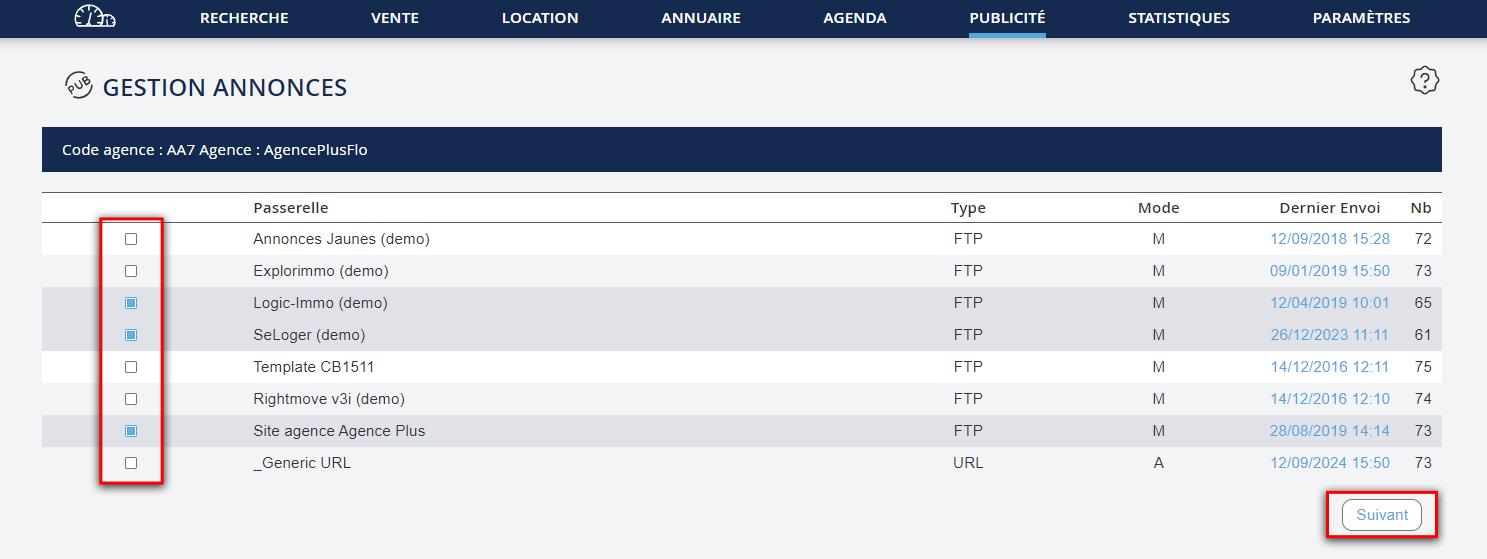
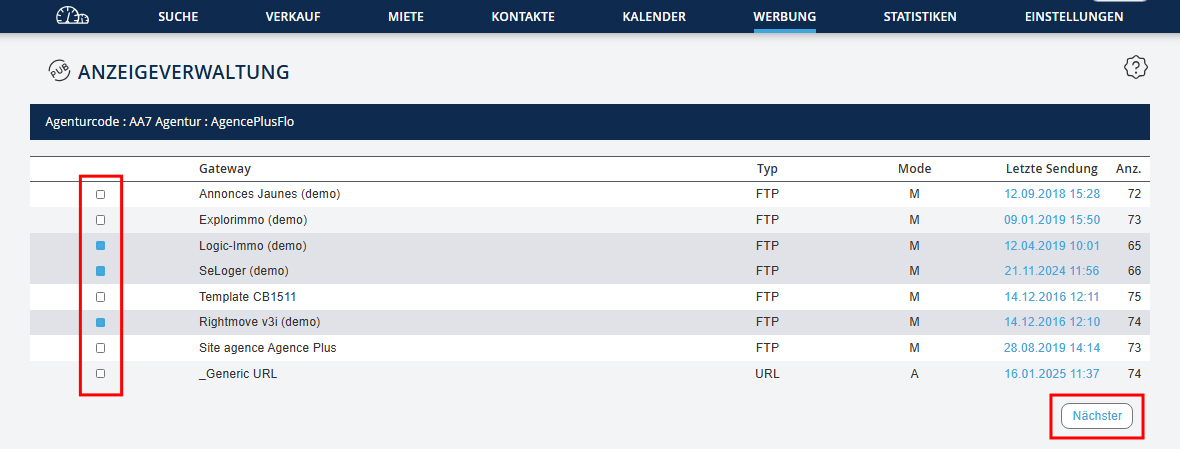
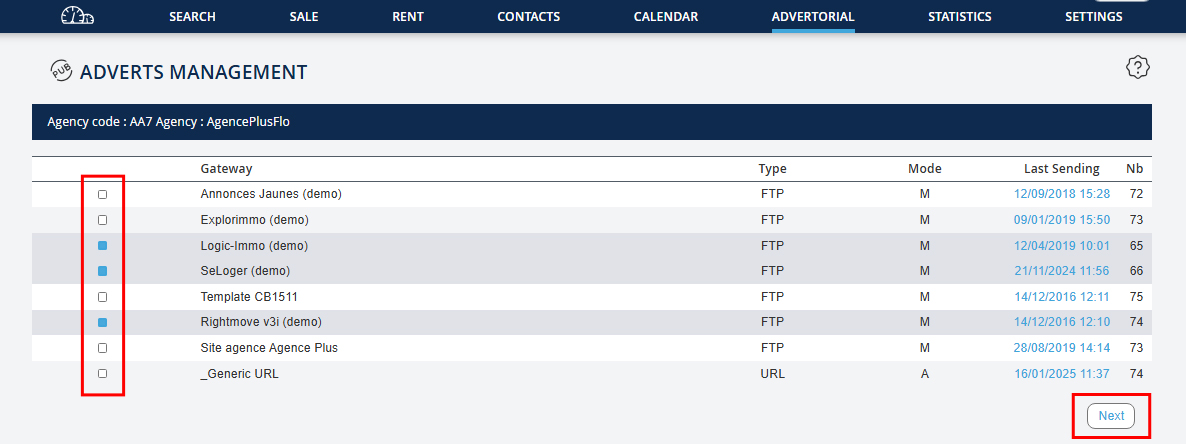
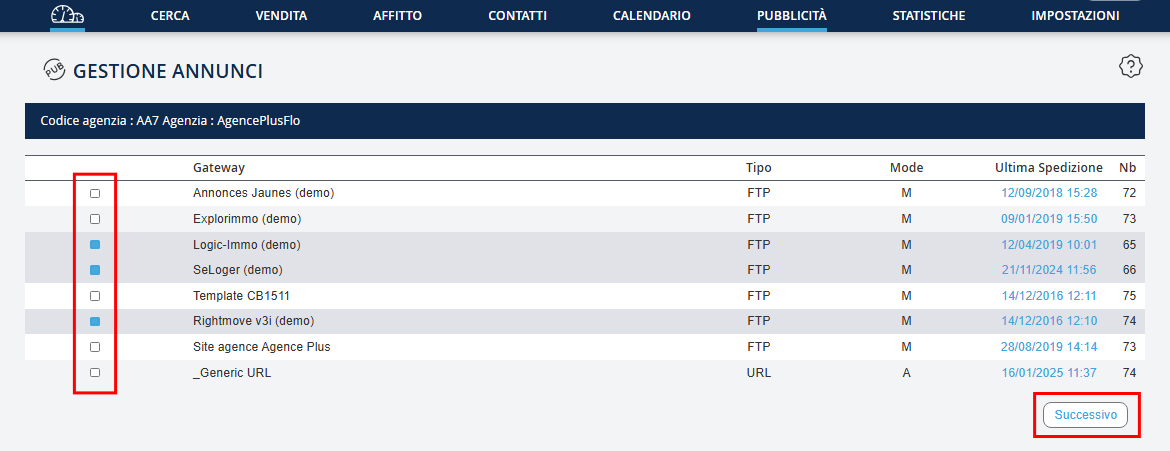
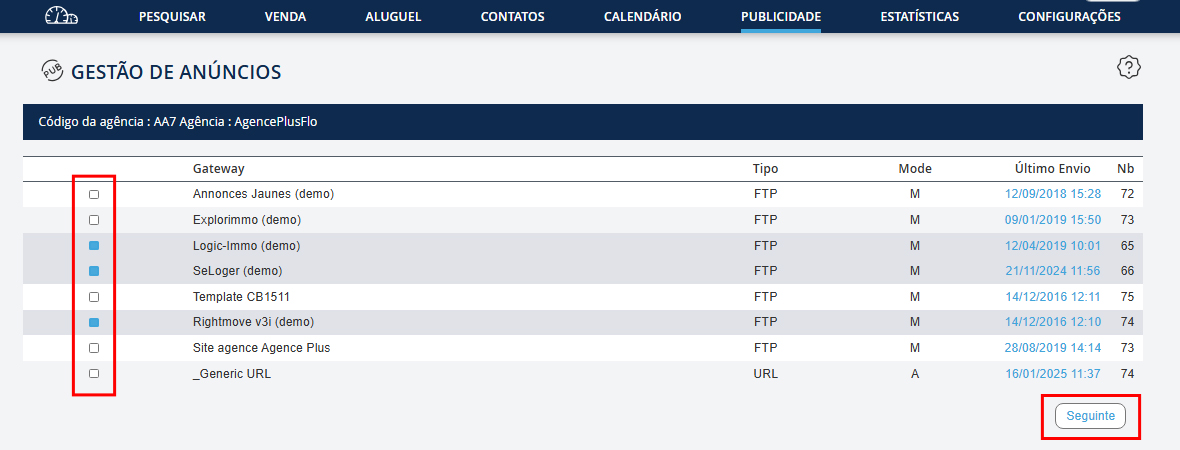
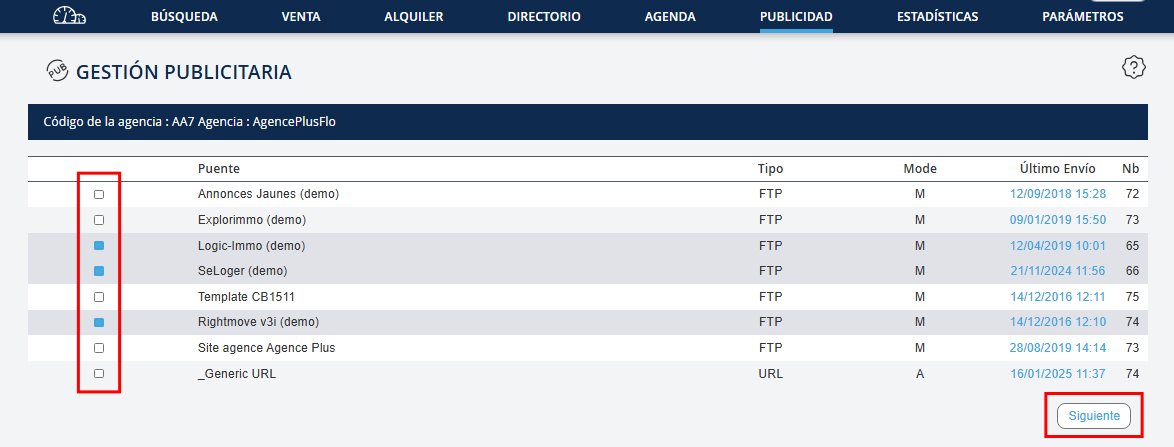
Vous aurez alors un message d’avertissement. Si vous validez, la sélection de biens déjà enregistrée pour chacune des passerelles sera remplacée par la nouvelle sélection. Vous enverrez alors les mêmes annonces avec les mêmes options (textes et photos sélectionnées, …) sur tous les portails sélectionnés.
Sie erhalten dann eine Warnmeldung. Wenn Sie bestätigen, wird die bereits für jedes Gateway gespeicherte Auswahl von Objekten durch die neue Auswahl ersetzt. Sie werden dann die gleichen Anzeigen mit den gleichen Optionen (ausgewählte Texte und Fotos, ...) an alle ausgewählten Portale senden.
You will then receive a warning message. If you confirm, the previously saved selection of properties for each gateway will be replaced with the new selection. You will then send the same ads with the same options (selected texts and photos, ...) to all selected portals.
You will then receive a warning message. If you confirm, the previously saved selection of properties for each gateway will be replaced with the new selection. You will then send the same ads with the same options (selected texts and photos, ...) to all selected portals.
Riceverai quindi un messaggio di avviso. Se confermi, la selezione di proprietà già salvata per ogni gateway verrà sostituita con la nuova selezione. Invierai quindi gli stessi annunci con le stesse opzioni (testi e foto selezionati, ...) a tutti i portali selezionati.
Vai então receber uma mensagem de aviso. Se confirmar, a seleção de bens já registada para cada gateway será substituída pela nova seleção. Enviará assim os mesmos anúncios com as mesmas opções (textos e fotos selecionadas, ...) para todos os portais selecionados.
Entonces recibirá un mensaje de advertencia. Si confirma, la selección de bienes ya registrada para cada pasarela será reemplazada por la nueva selección. Enviará los mismos anuncios con las mismas opciones (textos y fotos seleccionadas, ...) a todos los portales seleccionados.