La "Recherche"
The "Search"
The "Search"
Die "Suche"
La "Ricerca"
A "Pesquisa"
La "Búsqueda"
Il y a 3 types de recherche possible : - Rechercher un bien soit par sa référence ou par des critères de prix, localisation, pièces etc - Rechercher un contact par son nom, numéro de téléphone ou mail - Rechercher des acquéreurs potentiels, combien de clients avez-vous enregistrés dans votre base de donnéeclients acquéreurs, qui pourraient correspondre au bien que vous rentrez ?
There are 3 types of possible searches: - Search for a property either by its reference or by criteria such as price, location, rooms, etc. - Search for a contact by their name, phone number, or email. - Search for potential buyers, how many clients have you recorded in your databasebuyer clients, who might match the property you are listing?
There are 3 types of possible searches: - Search for a property either by its reference or by criteria such as price, location, rooms, etc. - Search for a contact by their name, phone number, or email. - Search for potential buyers, how many clients have you recorded in your databasebuyer clients, who might match the property you are listing?
Es gibt 3 Arten von möglichen Suchen: - Nach einer Immobilie suchen entweder nach ihrer Referenz oder nach Kriterien wie Preis, Standort, Zimmer usw. - Nach einem Kontakt suchen nach Name, Telefonnummer oder E-Mail. - Nach potenziellen Käufern suchen, wie viele Kunden haben Sie in Ihrer Datenbank registriertKundenkäufer, die möglicherweise zu der Immobilie passen, die Sie einstellen?
Ci sono 3 tipi di ricerca possibili: - Cercare una proprietà sia per riferimento o per criteri come prezzo, posizione, stanze, ecc. - Cercare un contatto per nome, numero di telefono o e-mail. - Cercare potenziali acquirenti, quanti clienti hai registrato nel tuo databaseclienti acquirenti che potrebbero corrispondere alla proprietà che stai inserendo?
Existem 3 tipos de pesquisa possíveis: - Procurar um imóvel seja pela sua referência ou por critérios como preço, localização, divisões, etc. - Procurar um contacto pelo nome, número de telefone ou e-mail. - Procurar compradores potenciais, quantos clientes tem registados na sua base de dadosclientes compradores que possam corresponder ao imóvel que está a inserir?
Hay 3 tipos de búsqueda posibles: - Buscar una propiedad ya sea por su referencia o por criterios como precio, localización, habitaciones, etc. - Buscar un contacto por su nombre, número de teléfono o correo electrónico. - Buscar compradores potenciales, ¿cuántos clientes tienes registrados en tu base de datosclientes compradores que podrían coincidir con la propiedad que estás ingresando?
Chercher un bien :
Search for a property:
Search for a property:
Nach einer Immobilie suchen:
Cercare una proprietà:
Procurar um imóvel:
Buscar una propiedad:
Allez dans le menu déroulant "Recherche" puis cliquez sur "Rechercher biens".
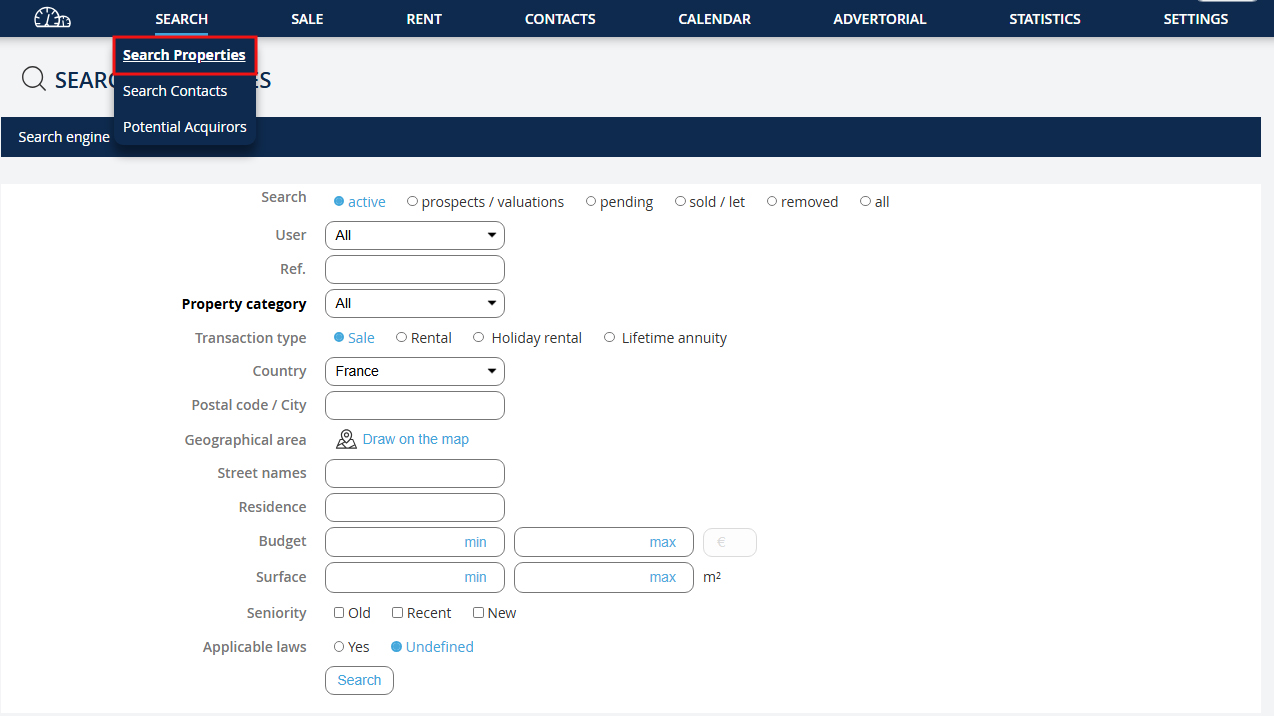
Go to the dropdown menu "Search" then click on "Search properties".
Go to the dropdown menu "Search" then click on "Search properties".
Gehen Sie zum Dropdown-Menü "Suche" und klicken Sie auf "Immobilien suchen".
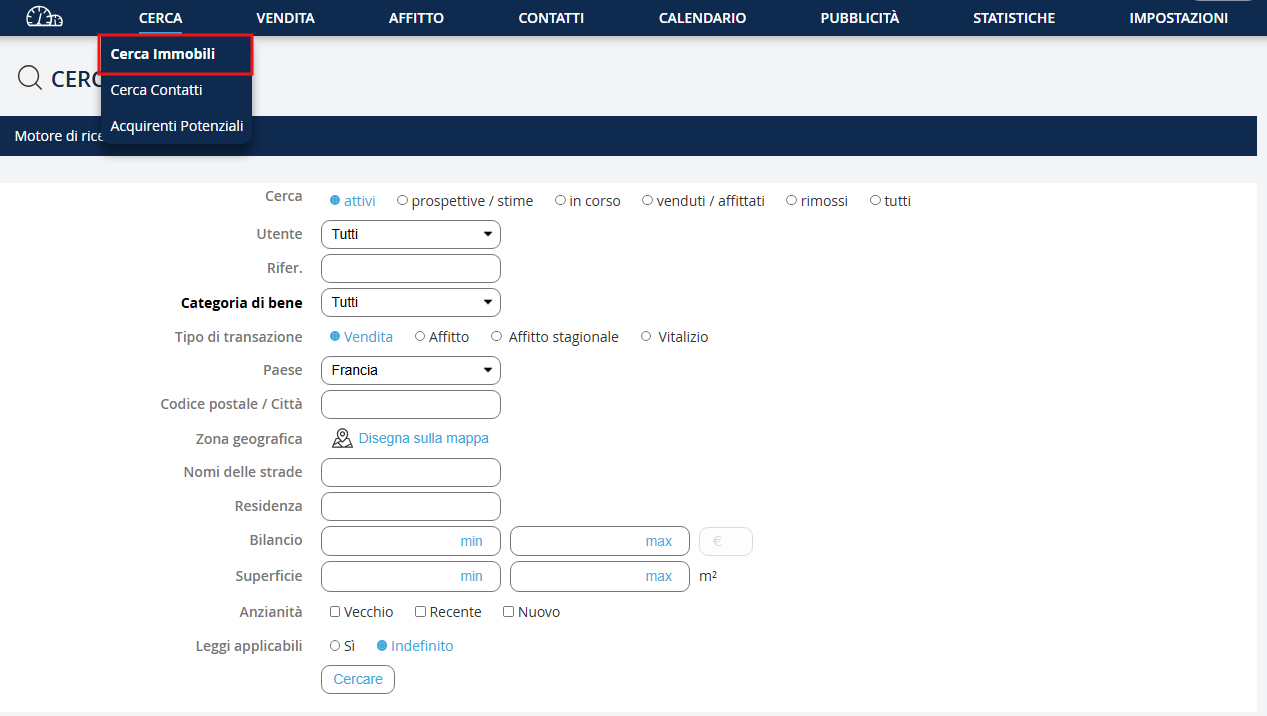
Vai nel menu a tendina "Ricerca" e clicca su "Cerca immobili".
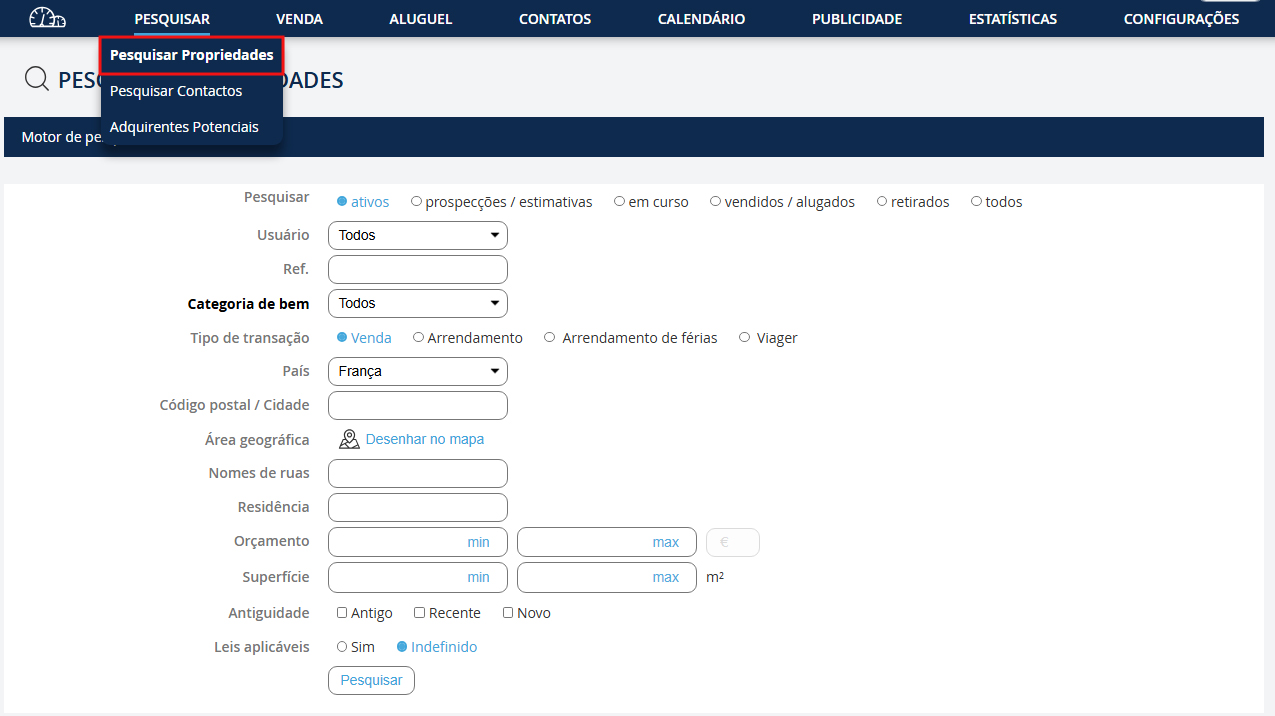
Vá ao menu suspenso "Pesquisa" e clique em "Pesquisar imóveis".
Vaya al menú desplegable "Búsqueda" y haga clic en "Buscar propiedades".
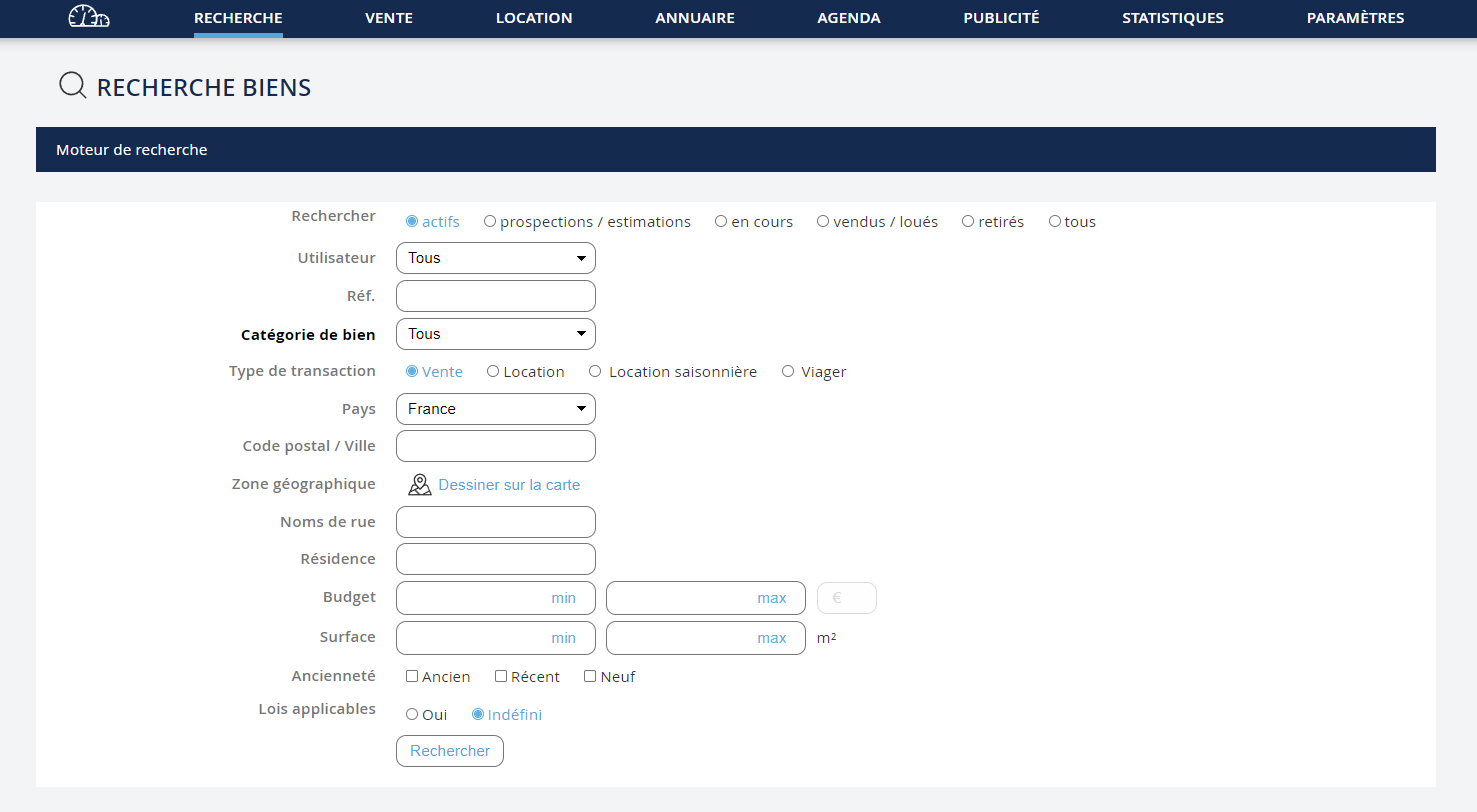

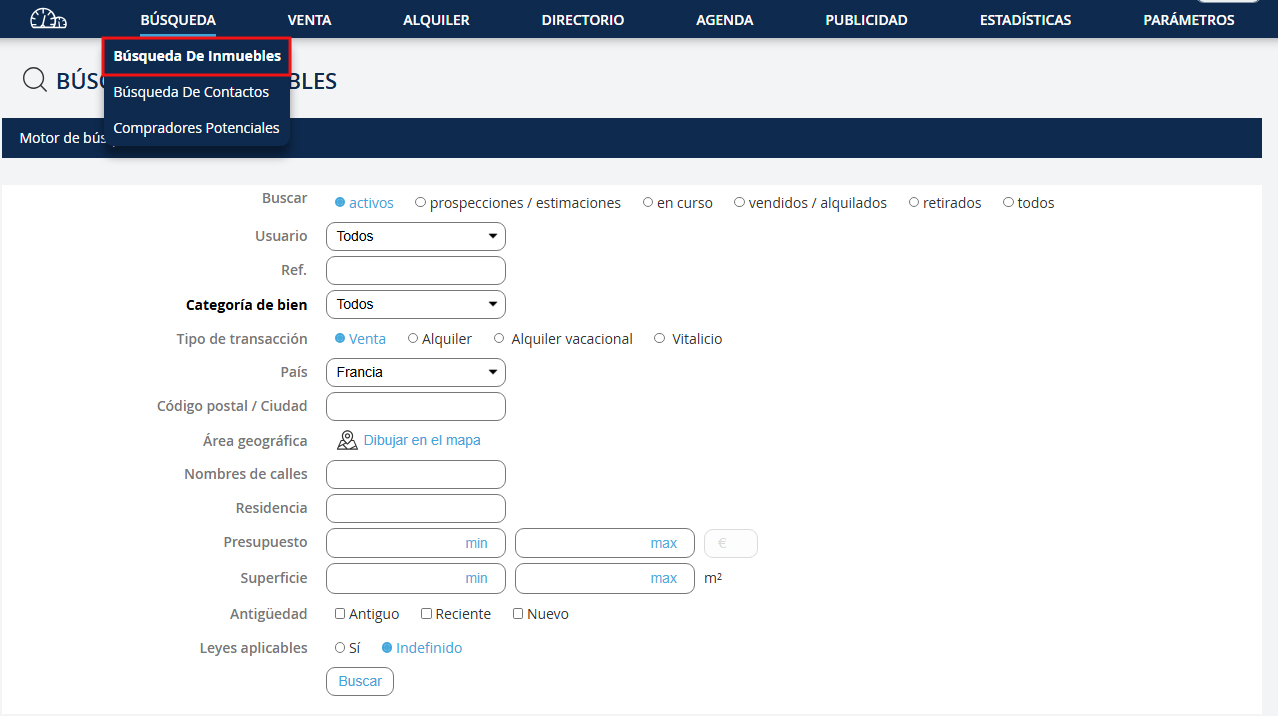
Vous pouvez rechercher des biens dans les catégories suivantes : - Actif - Prospections / estimations - En cours - Vendus / loués - Retirés
You can search for properties in the following categories: - Active - Prospecting / estimates - Ongoing - Sold / rented - Withdrawn
You can search for properties in the following categories: - Active - Prospecting / estimates - Ongoing - Sold / rented - Withdrawn
Sie können nach Immobilien in den folgenden Kategorien suchen: - Aktiv - Prospektion / Schätzungen - In Bearbeitung - Verkauft / vermietet - Zurückgezogen
È possibile cercare immobili nelle seguenti categorie: - Attivo - Prospezioni / stime - In corso - Venduti / affittati - Ritirati
Pode procurar imóveis nas seguintes categorias: - Ativo - Prospecções / avaliações - Em andamento - Vendido / alugado - Retirado
Puede buscar propiedades en las siguientes categorías: - Activo - Prospección / estimaciones - En curso - Vendido / alquilado - Retirado
En fonction de la catégorie du bien choisi, les champs du moteur de recherche seront différents.
Depending on the selected property category, the search engine fields will differ.
Depending on the selected property category, the search engine fields will differ.
Je nach gewählter Immobilienkategorie unterscheiden sich die Felder der Suchmaschine.
A seconda della categoria di proprietà selezionata, i campi del motore di ricerca saranno diversi.
Dependendo da categoria de imóvel selecionada, os campos do motor de pesquisa serão diferentes.
Dependiendo de la categoría de propiedad seleccionada, los campos del motor de búsqueda serán diferentes.
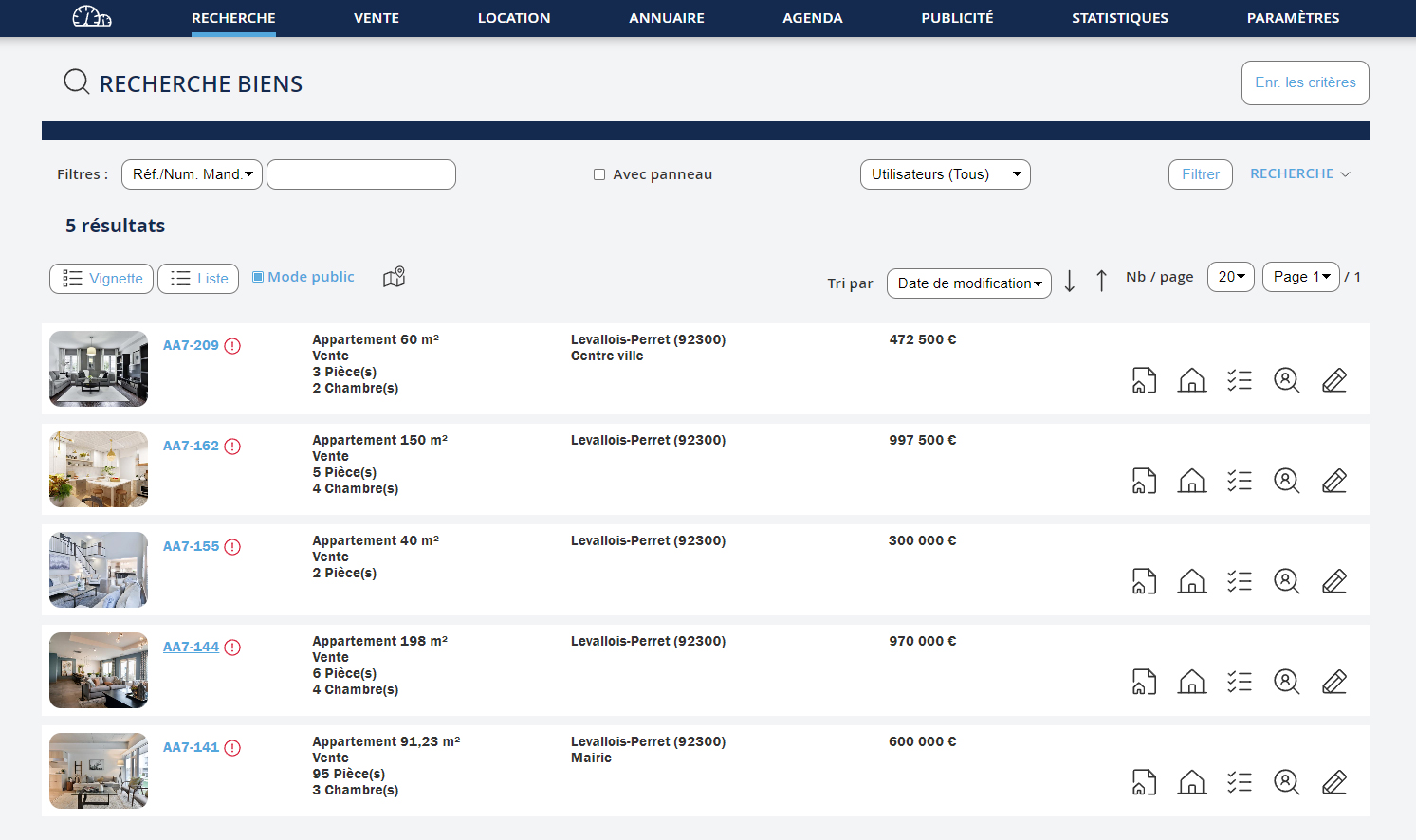

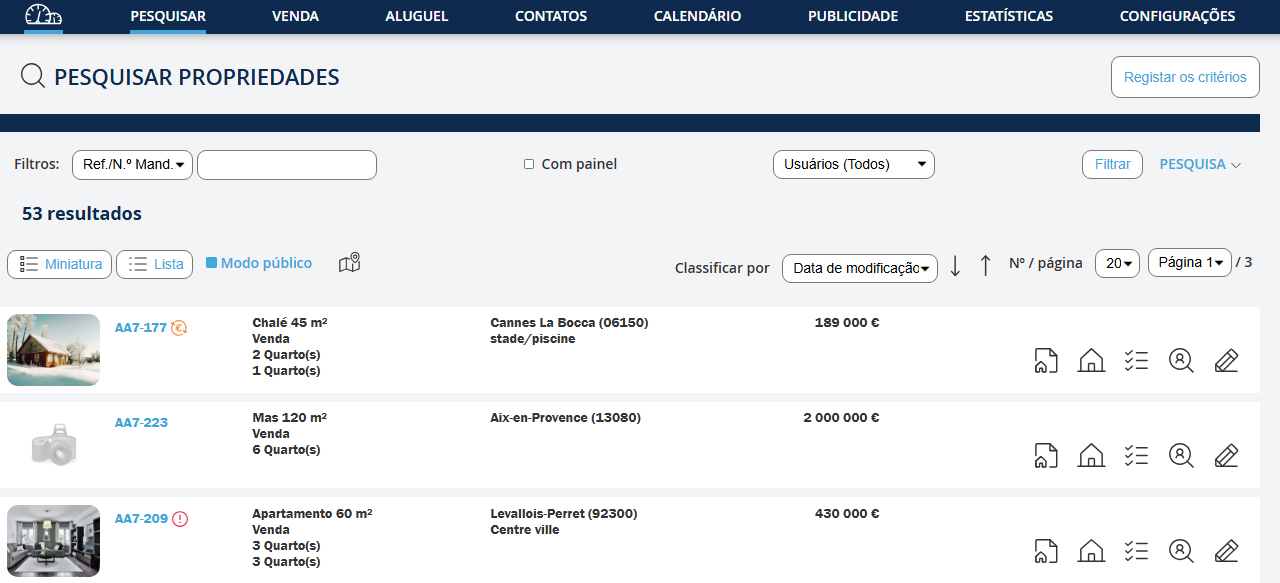
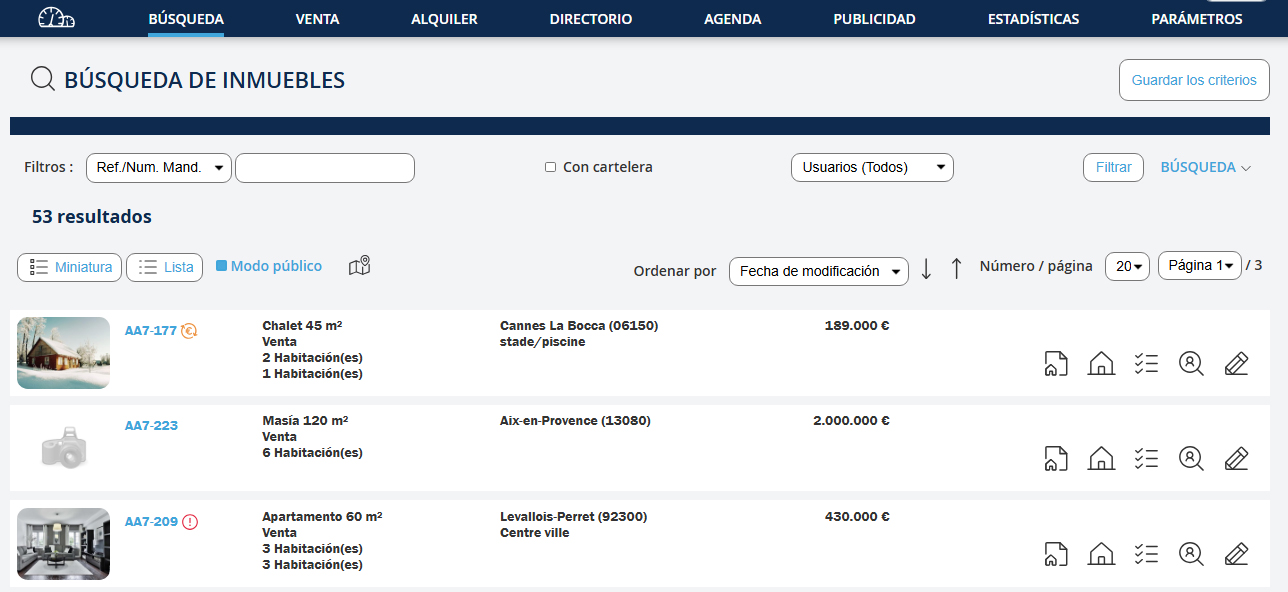
Dans la fenêtre de résultats, vous pouvez : Modifier votre recherche : 1. Cliquez sur le lien "Recherche" 2. Modifiez les champs 3. Cliquez sur le bouton "Rechercher" Modifier votre recherche : Cf. : Enregistrer un acquéreur à partir de la recherche d’un bien
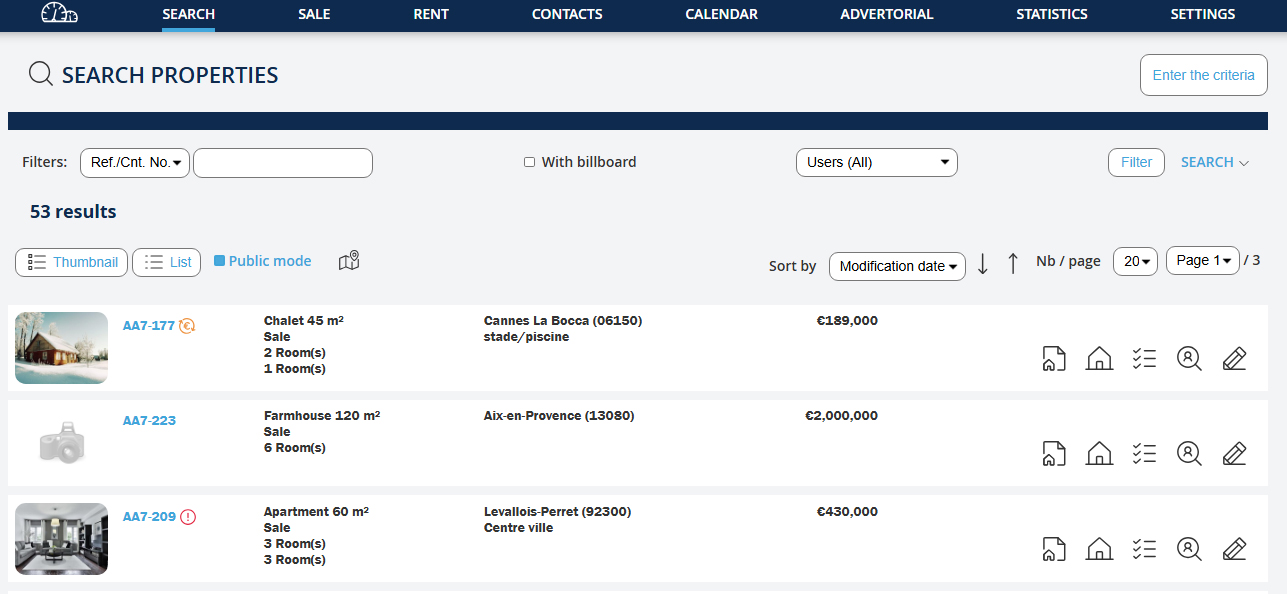
In the results window, you can: Modify your search: 1. Click on the link "Search" 2. Modify the fields 3. Click on the button "Search" Modify your search: Cf.: Save a buyer from the property search
In the results window, you can: Modify your search: 1. Click on the link "Search" 2. Modify the fields 3. Click on the button "Search" Modify your search: Cf.: Save a buyer from the property search
In der Ergebnisanzeige können Sie: Ihre Suche ändern: 1. Klicken Sie auf den Link "Suche" 2. Ändern Sie die Felder 3. Klicken Sie auf die Schaltfläche "Suche" Ändern Sie Ihre Suche: Siehe: Einen Käufer aus der Immobiliensuche speichern
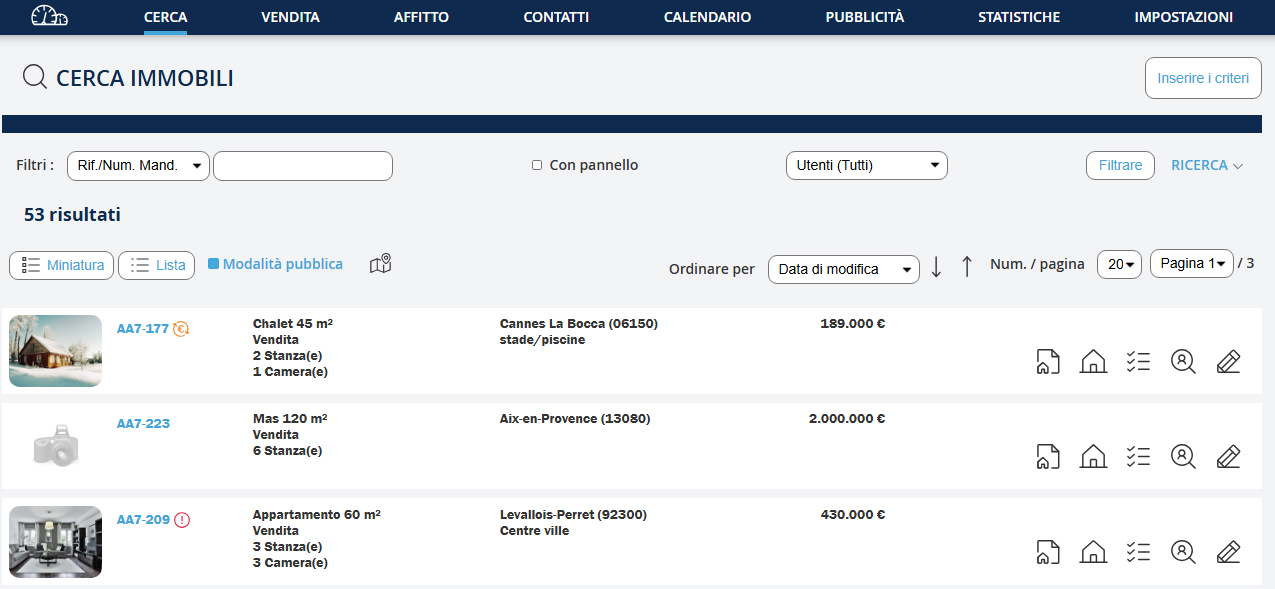
Finestra dei risultati, puoi: Modificare la tua ricerca: 1. Clicca sul link "Ricerca" 2. Modifica i campi 3. Clicca sul pulsante "Cerca" Modifica la tua ricerca: Cf.: Salvare un acquirente dalla ricerca di una proprietà
Na janela de resultados, você pode: Modificar a sua pesquisa: 1. Clique no link "Pesquisa" 2. Modifique os campos 3. Clique no botão "Pesquisar" Modificar a sua pesquisa: Cf.: Gravar um comprador a partir da pesquisa de um imóvel
En la ventana de resultados, puedes: Modificar tu búsqueda: 1. Haz clic en el enlace "Búsqueda" 2. Modifica los campos 3. Haz clic en el botón "Buscar" Modificar tu búsqueda: Cf.: Guardar un comprador desde la búsqueda de una propiedad
Chercher un contact :
Chercher un contact :
Search for a contact:
Search for a contact:
Nach einem Kontakt suchen:
Cerca un contatto:
Procurar um contato:
Buscar un contacto:
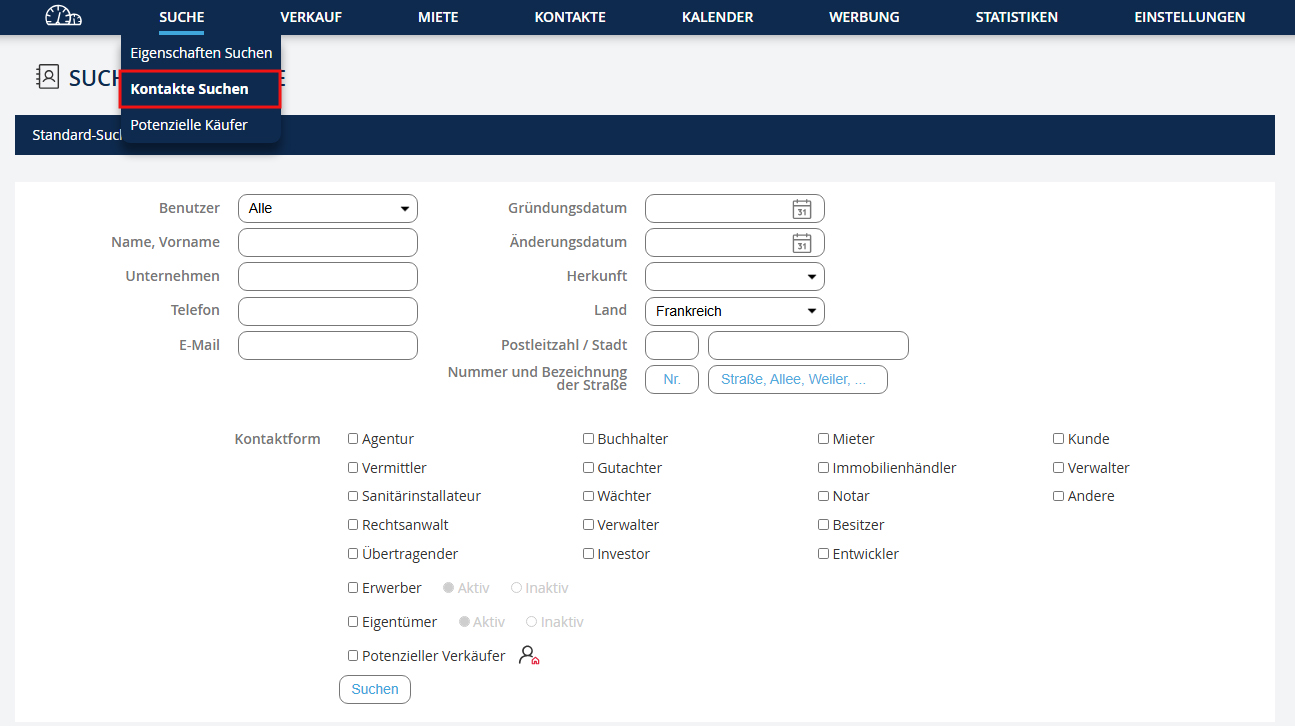
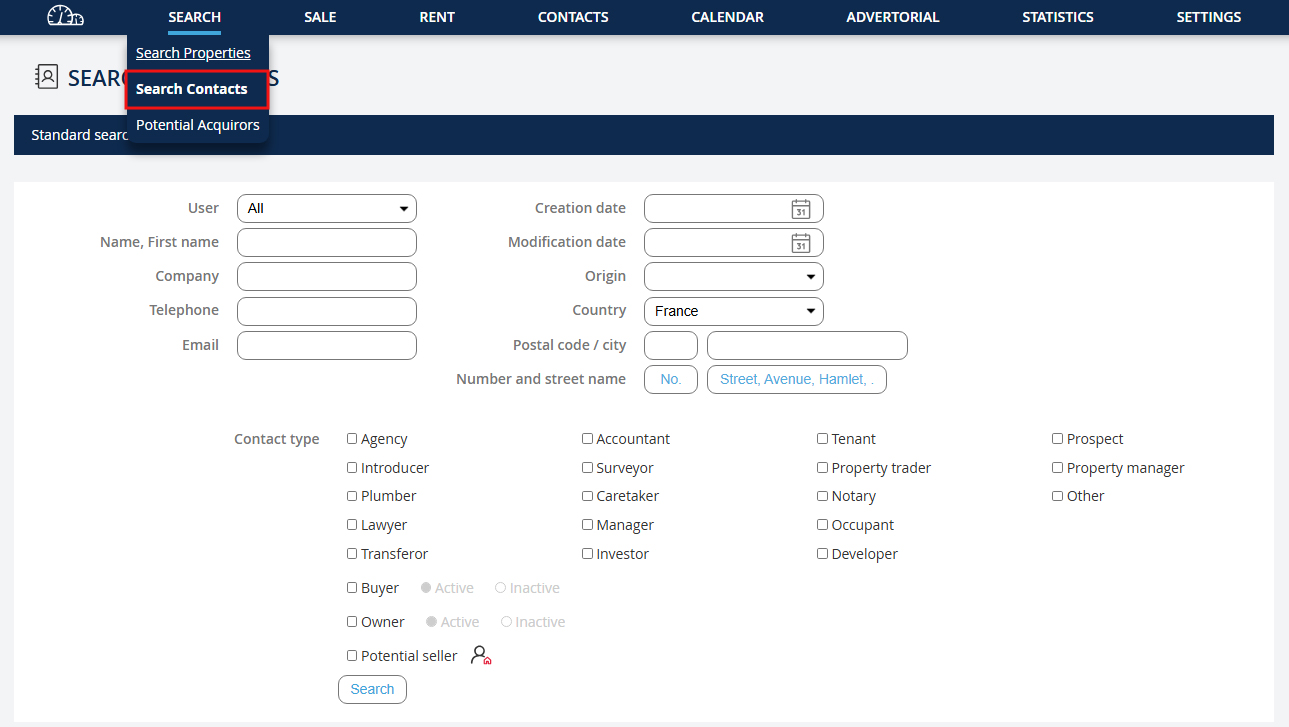
Cette fonctionnalité a été développée pour rechercher un contact par son nom, son téléphone, son mail… Vous pouvez également faire une recherche par type de contact (agence, notaire, investisseur...). Allez dans le menu déroulant "Recherche" puis cliquez sur "Rechercher un contact".
This feature was developed to search for a contact by their name, phone number, or email… You can also search by contact type (agency, notary, investor...). Go to the dropdown menu "Search" and click on "Search for a contact".
This feature was developed to search for a contact by their name, phone number, or email… You can also search by contact type (agency, notary, investor...). Go to the dropdown menu "Search" and click on "Search for a contact".
Diese Funktion wurde entwickelt, um nach einem Kontakt anhand des Namens, der Telefonnummer oder der E-Mail zu suchen… Sie können auch nach Kontaktarten suchen (Agentur, Notar, Investor…). Gehen Sie zum Dropdown-Menü "Suche" und klicken Sie auf "Kontakt suchen".
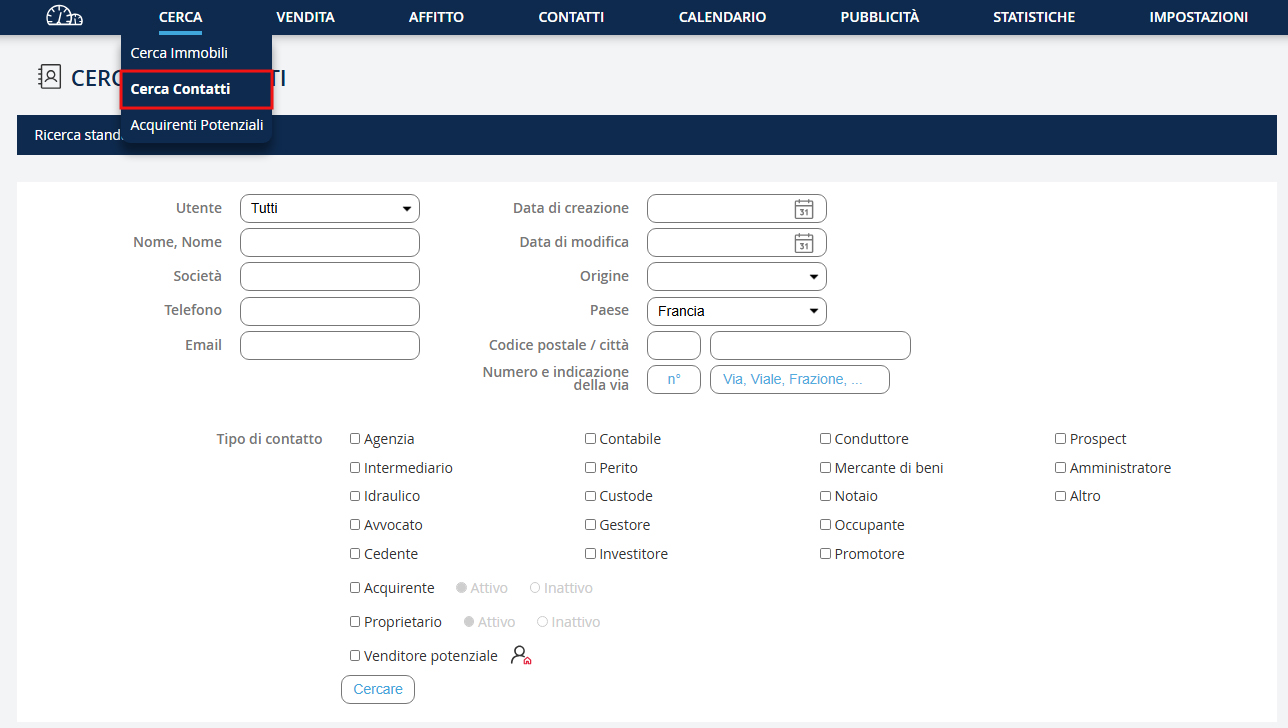
Questa funzionalità è stata sviluppata per cercare un contatto tramite nome, telefono o e-mail… Puoi anche cercare per tipo di contatto (agenzia, notaio, investitore...). Vai nel menu a discesa "Ricerca" e clicca su "Cerca un contatto".
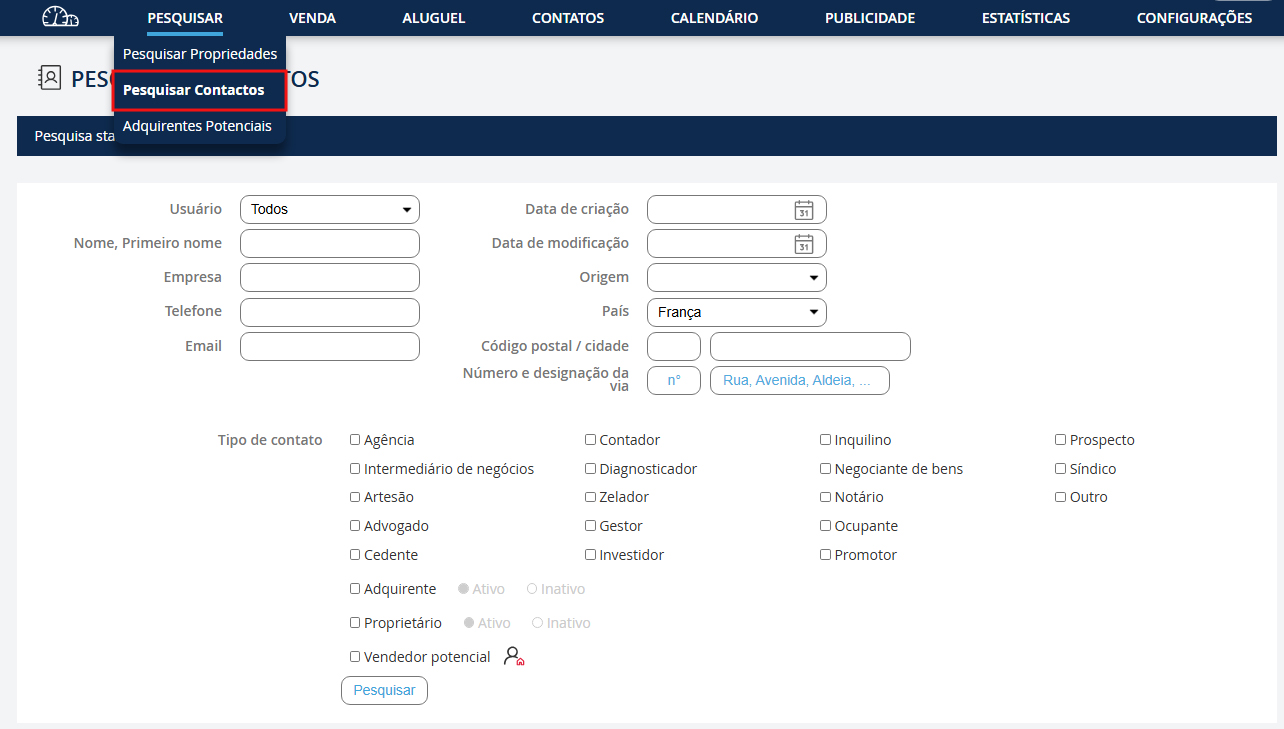
Esta funcionalidade foi desenvolvida para procurar um contato pelo nome, telefone ou e-mail… Você também pode procurar por tipo de contato (agência, notário, investidor...). Vá no menu suspenso "Pesquisa" e clique em "Pesquisar um contato".
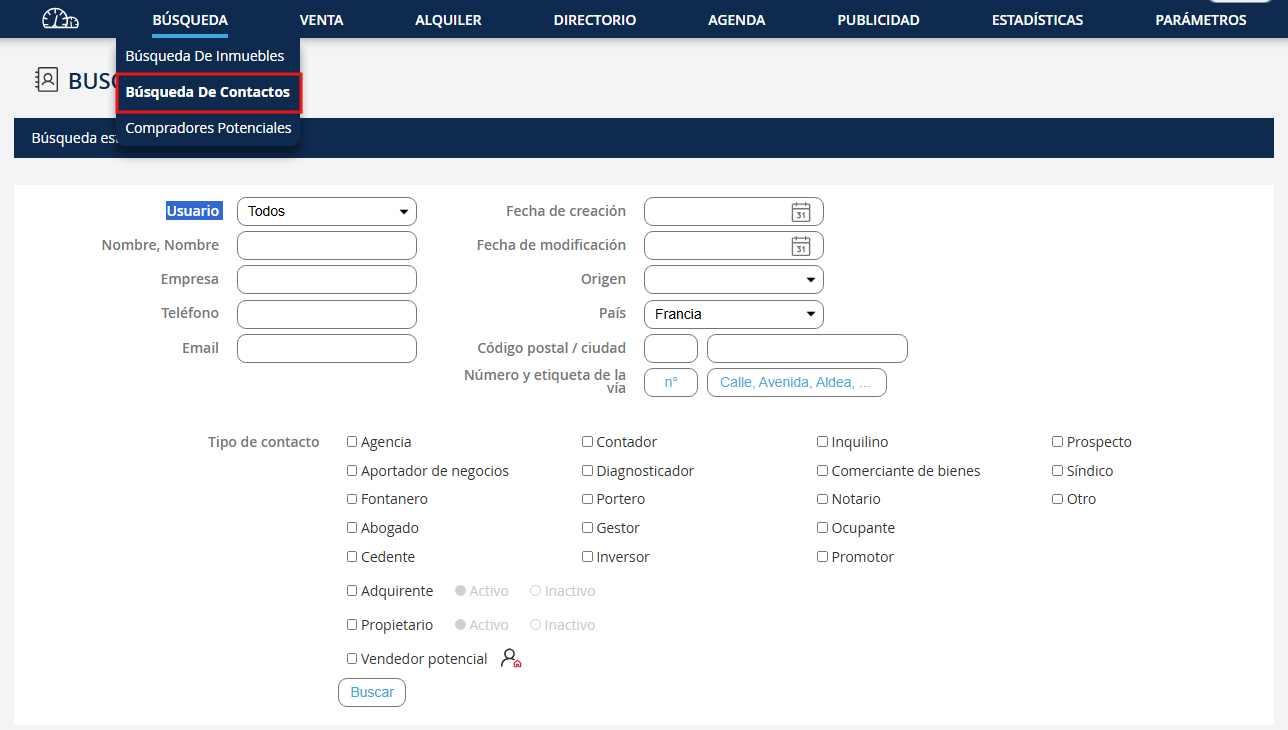
Esta funcionalidad fue desarrollada para buscar un contacto por su nombre, teléfono o correo electrónico… También puede buscar por tipo de contacto (agencia, notario, inversor...). Vaya al menú desplegable "Búsqueda" y haga clic en "Buscar un contacto".
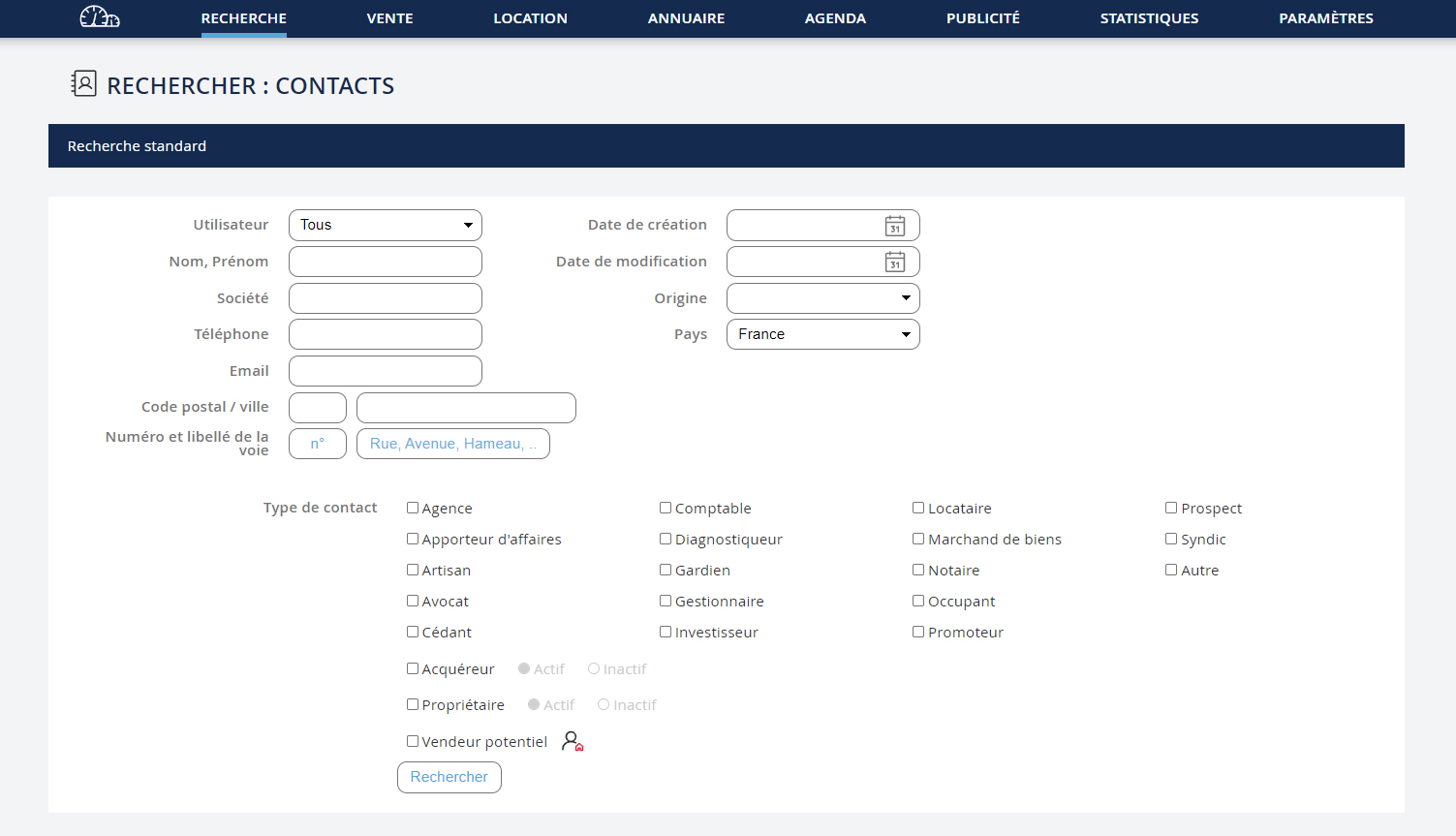
1. Renseignez les informations du contact. 2. Puis, cliquez sur le bouton "Rechercher"
1. Enter the contact's information. 2. Then, click on the "Search" button
1. Enter the contact's information. 2. Then, click on the "Search" button
1. Geben Sie die Kontaktdaten ein. 2. Klicken Sie dann auf die Schaltfläche "Suche"
1. Inserisci le informazioni del contatto. 2. Poi clicca sul pulsante "Ricerca"
1. Preencha as informações do contato. 2. Depois, clique no botão "Pesquisar"
1. Ingrese la información del contacto. 2. Luego, haga clic en el botón "Buscar"
Si vous cliquez sur un contact lors d’une suggestion par le logiciel, cela vous amènera directement à la fiche du contact en question.
If you click on a contact during a suggestion by the software, it will take you directly to the contact's record.
If you click on a contact during a suggestion by the software, it will take you directly to the contact's record.
Wenn Sie auf einen Kontakt klicken, der durch die Software vorgeschlagen wird, werden Sie direkt zum Datensatz des Kontakts weitergeleitet.
Se fai clic su un contatto durante una proposta del software, verrai portato direttamente al record del contatto.
Se clicar num contato durante uma sugestão do software, será levado diretamente ao registo do contacto.
Si hace clic en un contacto durante una sugerencia del software, será llevado directamente al registro del contacto.
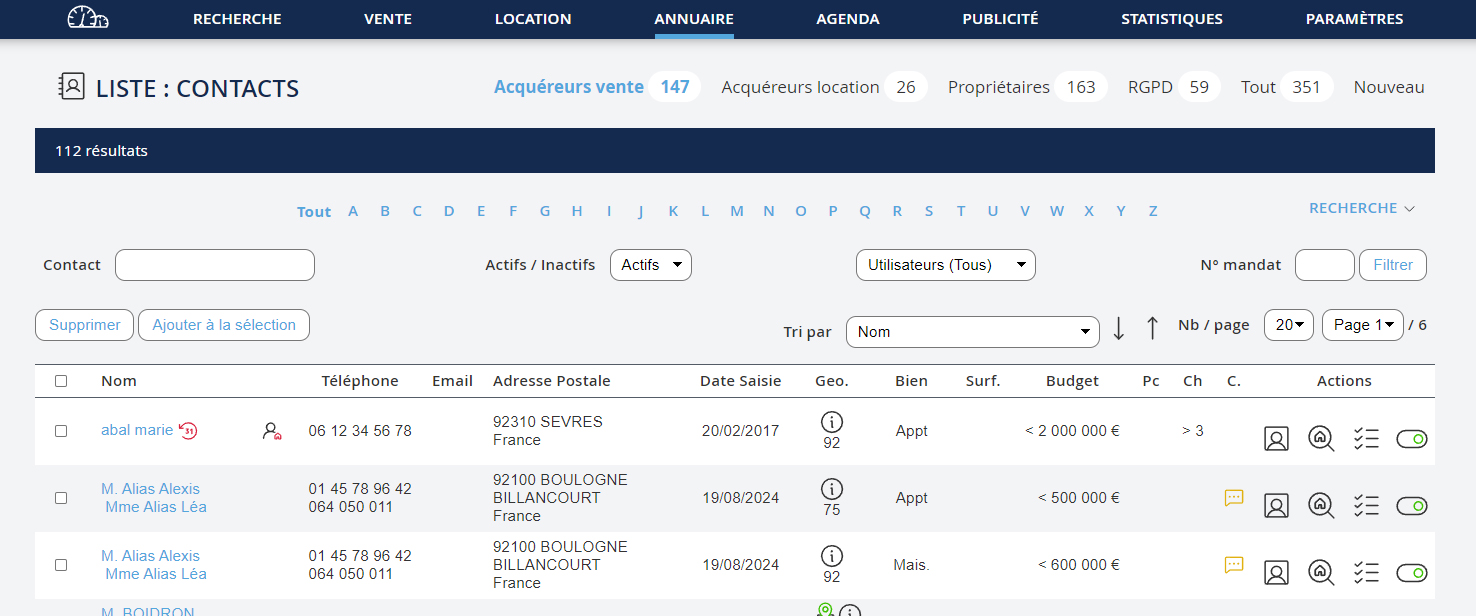
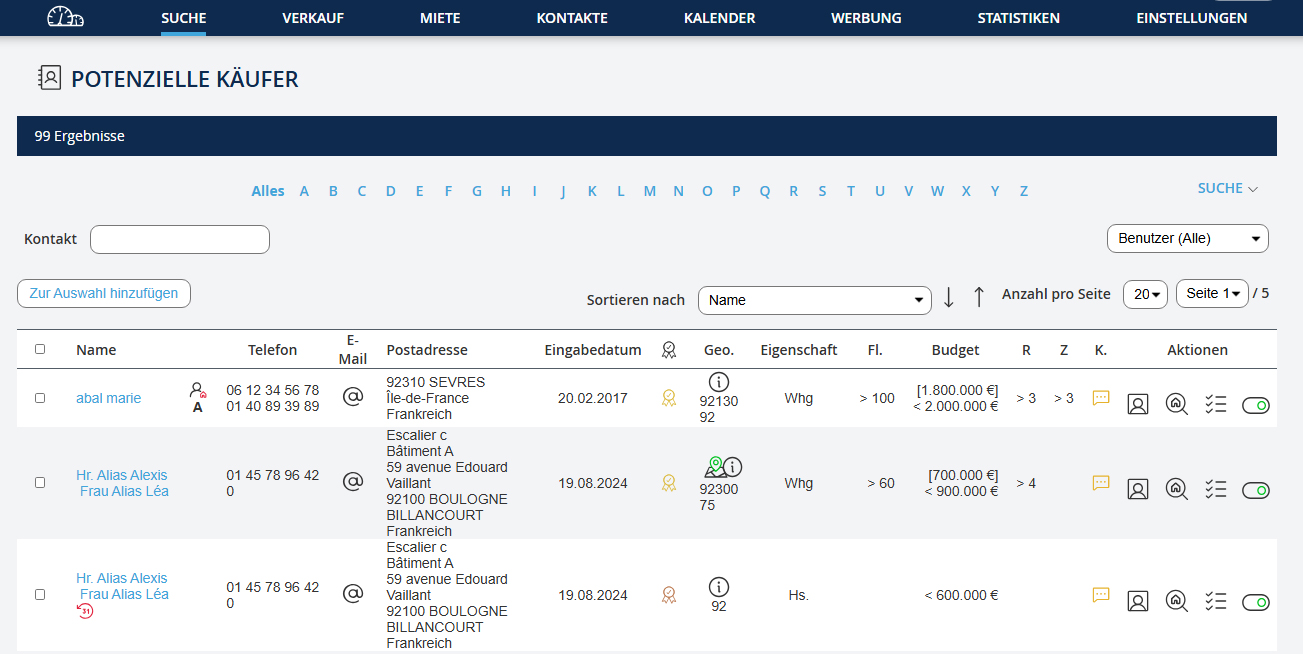
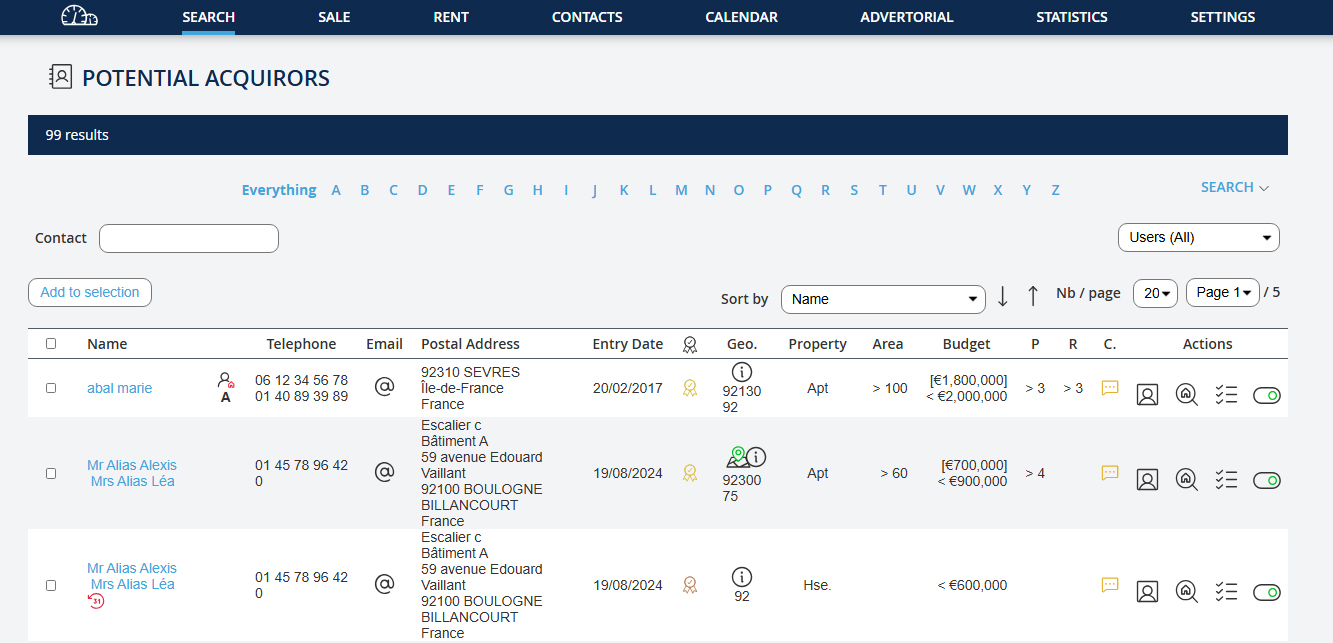
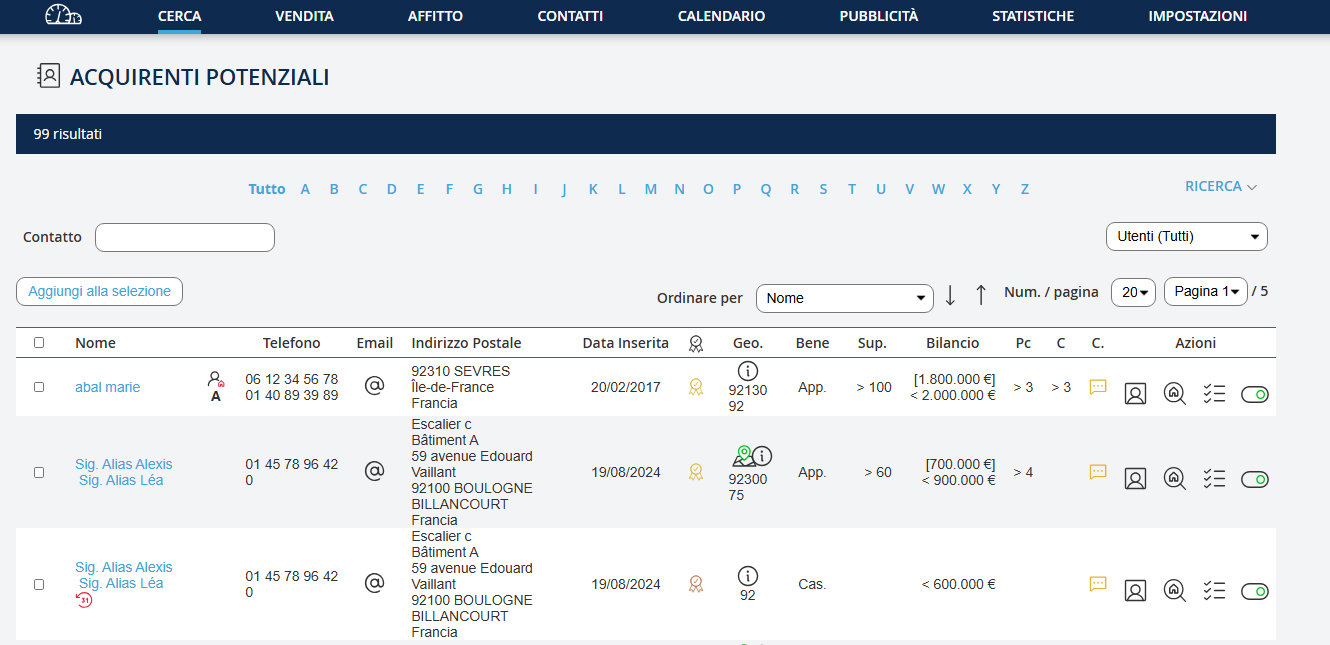
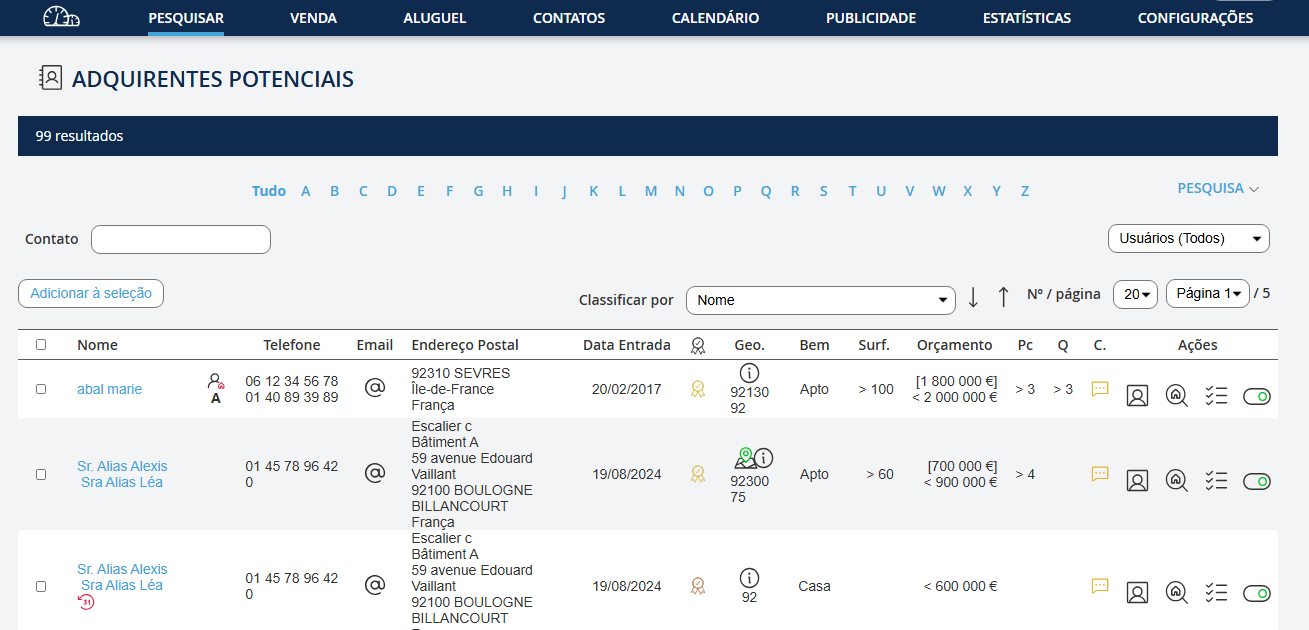
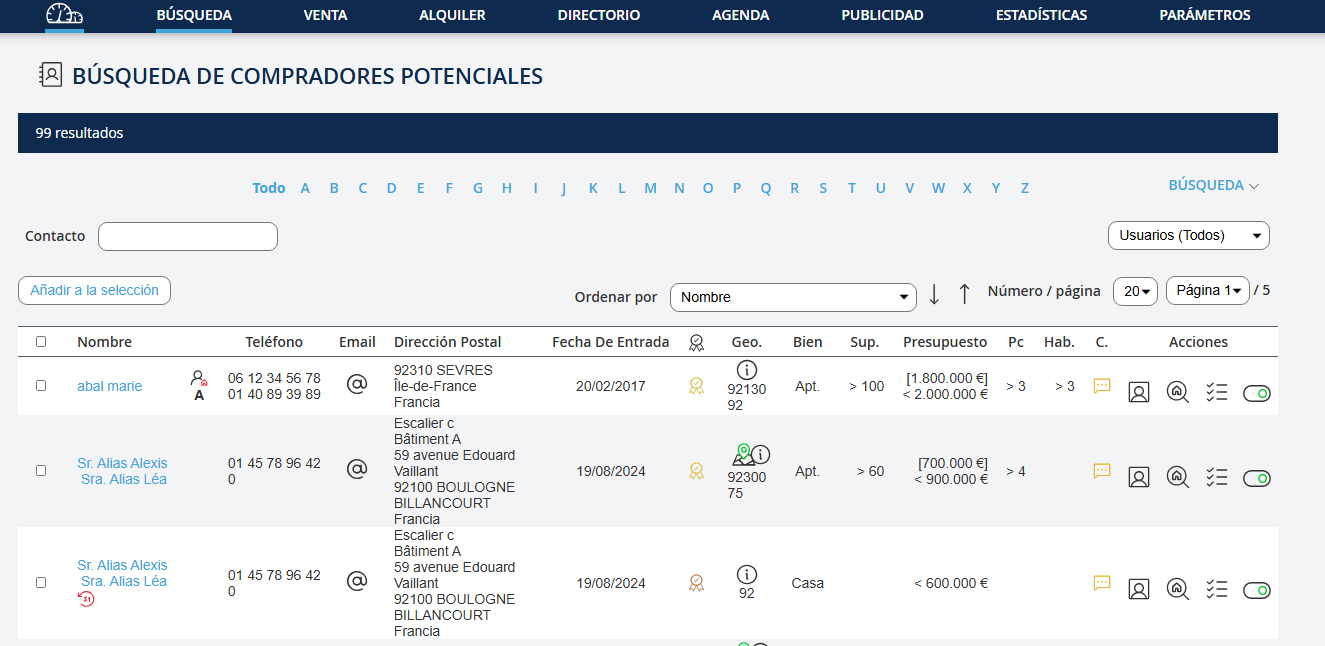
Dans la fenêtre de résultats, vous pouvez modifier votre recherche : 1. Cliquez sur le lien "Recherche" 2. Modifiez les champs 3. Cliquez sur le bouton "Rechercher"
In the results window, you can modify your search: 1. Click on the link "Search" 2. Modify the fields 3. Click on the button "Search"
In the results window, you can modify your search: 1. Click on the link "Search" 2. Modify the fields 3. Click on the button "Search"
Im Ergebnisfenster können Sie Ihre Suche ändern: 1. Klicken Sie auf den Link "Suche" 2. Ändern Sie die Felder 3. Klicken Sie auf die Schaltfläche "Suche"
Nella finestra dei risultati, puoi modificare la tua ricerca: 1. Fai clic sul link "Ricerca" 2. Modifica i campi 3. Fai clic sul pulsante "Ricerca"
Na janela de resultados, pode modificar a sua pesquisa: 1. Clique no link "Pesquisa" 2. Modifique os campos 3. Clique no botão "Pesquisar"
En la ventana de resultados, puede modificar su búsqueda: 1. Haga clic en el enlace "Búsqueda" 2. Modifique los campos 3. Haga clic en el botón "Buscar"
Chercher un acquéreur potentiel :
Chercher un acquéreur potentiel :
Search for a potential buyer:
Search for a potential buyer:
Nach einem potenziellen Käufer suchen:
Cerca un acquirente potenziale:
Procurar um comprador potencial:
Buscar un comprador potencial:
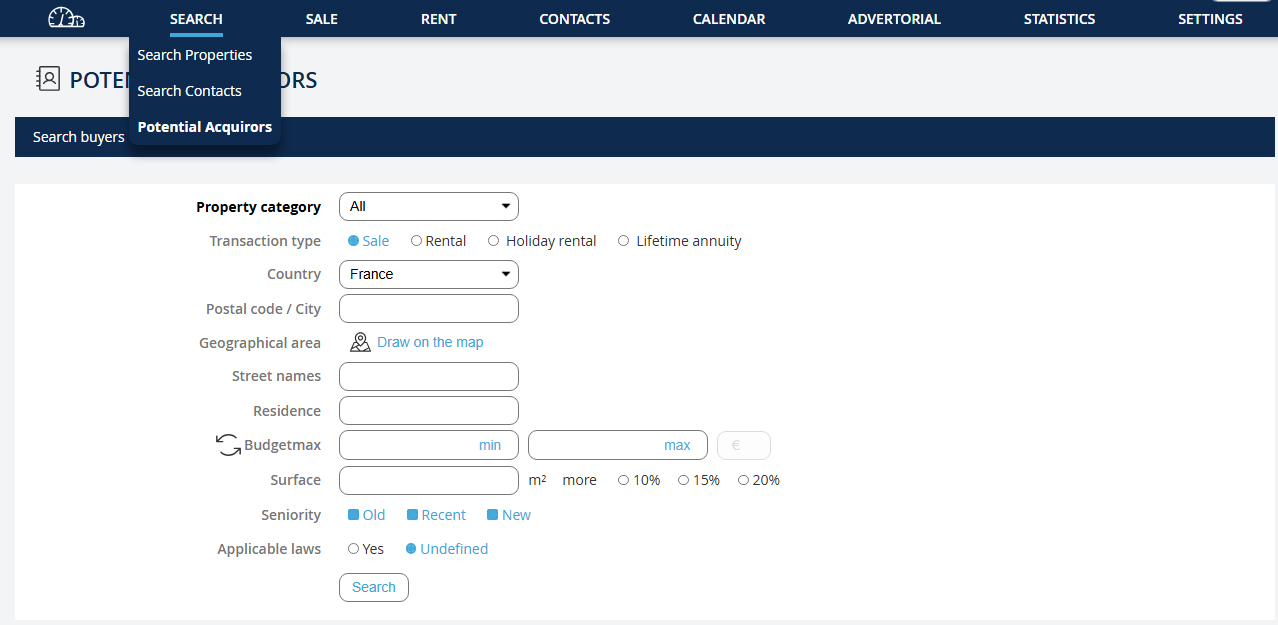
Cette fonctionnalité a été développée pour montrer à un nouveau propriétaire qu’il peut vous confier son bien car vous avez d’ores et déjà un grand nombre d’acquéreurs potentiellement intéressés. Allez dans le menu déroulant "Recherche" puis cliquez sur "Rechercher un acquéreur".
This feature was developed to show a new owner that they can entrust their property to you because you already have a large number of potential buyers interested. Go to the dropdown menu "Search" and click on "Search for a buyer".
This feature was developed to show a new owner that they can entrust their property to you because you already have a large number of potential buyers interested. Go to the dropdown menu "Search" and click on "Search for a buyer".
Diese Funktion wurde entwickelt, um einem neuen Eigentümer zu zeigen, dass er Ihnen seine Immobilie anvertrauen kann, da Sie bereits eine große Anzahl potenzieller Käufer haben. Gehen Sie zum Dropdown-Menü "Suche" und klicken Sie auf "Nach einem Käufer suchen".
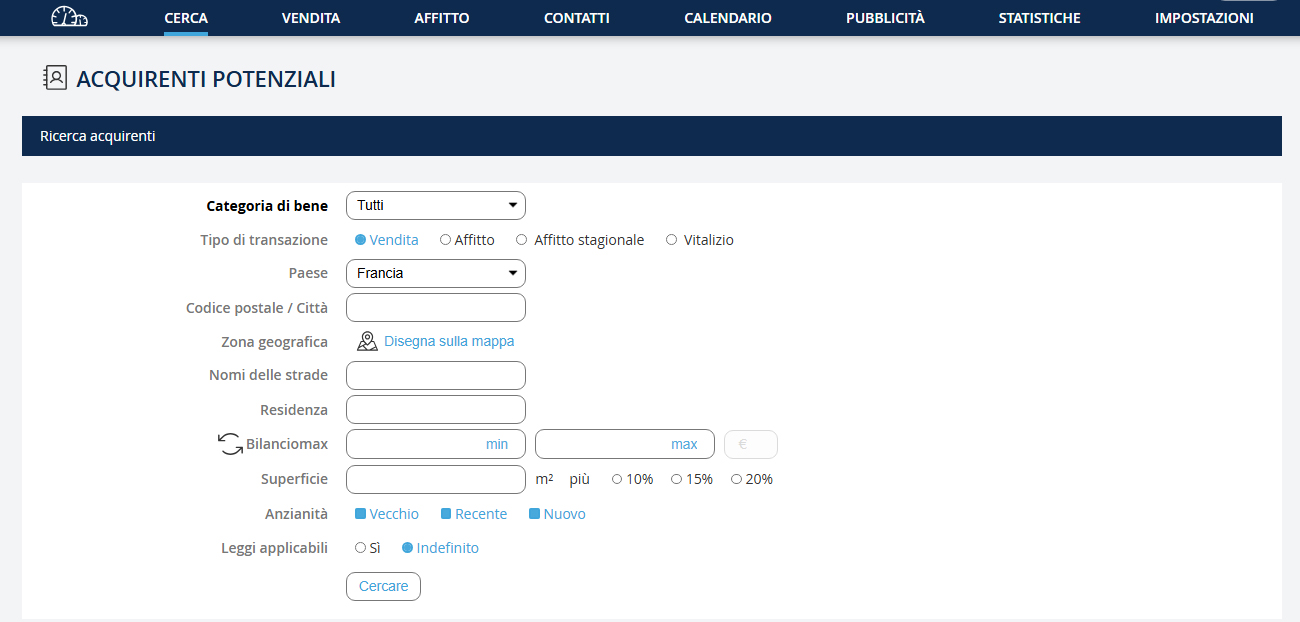
Questa funzionalità è stata sviluppata per mostrare a un nuovo proprietario che può affidarti la sua proprietà perché hai già un gran numero di acquirenti potenzialmente interessati. Vai nel menu a discesa "Ricerca" e clicca su "Cerca un acquirente".
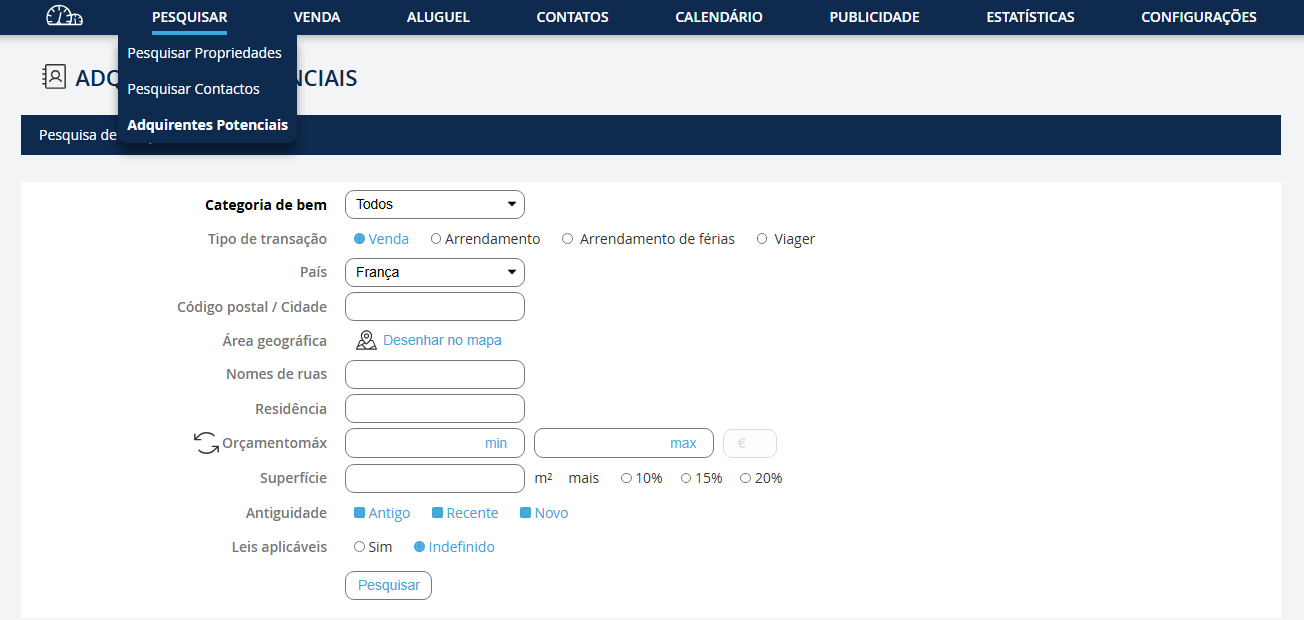
Esta funcionalidade foi desenvolvida para mostrar a um novo proprietário que pode confiar-lhe o seu imóvel porque já tem um grande número de compradores potenciais interessados. Vá no menu suspenso "Pesquisa" e clique em "Pesquisar um comprador".
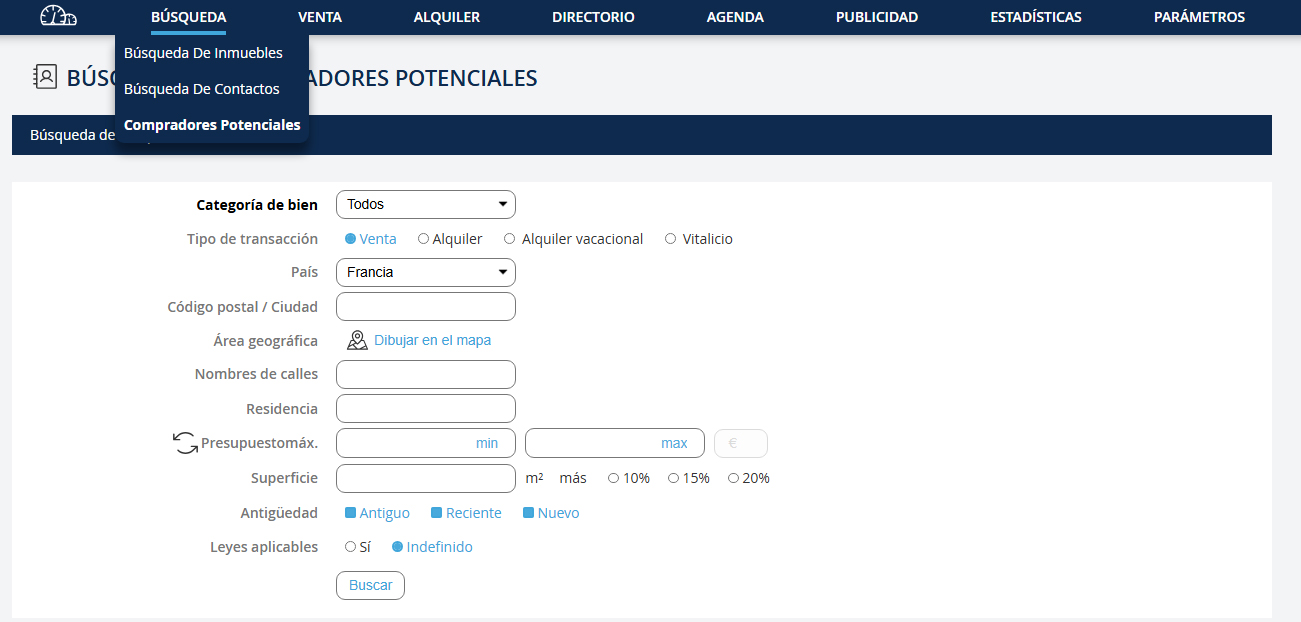
Esta funcionalidad fue desarrollada para mostrar a un nuevo propietario que puede confiarle su propiedad porque ya tiene un gran número de compradores potencialmente interesados. Vaya al menú desplegable "Búsqueda" y haga clic en "Buscar un comprador".
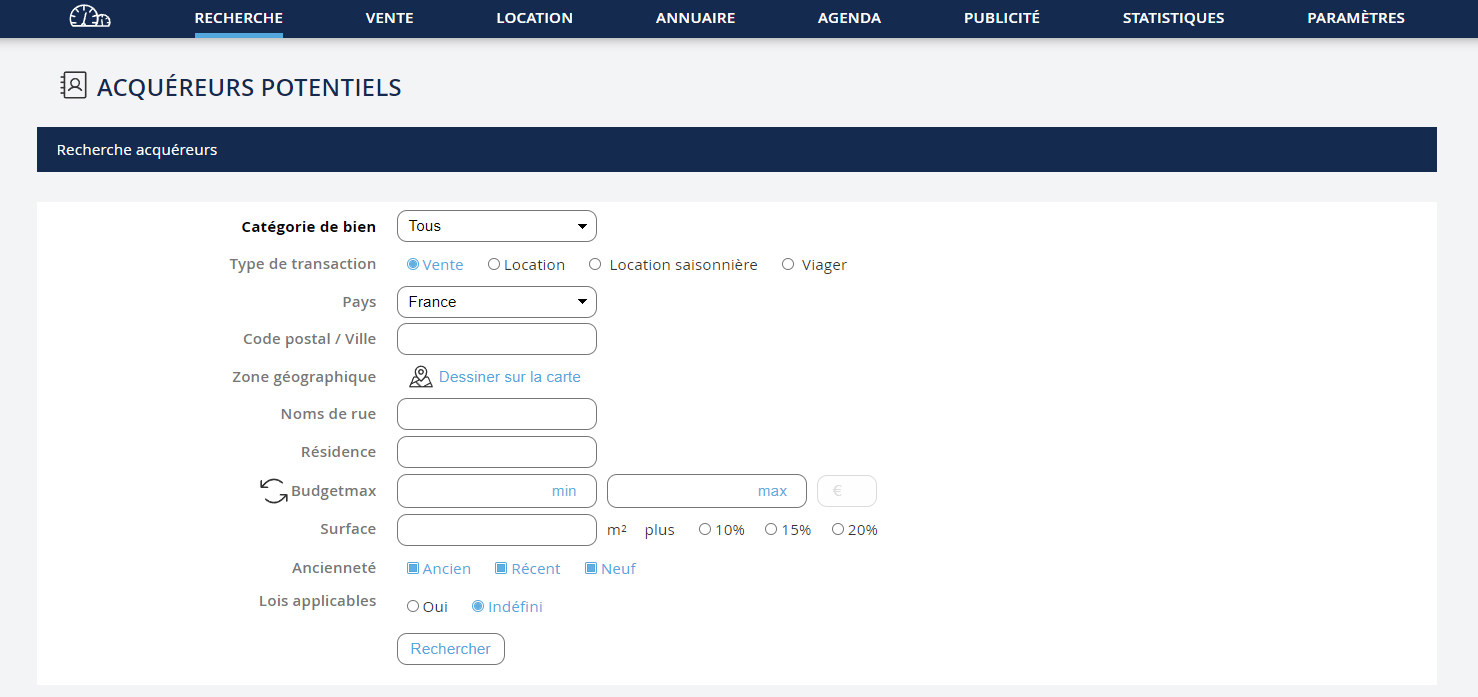
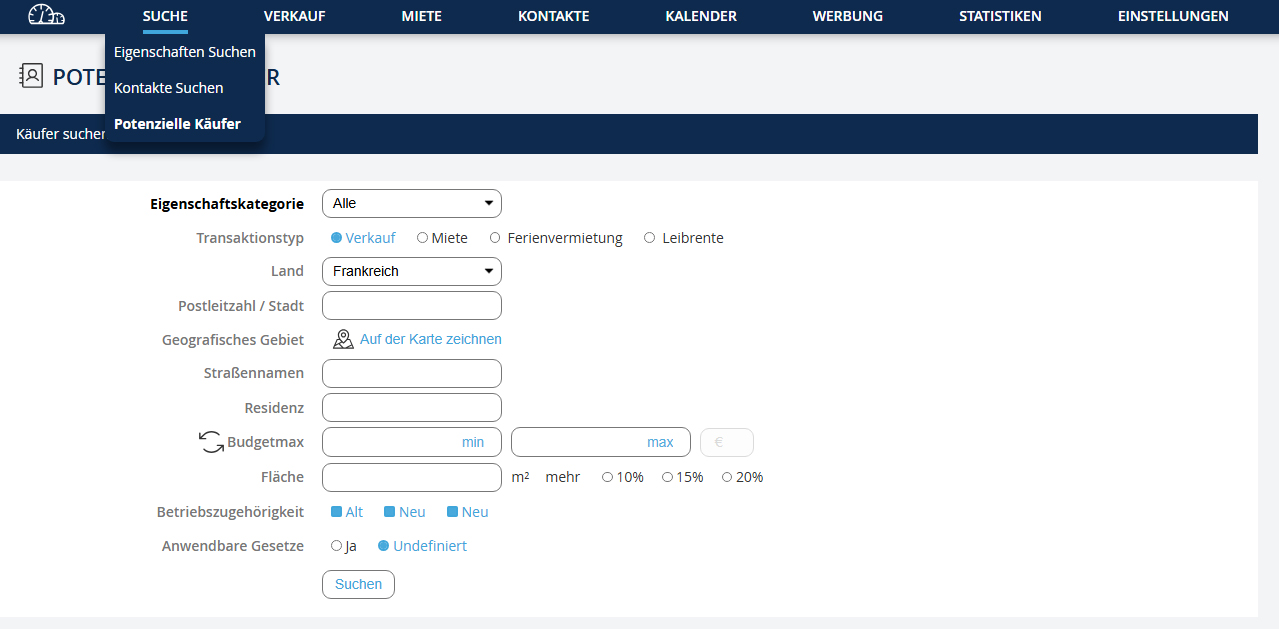
1. Renseignez les informations du bien à vendre afin d’obtenir la liste des acquéreurs potentiels 2. Puis, cliquez sur le bouton "Rechercher"
1. Enter the property information to get the list of potential buyers 2. Then, click on the button "Search"
1. Enter the property information to get the list of potential buyers 2. Then, click on the button "Search"
1. Geben Sie die Immobilieninformationen ein, um die Liste der potenziellen Käufer zu erhalten 2. Klicken Sie dann auf die Schaltfläche "Suche"
1. Inserisci le informazioni sull'immobile da vendere per ottenere l'elenco degli acquirenti potenziali 2. Poi clicca sul pulsante "Ricerca"
1. Preencha as informações do imóvel a vender para obter a lista de compradores potenciais 2. Depois, clique no botão "Pesquisar"
1. Introduzca la información de la propiedad para obtener la lista de compradores potenciales 2. Luego, haga clic en el botón "Buscar"
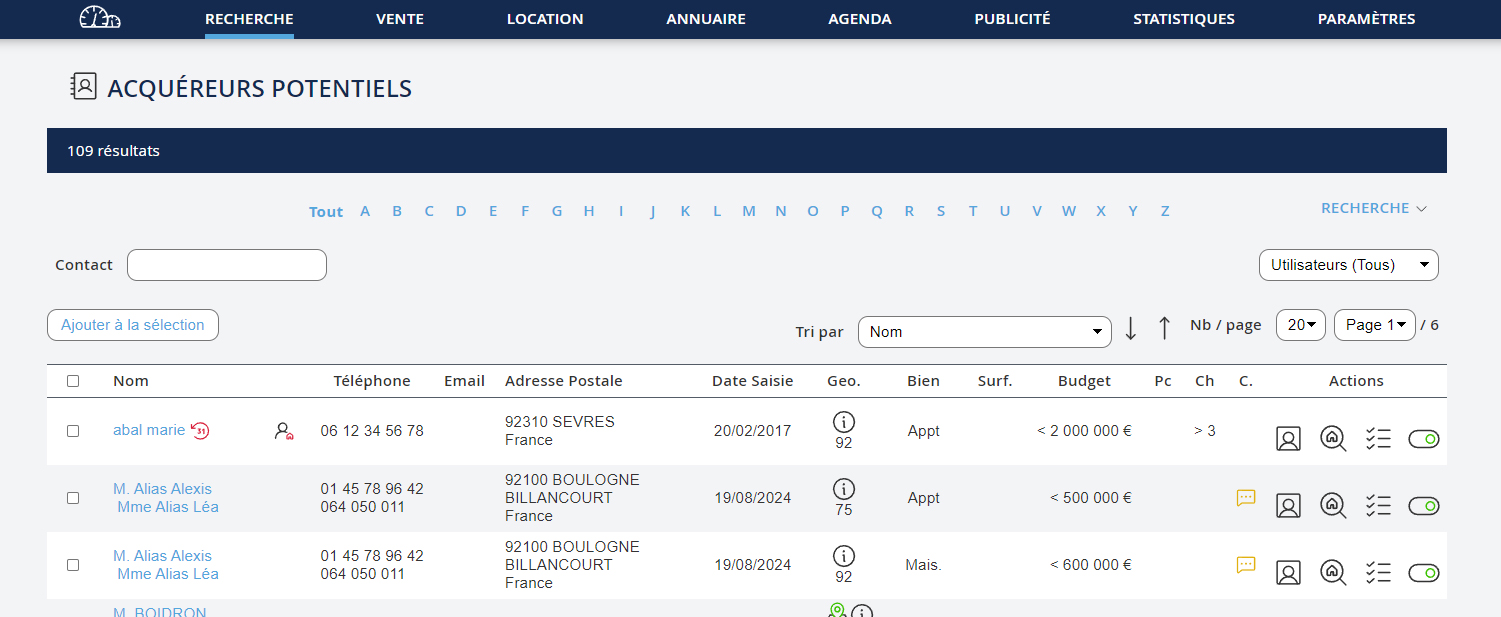
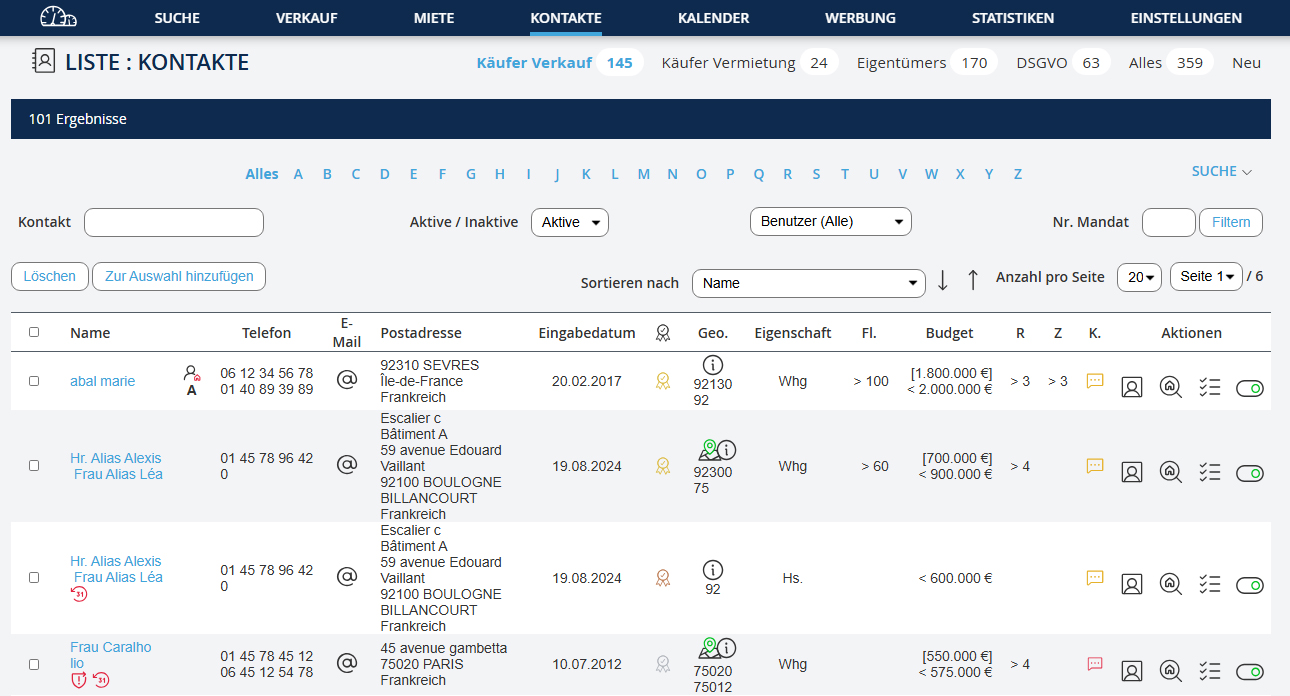
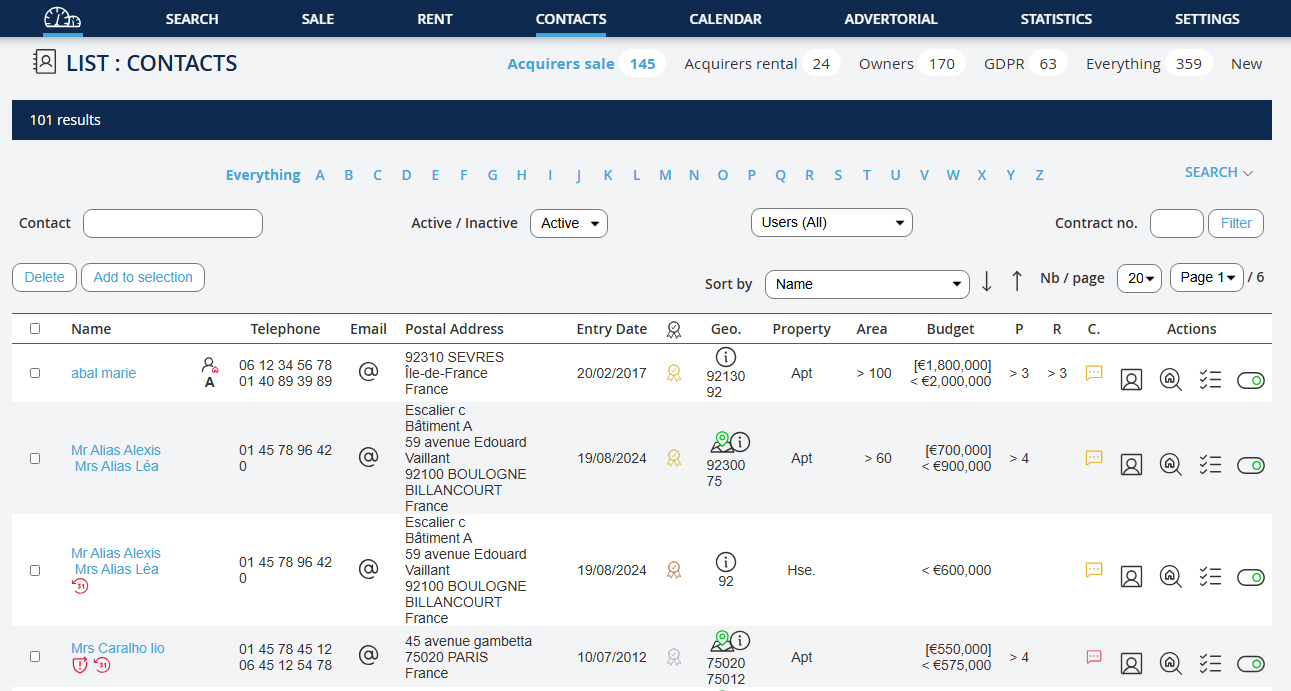
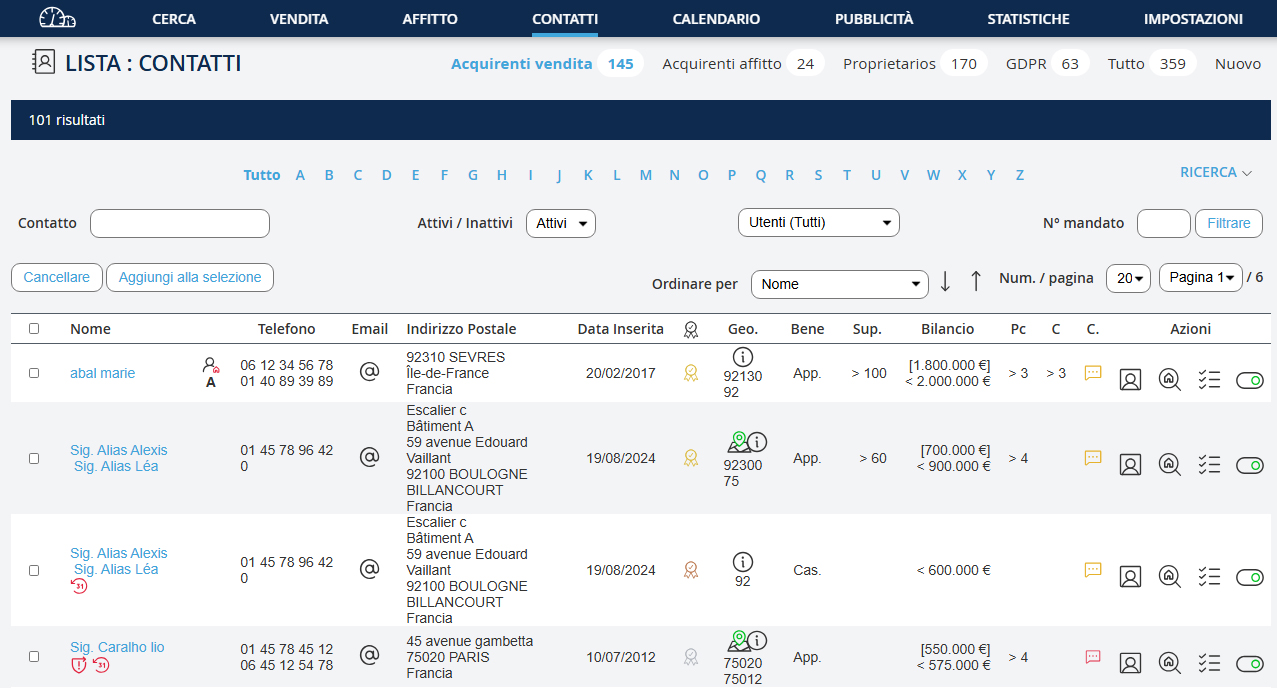
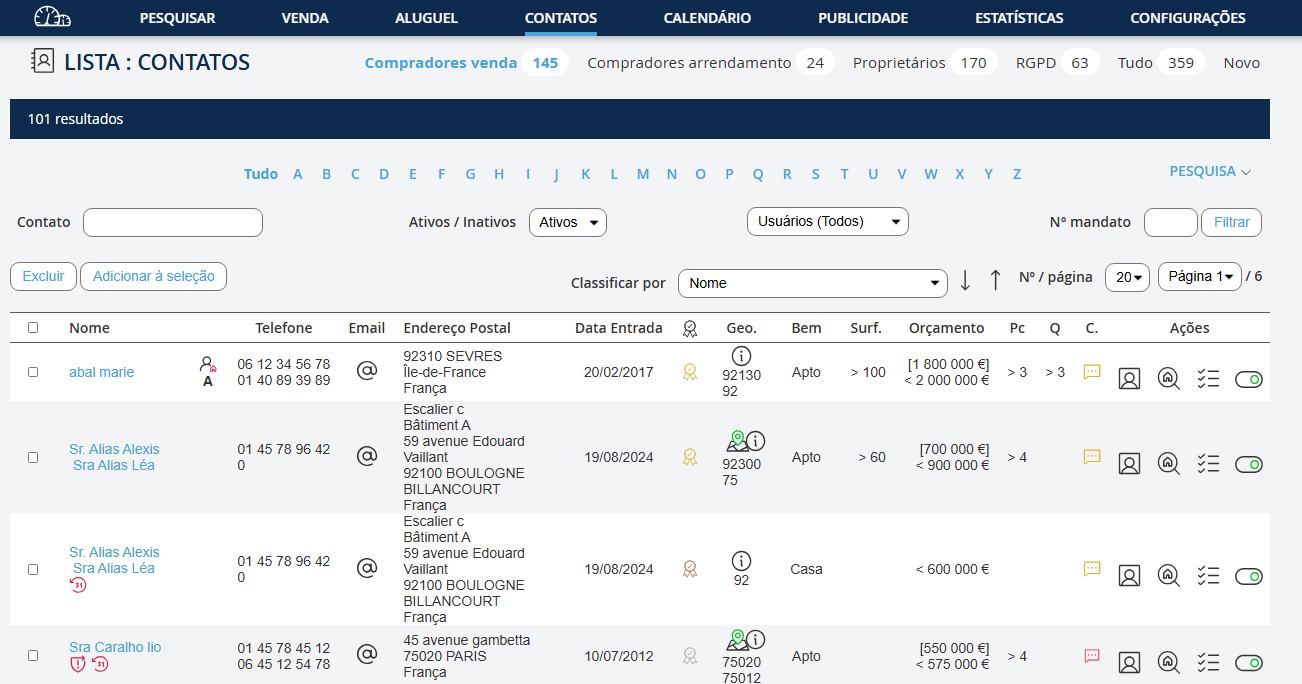
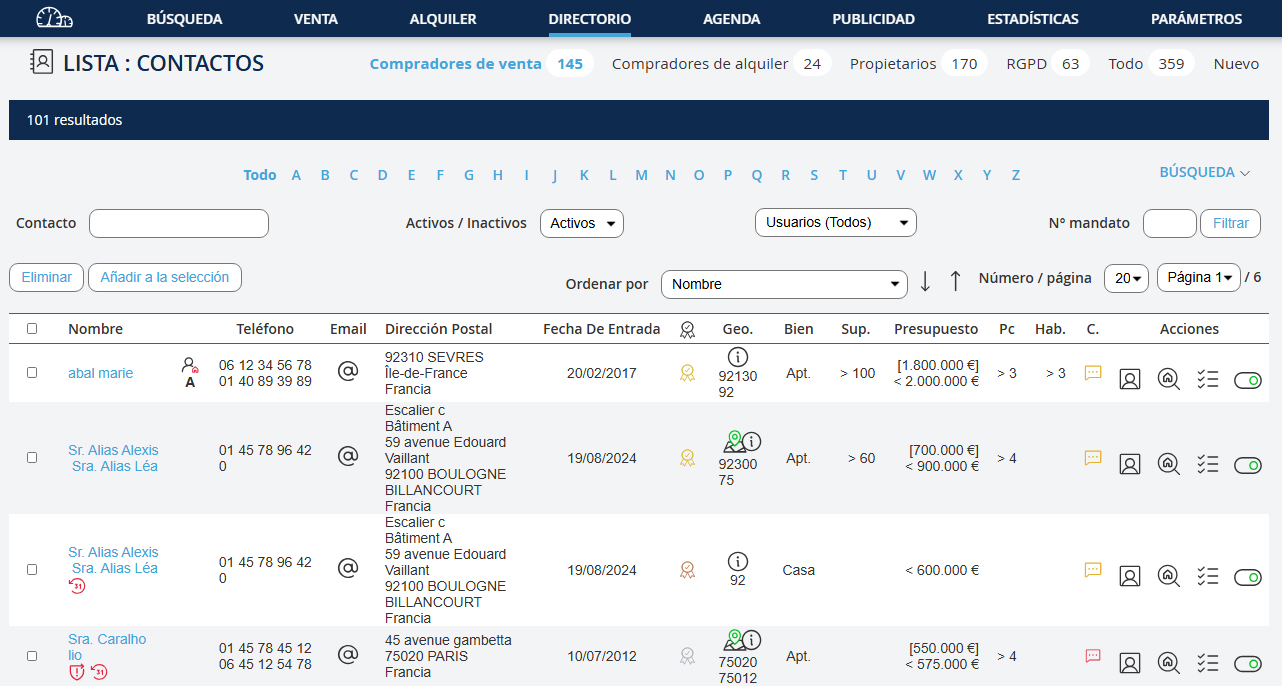
Dans la fenêtre de résultats, vous pouvez modifier votre recherche : 1. Cliquez sur le lien "Recherche" 2. Modifiez les champs 3. Cliquez sur le bouton "Recherche"
In the results window, you can modify your search: 1. Click on the link "Search" 2. Modify the fields 3. Click on the button "Search"
In the results window, you can modify your search: 1. Click on the link "Search" 2. Modify the fields 3. Click on the button "Search"
Im Ergebnisfenster können Sie Ihre Suche ändern: 1. Klicken Sie auf den Link "Suche" 2. Ändern Sie die Felder 3. Klicken Sie auf die Schaltfläche "Suche"
In the results window, you can modify your search: 1. Fai clic sul link "Ricerca" 2. Modifica i campi 3. Fai clic sul pulsante "Ricerca"
Na janela de resultados, pode modificar a sua pesquisa: 1. Clique no link "Pesquisa" 2. Modifique os campos 3. Clique no botão "Pesquisar"
En la ventana de resultados, puede modificar su búsqueda: 1. Haga clic en el enlace "Búsqueda" 2. Modifique los campos 3. Haga clic en el botón "Buscar"